SHAPING THE FUTURE OF SATELLITE COMMUNICATIONS
6.6.1.2 Edit a User Account
Proceed as follows to create a new user account:
Click the Users List button on the Miscellaneous tab;
Select a user profile from the list.
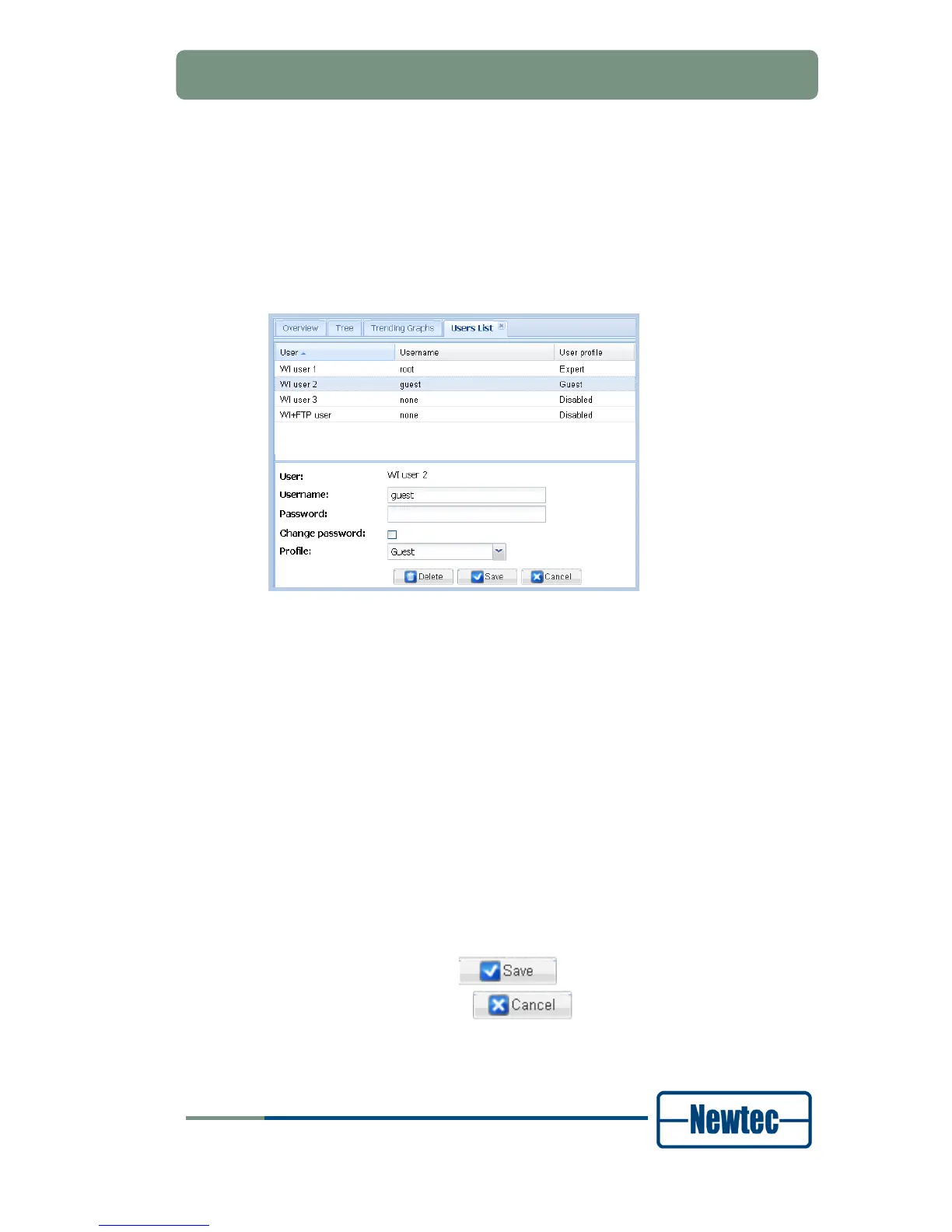
The user properties fields can now be edited.
Figure 49 - Users List Tab with User Properties Fields
Type in the field:
- Username: this is the username the user must use to log in. It is not
allowed to duplicate user names.
- Password: this is the password the user must use to log in.
Select the desired Profile from the drop-down list box;
- Guest: the user has read-only access to the typical configuration and
monitoring options;
- Normal: The user has read-write access to the typical configuration
options. The user can load a configuration but cannot save a
configuration. The user can execute and see the commands of a custom
action.
- Expert: The user has read-write access to all configuration options. The
user can load and save a configuration. The expert user can execute and
create custom actions.
Click:
- The Save button (
) if you want to save the user account;
- The Cancel button (
) if you don’t want to save the user
account.



 To Next Page