146
5-1-2� PTZ and Other Screen Controls
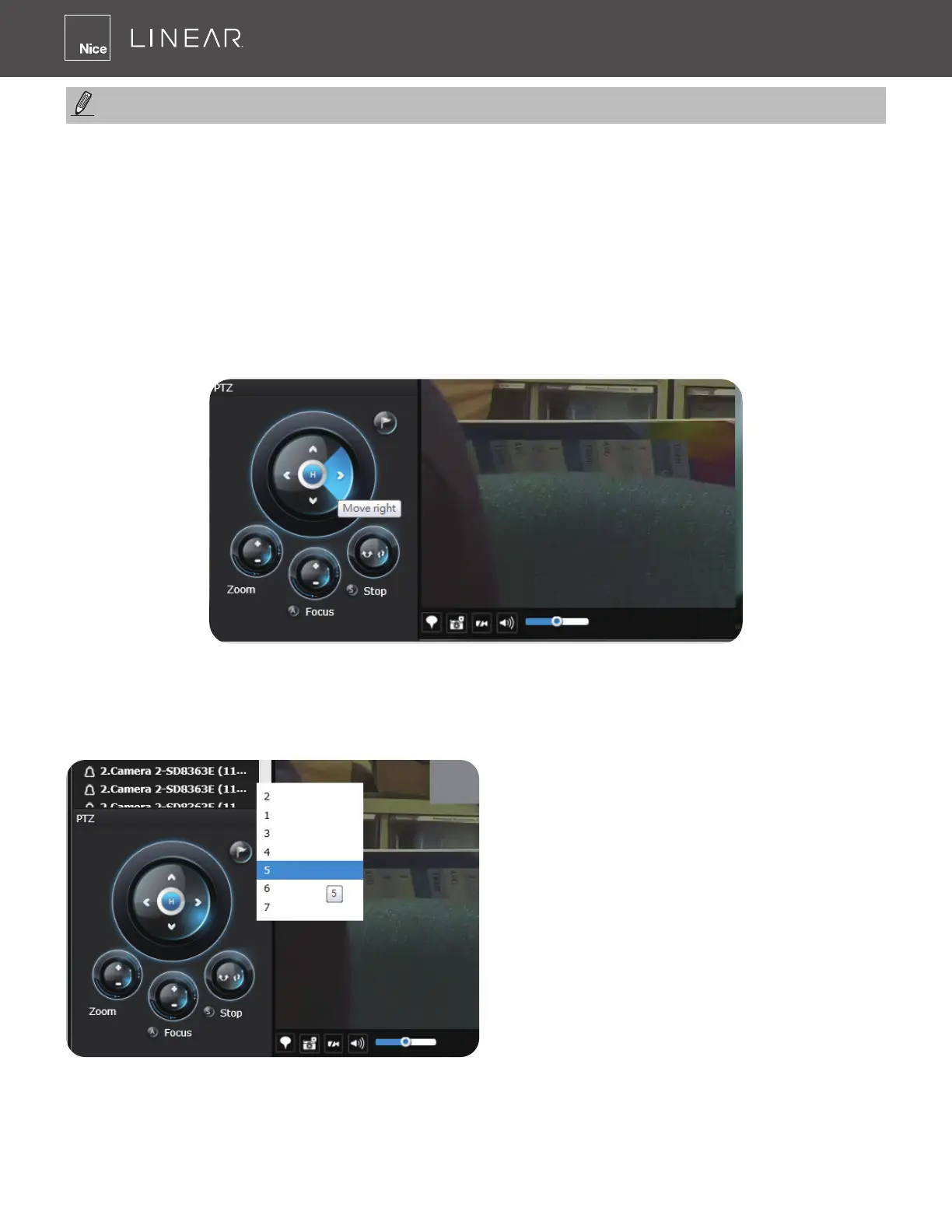
Note that the PTZ control panel only applies when you select a view cell with a camera that comes
with mechanical PTZ functions� Currently, the e-PTZ function is not supported by the NVR system�
With a PTZ camera, the buttons on the PTZ panel become functional when you mouse over its
GUI elements� For all compatible cameras and exerting Zoom, Focus and Patrol functions, please
refer to page 60 for details� The Zoom function, for example, requires a camera that comes with a
motorized zoom module and may not be applicable to every PTZ camera�
The preset positions and the patrol functions require the associated conguration on the cameras
via a web console� Before you make use of these functions, you should set up the preset positions
on a web console with the camera� The NVR GUI does not provide the conguration options with
PTZ preset positions�
You can use Preset button to display preset
positions and tell the camera to move and
point at the preset direction, as well as
perform a camera tour to visit these positions
in a consecutive order�
By default, when a user or administrator logs in to the Live view window, the last layout page
visited will be displayed� This layout becomes the default layout�
NOTE:



 To Next Page