41
Smart Surveillance
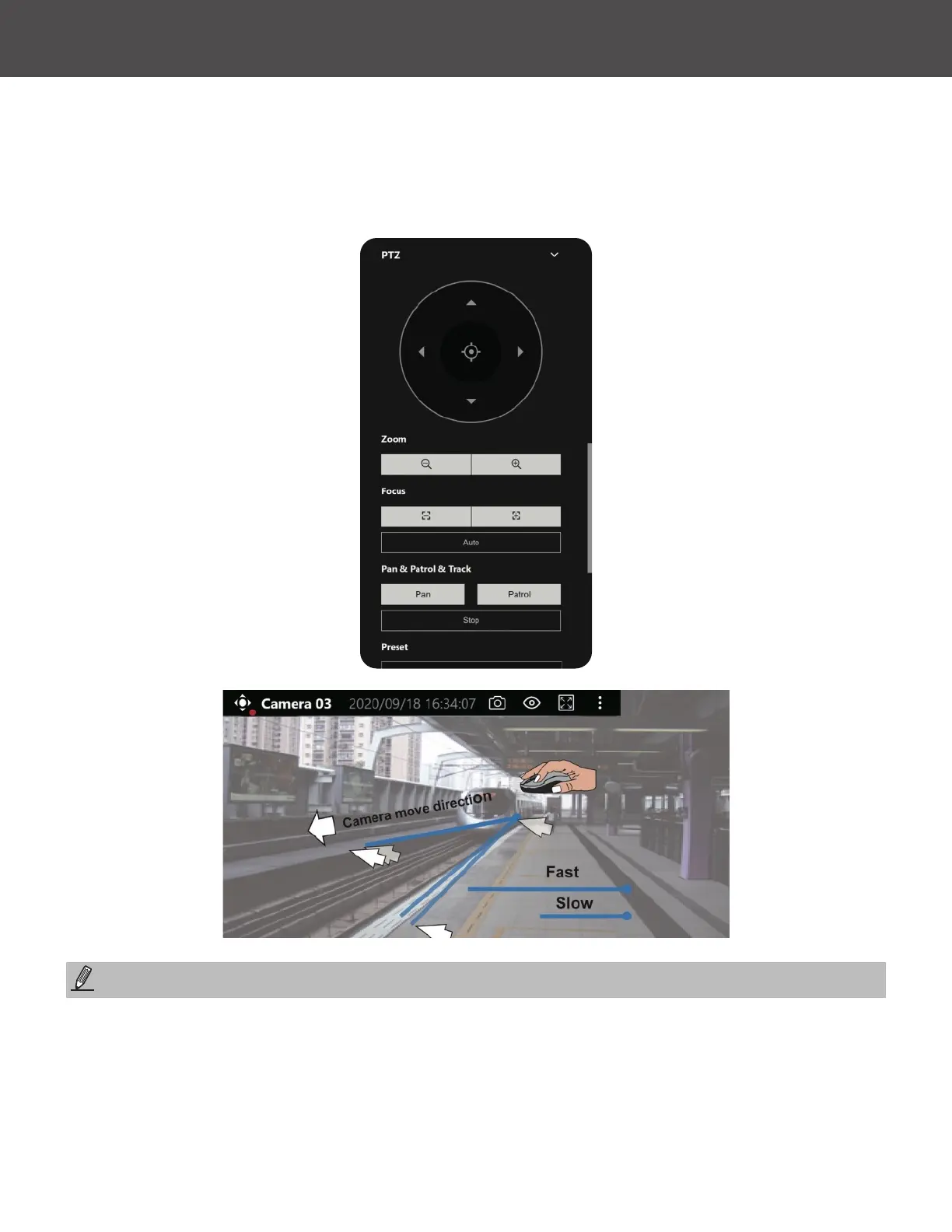
* For a PTZ camera, scroll down to display the PTZ control panel where you can zoom, focus, pan,
patrol or move the camera lens�
On a live view of a PTZ camera, you can hold down the Mouse button and move the cursor
towards the direction you want to move� The mouse control is automatically enabled for PTZ
cameras� As depicted below, the farther you move along the screen, the faster the lens module
moves�
Bookmarks will be erased if the user/system erases the video clips they were appended to� For
example, system will recycle storage space by deleting old videos along with their bookmarks�
Auto pan/patrol controller: These buttons provide pan and patrol functions provided that preset
locations have been congured on the camera� For a speed dome camera, the pan command tells
the camera to continuously pan 360 degrees until it is stopped by a user command�
The Stop button ends a pan or patrol tour�
NOTE:



 To Next Page