72
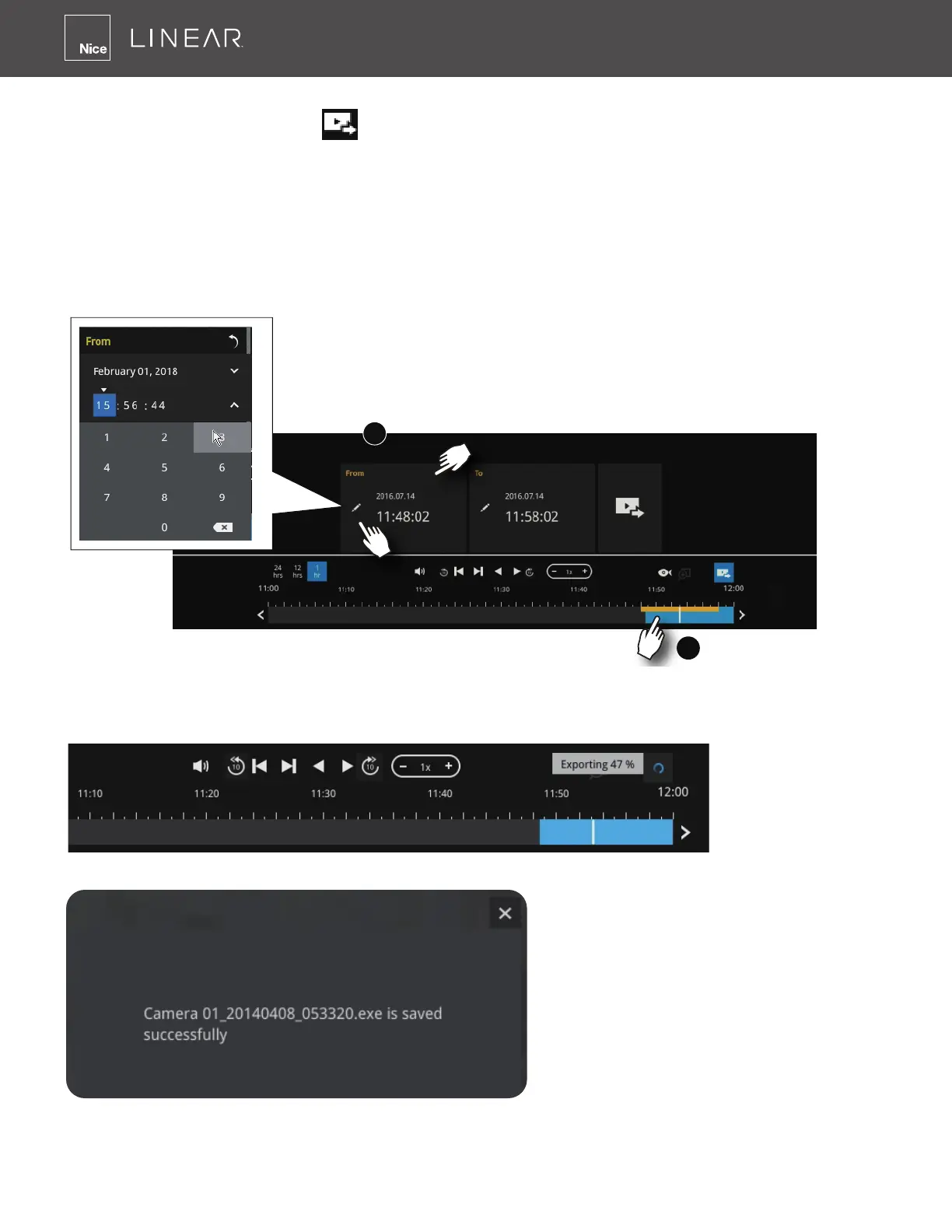
Note that to export a video segment from the playback timeline,
1� Click on the Export button �
2� Insert a USB drive formatted in the FAT format�
3� Select the "From time" by clicking on the timeline� You can also manually enter the "From time"
and the "To time�"
4� Click on the "From time" tab using a single click�
5� Repeat steps 3 and 4 to congure the To time�
6� Click on the Export button�
1
2
The export process is indicated on the right� Depending on the length of footage to be exported,
this process can take minutes�
When completed, a message will display on screen�
The default for export is 5 minutes before and 5 minutes after the point in time that is
currently selected�



 To Next Page