92
1� Wi-Fi (SSID): Displays the AP (Access Point) this camera is connected to�
2� Security mode: Displays the security mode used for the security encryption�
3� Encryption: Displays the encryption standard currently applied�
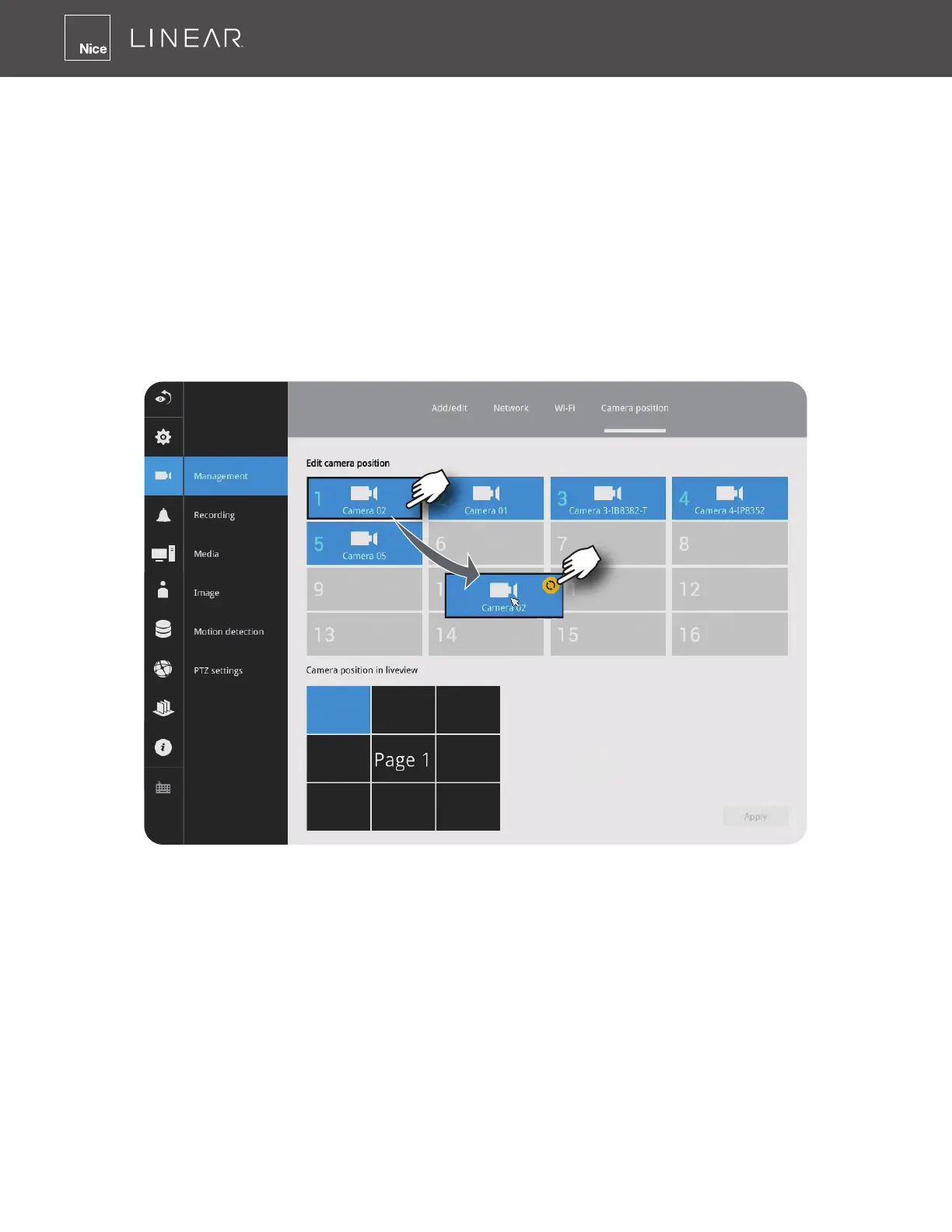
Camera position
To change a camera’s position on the Liveview layout, click and drag a camera to an unpopulated
position� Note that you cannot swap the positions of two cameras by dragging a camera onto a
position already populated by the other� Also, the camera index number on the management list is
not affected by the change of positions�
Click the Apply button for the conguration change to take effect� The position screen displays
the current layout on the Liveview screen�



 To Next Page