Basic Card Printing Methods
9
Loading Cards
Cards can be loaded in the Card Case and the Card Feeding Slot.
The Card Case can be loaded with a large quantity of cards, making it useful for mass printing.
Use the Card Feeding Slot to manually load cards when you want to print only 1 particular card
or to print many types of cards.
z Use cards recommended by your reseller.
→See "Cards" on page 43 for details about which cards you can use.
z Do not use the following cards:
• Cards previously printed with this card printer or any other one.
• Wet cards
• Cards mixed with glass, metallic or other foreign objects
• Embossed cards
• Cards coated with oil or other foreign matter
• Cracked, chipped, bent or otherwise damaged cards
• Transparent cards
• Abnormally shaped cards
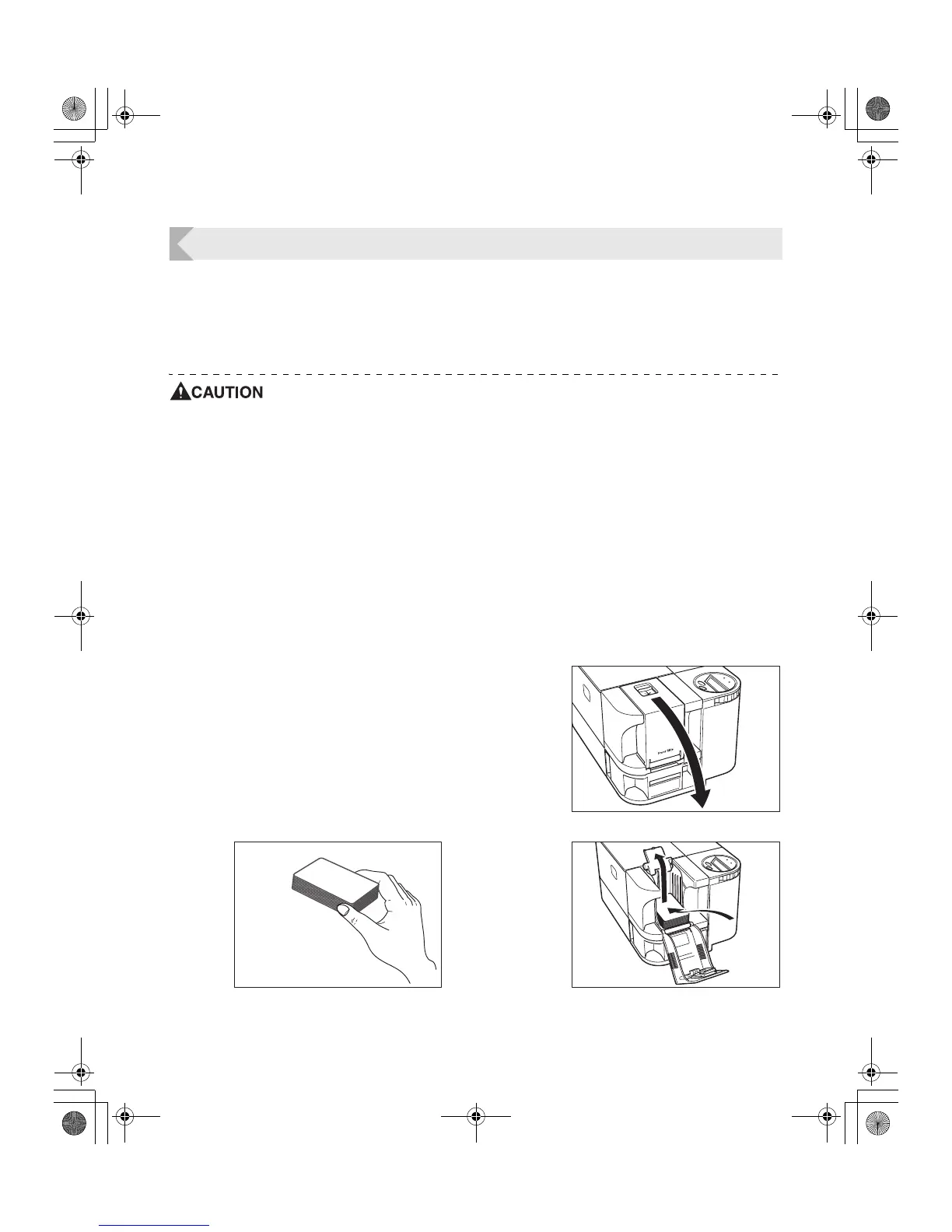
Loading Cards into the Card Case
1 Open the Card Case cover.
• While pulling the lock lever, open the cover towards
you.
2 Lift up the weight and load the cards.
• Load the Card Case so the cards are printing side up.
• When loading the cards, be sure to pinch the edge of
them. Never touch the printing side.
3 Lower the weight and close the cover.
PR-C101_C101M_E.book Page 9 Monday, August 27, 2007 11:16 AM



 To Next Page