Full Color Card Printer PR-C101/C101M
6
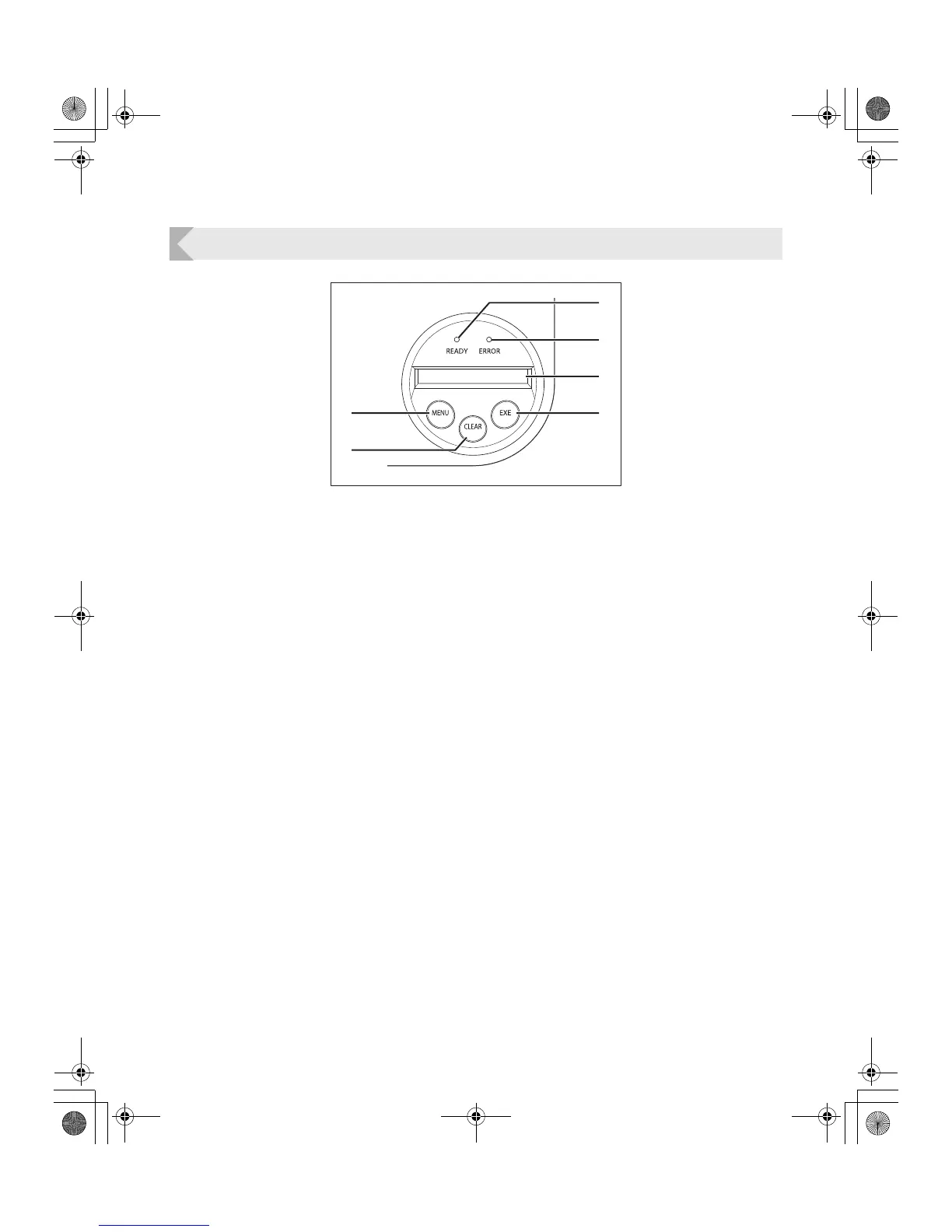
Operation Panel
a READY Indicator (Blue Indicator)
This indicator is constantly lit, blinks (fast or
slow) or is not lit depending on the status of the
printer.
b ERROR Indicator (Red Indicator)
Lights when an error occurs.
→See "Troubleshooting" on page 36 when an error
occurs.
c LCD Panel
Displays the printer's status.
Also displays messages related to the printer's
status in Normal Mode, settable menus in User
Mode, and displays the information about
errors that occur.
→See "Normal Mode and User Mode" on page 15 for
details about Normal Mode and User Mode.
→See "Troubleshooting" on page 36 when an error
occurs.
d EXE Key
Used to reprint the last card printed when the
READY Indicator is lit.
In User Mode, it opens the display menu and
increases setting values.
→See "Reprinting a Card that Has Just Been Printed"
on page 19 for details on reprinting a card.
→See "Basic User Mode Operations" on page 17 for
details on changing the User Mode settings.
e CLEAR Key
Used to clear errors.
In User Mode, it decreases the setting values.
→See "Troubleshooting" on page 36 when an error
occurs.
→See "Basic User Mode Operations" on page 17 for
details on changing the User Mode settings.
f Menu Key
Switches between Normal Mode and User
Mode. In User Mode, it is used to switch
between menus.
→See "Normal Mode and User Mode" on page 15 for
details about Normal Mode and User Mode.
a
f
e
b
c
d
PR-C101_C101M_E.book Page 6 Monday, August 27, 2007 11:16 AM



 To Next Page