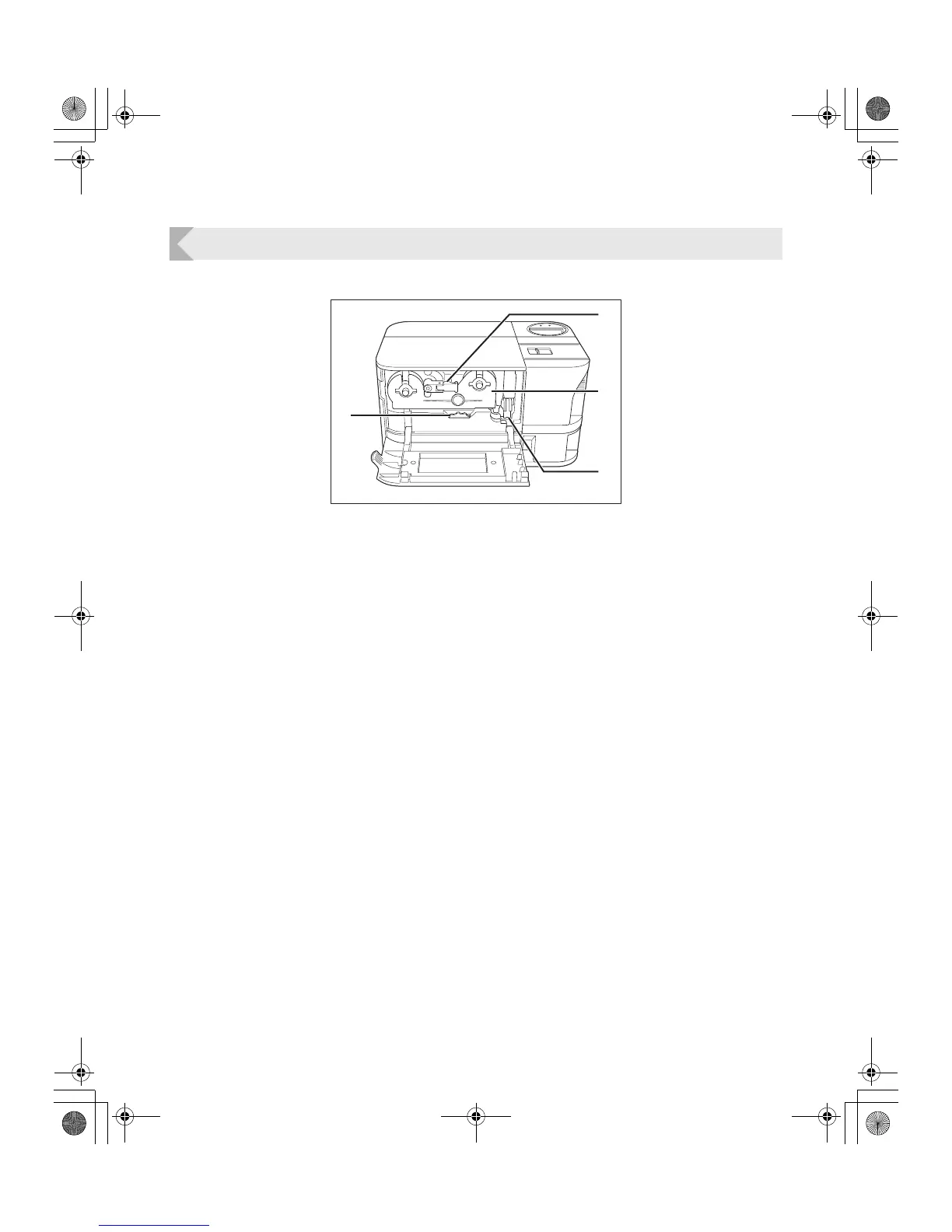
Part Names and Descriptions
5
Front Cover
Interior of the Front Cover
a Ink Ribbon Cartridge Securing Lever
Used when loading the Ink Ribbon Cartridge
into the printer.
→See "Changing the Ink Ribbon Cartridge" on
page 13 for details about changing the Ink Ribbon
Cartridge.
b Ink Ribbon Cartridge
This cartridge contains the ink ribbon.
→See "Changing the Ink Ribbon Cartridge" on
page 13 for details about changing the Ink Ribbon
Cartridge.
→See "Ink Ribbon Cartridges" on page 42 for details
about which Ink Ribbon Cartridges you can use.
c Cleaning Roller
Removes dirt and other foreign matter stuck to
the cards.
→See "Cleaning the Cleaning Roller" on page 34 for
cleaning instructions.
d Ejection Dial
Rotating the dial to the left ejects cards jammed
in the printer from Card Ejection Slot 2.
→See "When a Card is Jammed..." on page 39 for
instructions on how to eject jammed cards.
a
b
c
d
PR-C101_C101M_E.book Page 5 Monday, August 27, 2007 11:16 AM



 To Next Page