Basic Card Printing Methods
13
Changing the Ink Ribbon Cartridge
Change the Ink Ribbon Cartridge when the ink ribbon runs out.
You can use the following Ink Ribbon Cartridges:
• PR50025UC (Overcoating Color Ink Ribbon: YMCKO)
• PR5002KOC (Overcoating Black Ink Ribbon: KO)
• PR5002KC (Black Ink Ribbon: K)
→See "Ink Ribbon Cartridges" on page 42 for details about Ink Ribbon Cartridges.
Note
z You can check the amount of ink ribbon remaining. If the amount of ink ribbon
remaining comes near to an end, the ERROR indicator blinks.
→See "Checking the Ink Ribbon Remaining in the Ink Ribbon Cartridge" on page 22 for instructions on how
to check the amount of ink ribbon remaining.
When a Change is Necessary
The Ink Ribbon Cartridge must be changed when the [Rbn End] error message appears on
the LCD Panel.
Note
z The number of printable sides with the Ink Ribbon Cartridge may decrease under the
following conditions:
→See "Consumables" on page 42 for details about the number of printable sides with an Ink Ribbon
Cartridge.
• When the Ink Ribbon Cartridge is removed during printing
• When an error occurs during printing
• Performing operations not listed in this manual
z Use the Ink Ribbon Cartridge as soon as possible after purchase.
Changing the Cartridge
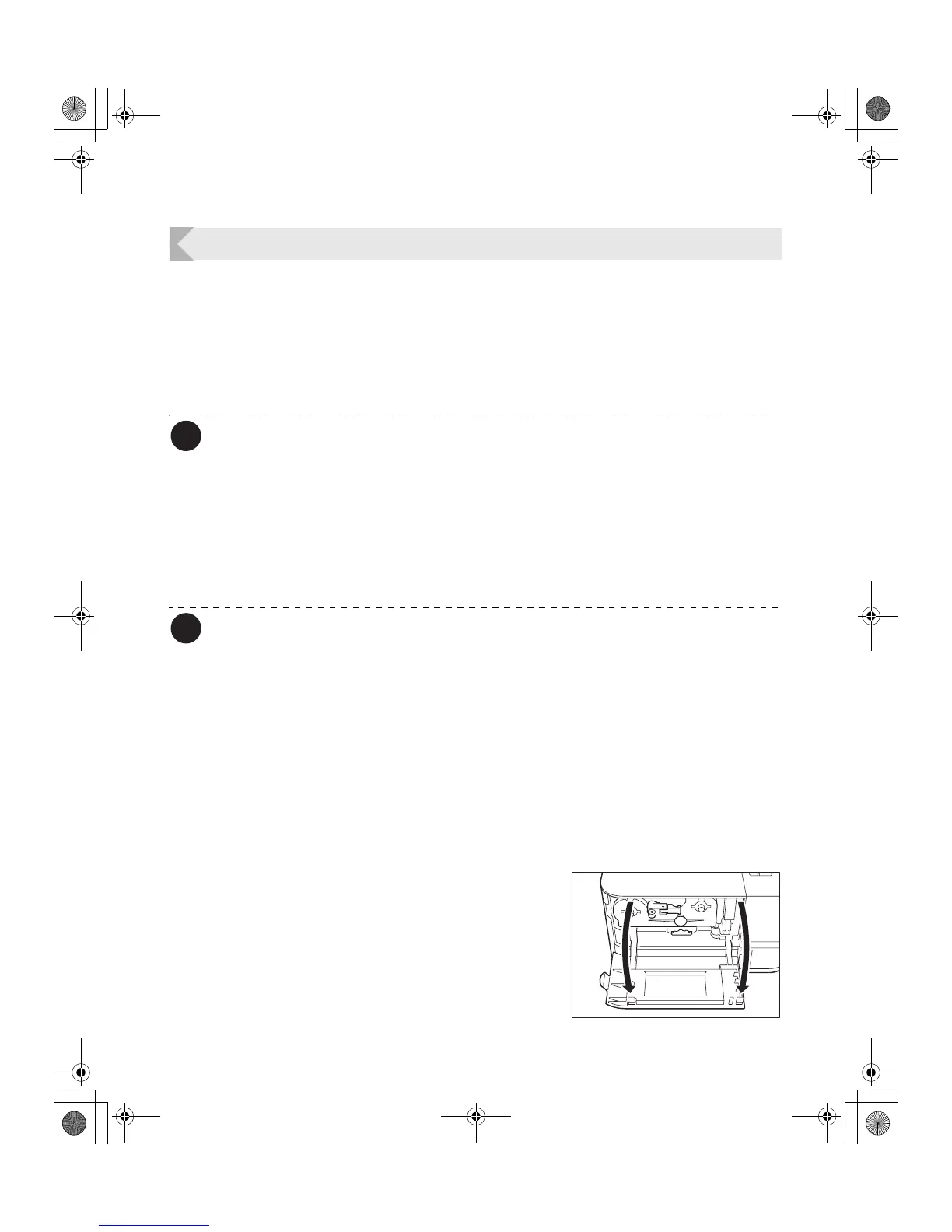
Use the following procedure if it is necessary to change the ink cartridge.
1 Open the Front Cover.
PR-C101_C101M_E.book Page 13 Monday, August 27, 2007 11:16 AM



 To Next Page