ACCESS GATEWAY
System Administration 99
With the ICC feature enabled, subscribers can increase or decrease their own bandwidth
dynamically, and also adjust the pricing plan for their service.
NSE releases 8.2 and later enable or disable bandwidth policies for bandwidth management
and group bandwidth management policies. You can specify settings for each individual WAN.
1. From the Web Management Interface, click on Configuration, then Bandwidth
Management.
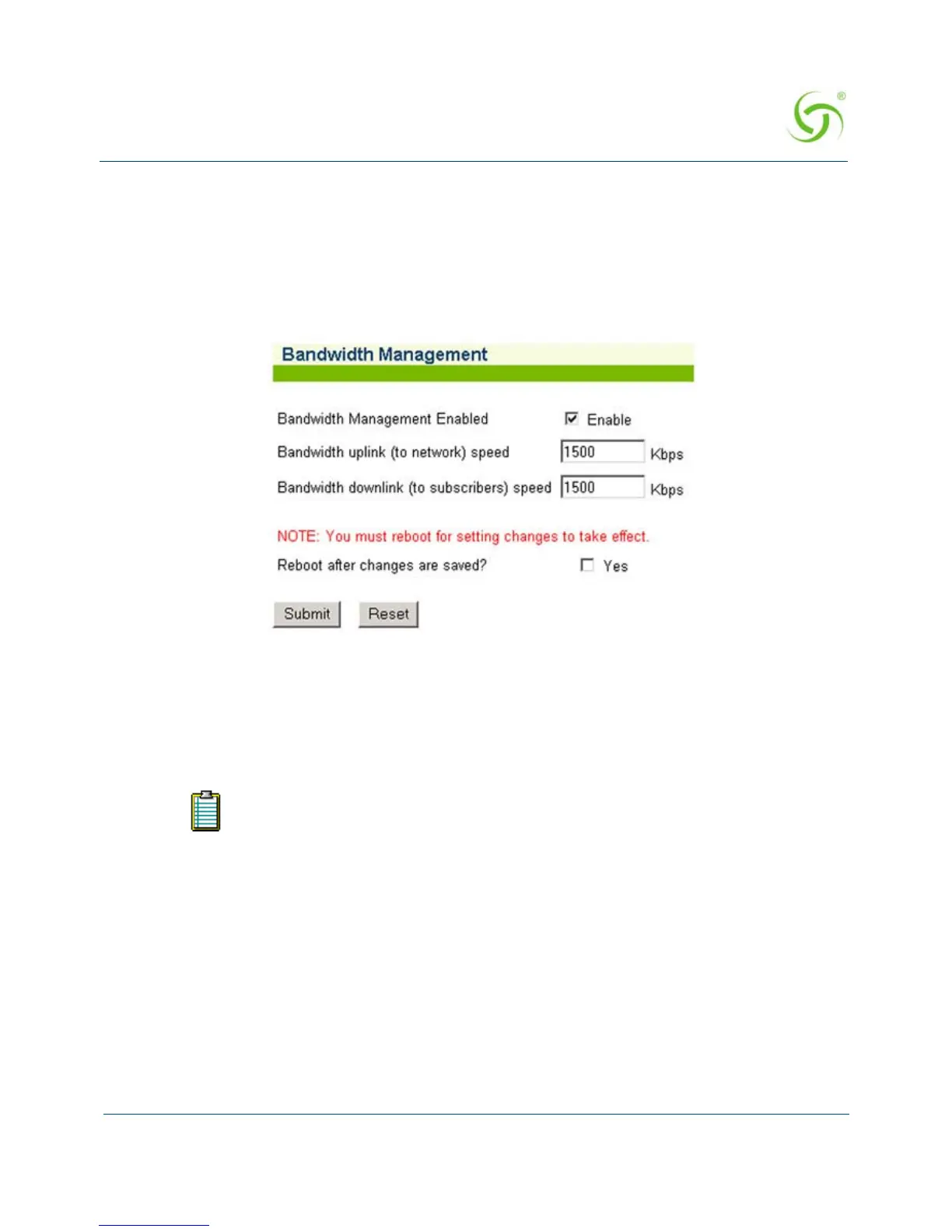
The Bandwidth Management screen appears:
2. If required, click the check box for Bandwidth Management Enabled (this field is not
available on the AG2300 platform because Bandwidth Management is always enabled).
3. If you enabled Bandwidth Management, enter the uplink and downlink speeds (in Kbps)
in the appropriate fields.
4. If required, select Group Bandwidth Policies. Bandwidth Management must be enabled
before you can enable and specify Group Bandwidth Policies.
Note: In NSE releases 8.2 and later, the Bandwidth Management page only globally Enables and
Disables Bandwidth Management and Group Bandwidth Policies. Bandwidth settings themselves
are set for each WAN interface in Ethernet Ports/WAN.
5. If you made any changes to the settings on this screen, you must click the check box for
Reboot after changes are saved? (the Access Gateway must be rebooted).
6. Click on the Submit button to save your changes and reboot the system, or click on the
Reset button if you want to reset all the values to their previous state.
Setting the uplink or downlink speeds to anything greater than what your product
supports is prevented by the NSE. Please refer to “Product Specifications” on
page 315 for your product’s capabilities.



 To Next Page