ACCESS GATEWAY
52 Installing the Access Gateway
For additional information about the available AG features, refer to Chapter 2 of the User
Guide specific to your AG. For example:
To establish various billing and authentication methods, see Defining the AAA
Services.
To establish hotel billing, see Assigning a PMS Service.
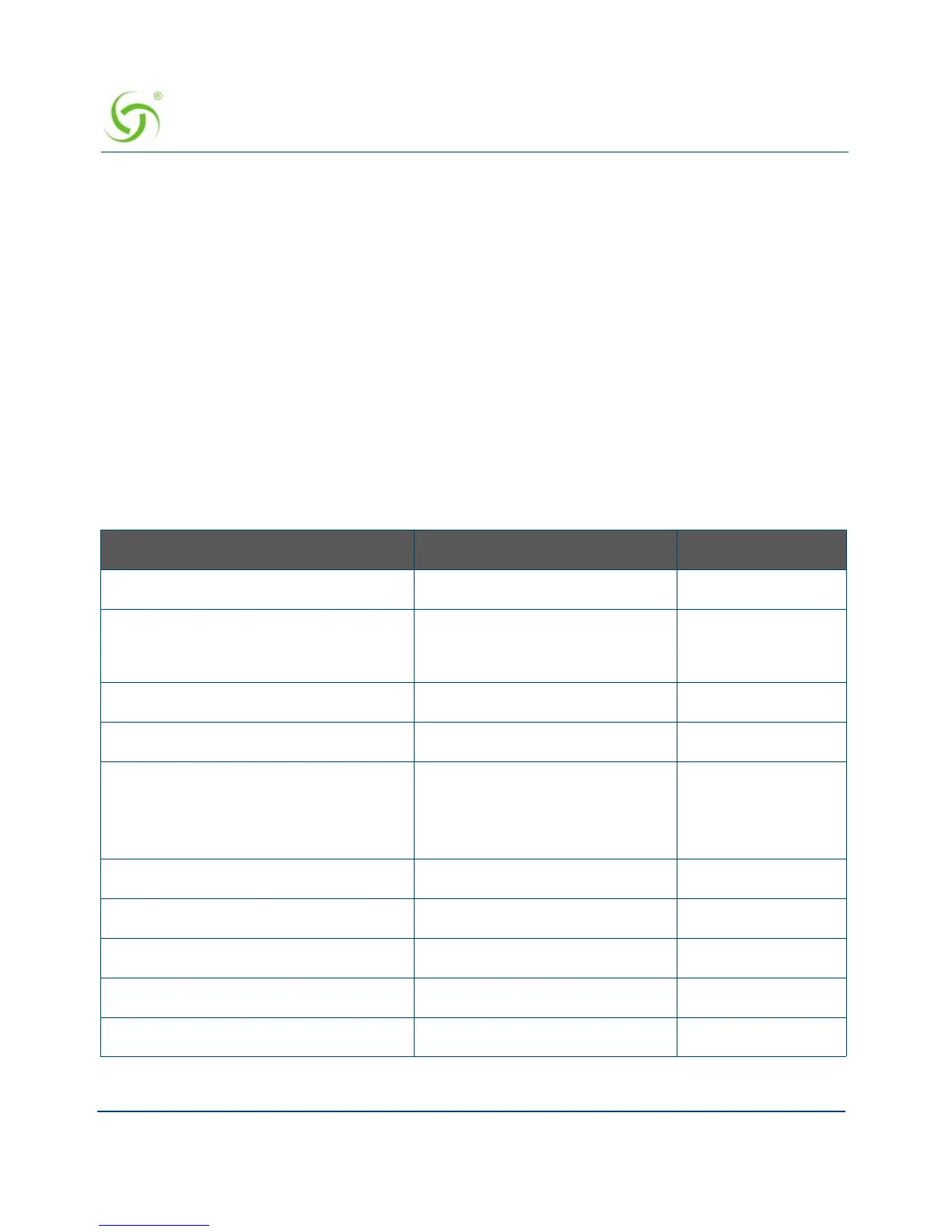
Step 5: Configuring AG DHCP Server Settings
DHCP Server is enabled by default. To configure the DHCP Server, go to DHCP under
the Configuration menu. You can either modify the default DHCP pool or delete/add
another DHCP pool. The total lease pool size recommendation is 75% more than the
number of licensed subscribers.
DHCP Parameter Your Settings Default Values
DHCP Services (Disable) no
DHCP Relay (Yes / No)
If No, skip to DHCP Server
no
DHCP Relay Server IP Address blank
DHCP Relay Agent IP Address blank
DHCP Server (Yes / No)
Only if the DHCP Relay is
disabled
yes
DHCP Server IP Address 10. 0. 0.4
DHCP Server Subnet Mask 255.255.255.0
DHCP Pool Start IP Address 10.0.0.12
DHCP Pool End IP Address 10.0.0.72
DHCP Lease Minutes 1440



 To Next Page