ACCESS GATEWAY
System Administration 109
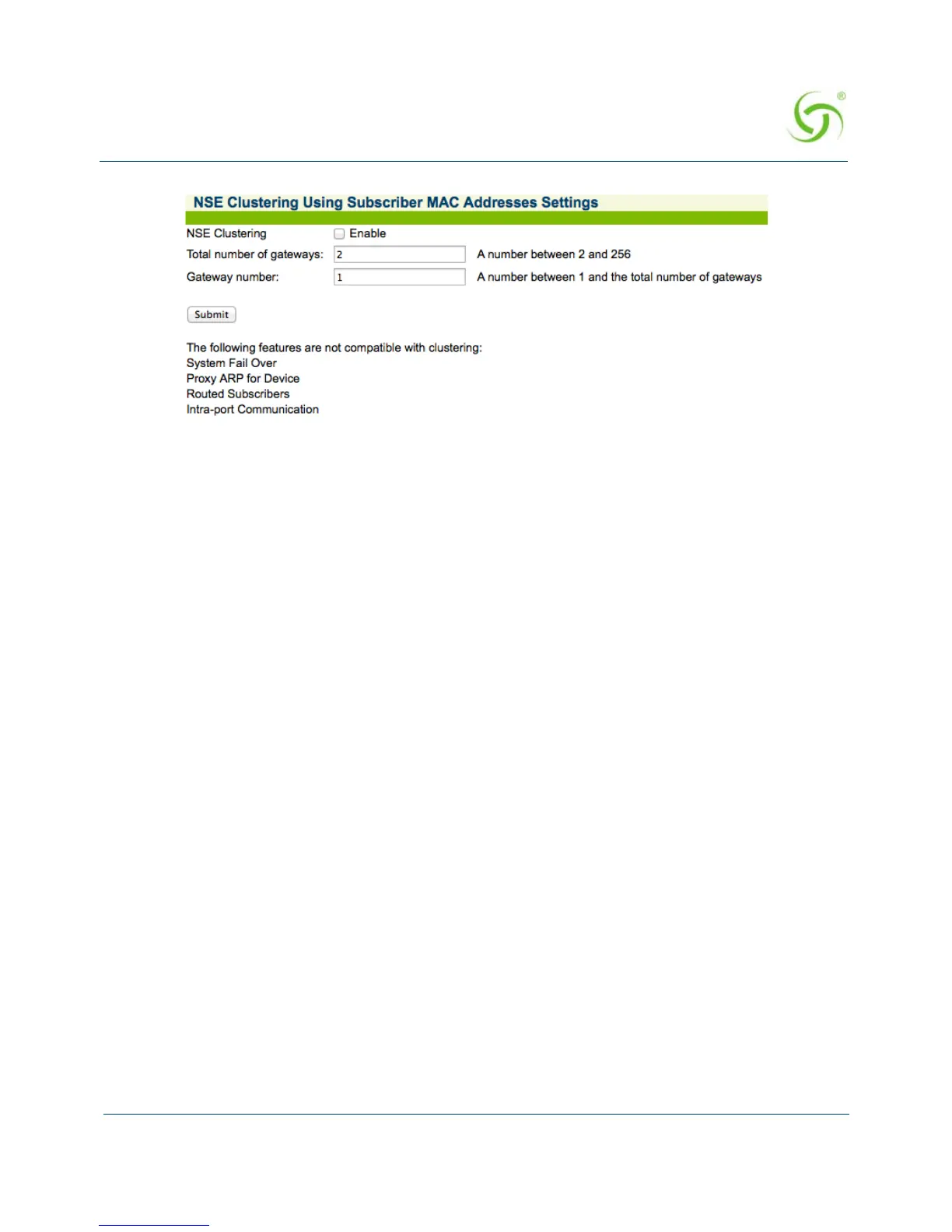
2. Enter integers for the Total number of gateways and the Gateway number (must
be from 2 to 256 with no gaps). For example, if clustering is being configured on
three gateways, one gateway must be 1, one gateway must be 2 and one gateway
must be 3.
Be aware of the following:
All gateways in a cluster must have the same configuration
WAN and INAT IP addresses must not clash among clustered gateways
All gateways must have the same number of licensed subscribers
No restrictions are placed on shared secrets, administrator credentials,
RADIUS NAS identifier and NAS port.
Configuring Destination HTTP Redirection {Destination HTTP
Redirection}
Destination HTTP Redirect provides DNS-triggered redirection of HTTP requests to
one or more portal page URLs configured on the NSE. Portal pages could include
account status, maps, local information, etc.
The NSE will intercept and respond to DNS queries containing configurable strings.
Subscribers requesting a website at that DNS will obtain a DNS response that
contains a “magic” IP address (which is the same value obtained when the subscriber
queries the DNS string “logout.nomadix.com”).
The NSE will process HTTP requests for that “magic” IP address (configurable on the
AAA page), and will reply with an HTTP redirection (which may include a number of
signed redirection parameters) to a configured URL. By following the HTTP
redirection, the subscriber will reach the target URL, and he/she will then be served a
page containing whatever information is relevant (account and/or other specific
information).



 To Next Page