ACCESS GATEWAY
System Administration 225
Displaying the Currently Allocated DHCP Leases {DHCP Leases}
You can display a listing of the DHCP (Dynamic Host Configuration Protocol) leases that are
currently active on the system’s DHCP server. DHCP is a standard method for assigning IP
addresses automatically to network devices. DHCP leases define the amount of time that
subscribers can utilize the system’s DHCP service.
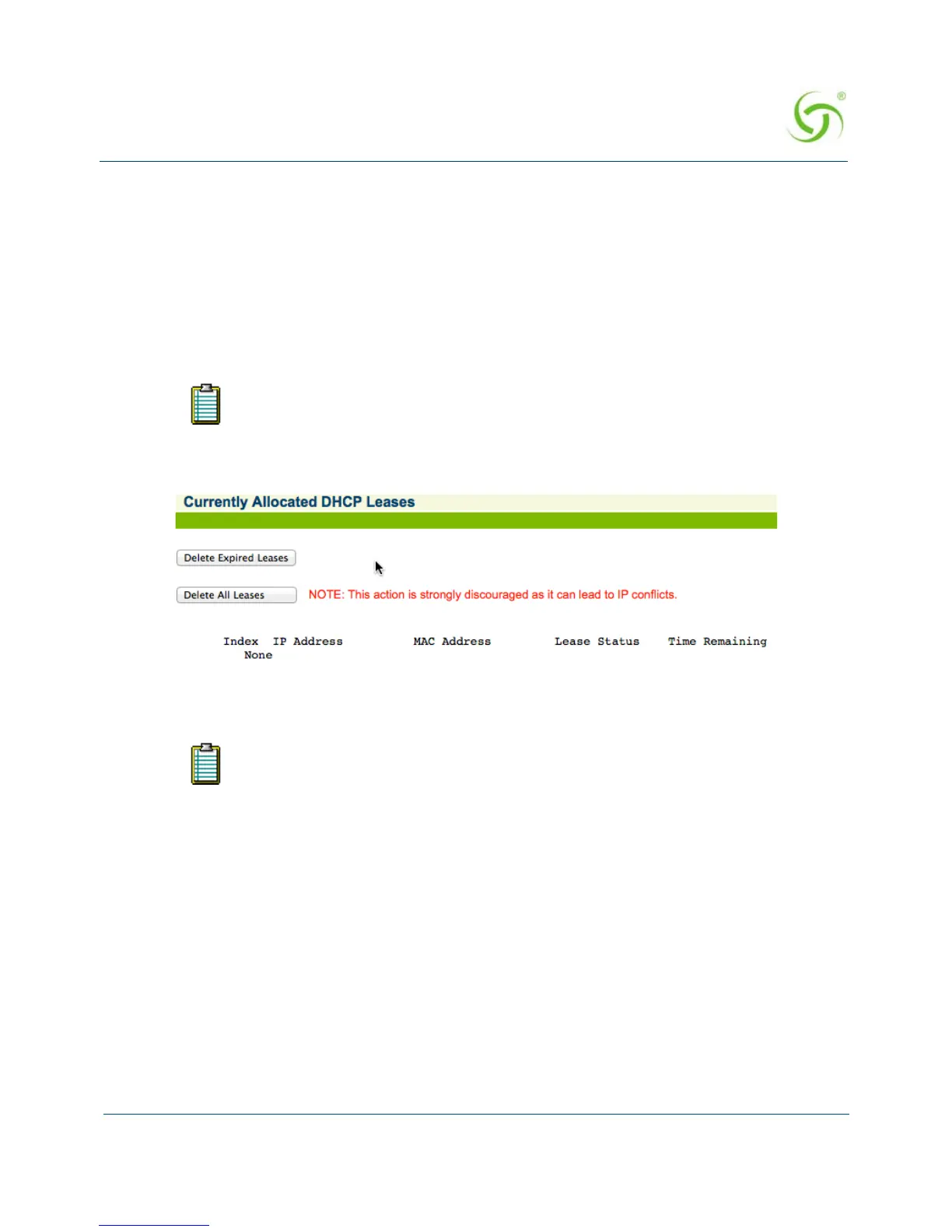
To view the list of Currently Allocated DHCP Leases, go to the Web Management Interface,
click on
Subscriber Administration, then click on DHCP Leases.
The Currently Allocated DHCP Leases screen appears:
You can
Delete Expired Leases or Delete All Leases.
Deleting All Expired Subscriber Profiles {Expired}
This procedure shows you how to delete all expired subscriber profiles from the Access
Gateway’s database of authorized subscribers. Use this procedure when you want to “clean up”
the subscriber database.
To use this feature, your Access Gateway must be set to act as its own DHCP
Server. The DHCP function cannot be set to DHCP Relay. Refer to “Managing the
DHCP service options {DHCP}” on page 112.
Deleting an active DHCP lease may cause IP conflicts.



 To Next Page