ACCESS GATEWAY
System Administration 117
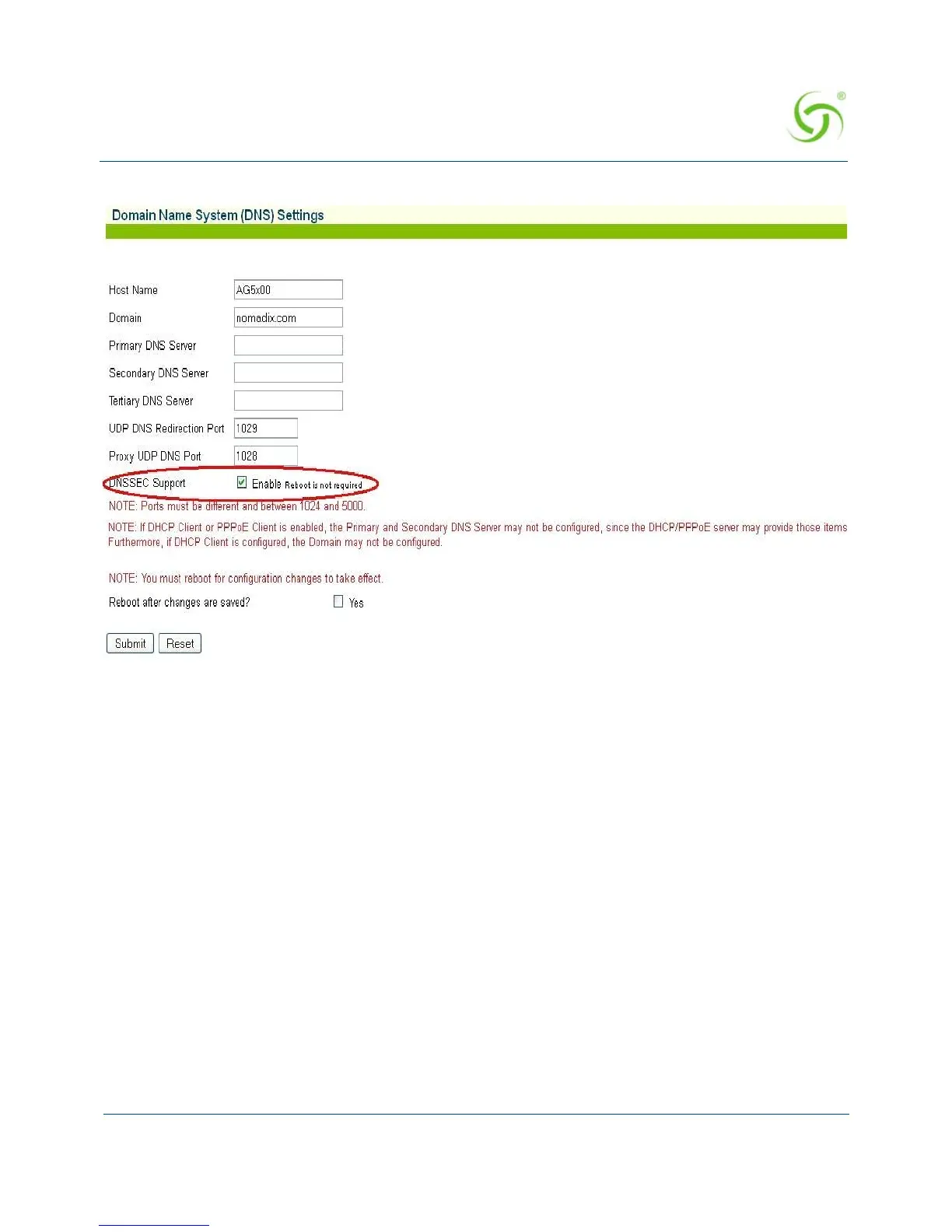
2. Check the Enable check box to enable DNSSEC Support functionality. The default setting
is disabled.
3. Click on the Submit button to save your changes (reboot is not required), or click on the
Reset button if you want to reset all the values to their previous state.
Managing the DNS Options {DNS}
DNS allows subscribers to enter meaningful URLs into their browsers (instead of complicated
numeric IP addresses) by automatically converting the URLs into the correct IP addresses. You
can assign a primary, secondary, or tertiary (third) DNS server. The Access Gateway utilizes
whichever server is currently available.
Use the following procedure to set the DNS configuration options.
1. From the Web Management Interface, click on Configuration, then DNS. The Domain
Name System (DNS) Settings screen appears:



 To Next Page