ACCESS GATEWAY
Installing the Access Gateway 53
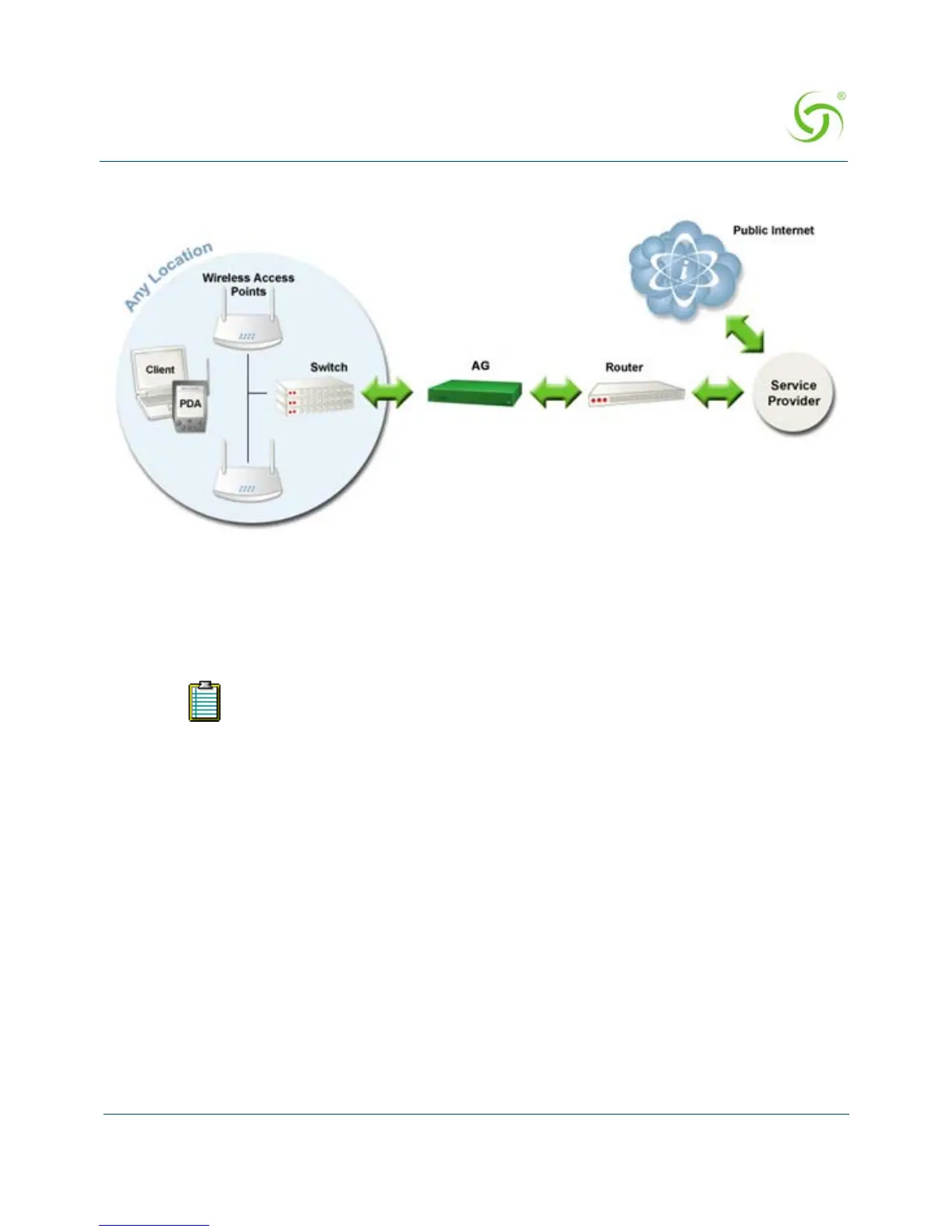
An example of a basic network including an AG is shown in Figure 10.
Figure 10: Example of a network setup.
The Management Interfaces (CLI and Web)
Until the unit is installed on the customer’s network and a remote connection is established, the
CLI is the administrator’s window to the system. This is where you establish all the Access
Gateway start-up configuration parameters, depending on the customer’s network architecture.
The Access Gateway Menu is your starting point. From here, you access all the system
administration items from the 5 (five) primary menus available:
Configuration
Network Info
Port-location
Subscribers
System
The Access Gateway supports various methods for managing the system
remotely. These include, an embedded graphical Web Management Interface
(WMI), an SNMP client, or Telnet. However, until the unit is installed and
running, system management is performed from the Access Gateway’s embedded
CLI via a direct serial cable connection. The CLI can also be accessed remotely.



 To Next Page