ACCESS GATEWAY
98 System Administration
Administrative Steps to Enable Auto-Config for the NOC Administrator:
1. Add NAS IP address.
2. Add Nomadix Auto-Config VSA to the Nomadix dictionary file on the RADIUS server.
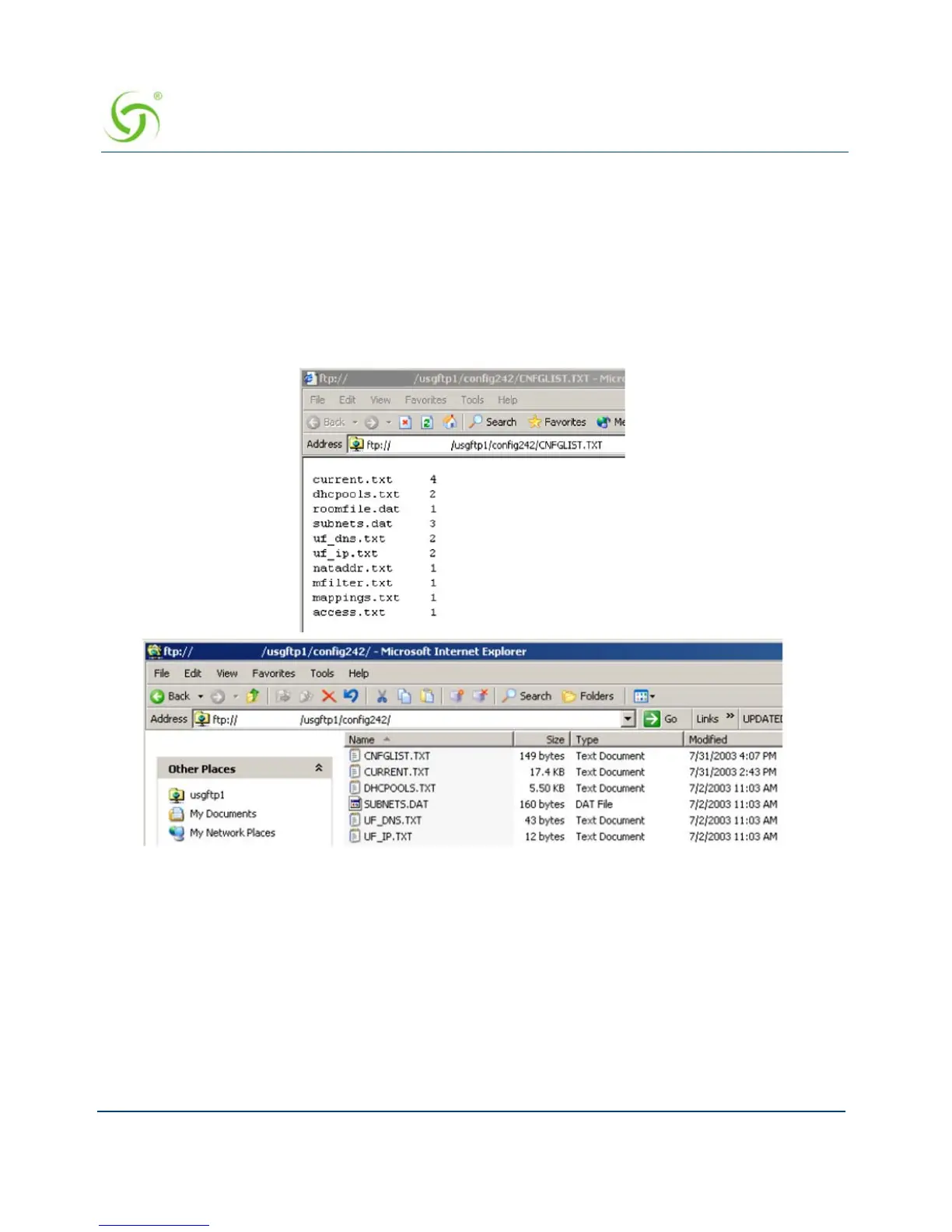
3. Create a RADIUS profile with the configuration VSA.
4. Create an FTP server with the configuration files.
5. The following diagram shows a sample RADIUS configuration file, meta file and
illustration of the FTP server setup.
The Nomadix device will automatically initiate one reboot to enable the new settings.
Configuration updates for network maintenance can be accomplished by simply enabling the
Auto-Configuration option and rebooting the device (for example, using SNMP). See also,
Defining Automatic Configuration Settings {Auto Configuration}.
Setting Up Bandwidth Management {Bandwidth Management}
The Access Gateway allows system administrators to manage the bandwidth for subscribers,
defined in Kbps (Kilobits per seconds) for both upstream and downstream data transmissions.



 To Next Page