ACCESS GATEWAY
194 System Administration
Interface Monitoring
As a complementary feature to Load Balancing, NSE releases 8.2 and later introduce the ability
to actively monitor each WAN connection to assure that full network functionality exists.
Interface Monitoring must be enabled; it is off by default. It is set separately for each
configured WAN interface.
Three failures must occur before the system sets the port status to Unavailable and re-assigns
subscribers.
Monitoring may be configured for both the Monitoring Interval (default is 60 seconds) and for
three different methods as required by the network:
The default method (Automatic) will generate a random DNS query to each
configured DNS server. Receiving an ?Error? back from the server(s) verifies full
network connectivity.
Host Probing (Ping) -A Host or IP address can be pinged to verify connectivity via
ICMP response.
Host Probing (HTTP) will generate an HTTP GET to the configured Web address.
The HTTP response will verify network connectivity.
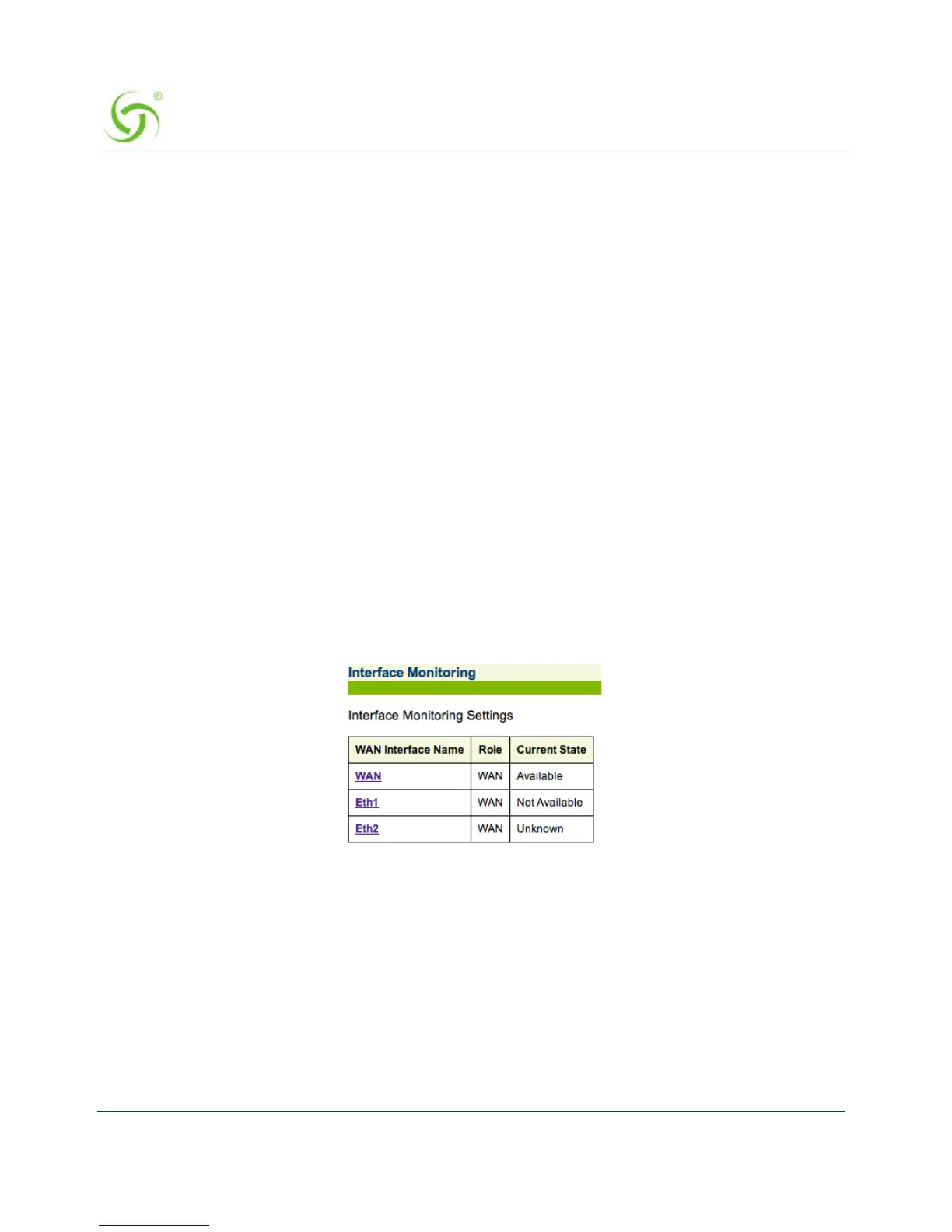
To view configured WAN interfaces, select Configuration>Interface Monitoring in the Web
Management Interface. The Interface Monitoring Settings screen appears:



 To Next Page