ACCESS GATEWAY
System Administration 97
Enabling Auto Configuration
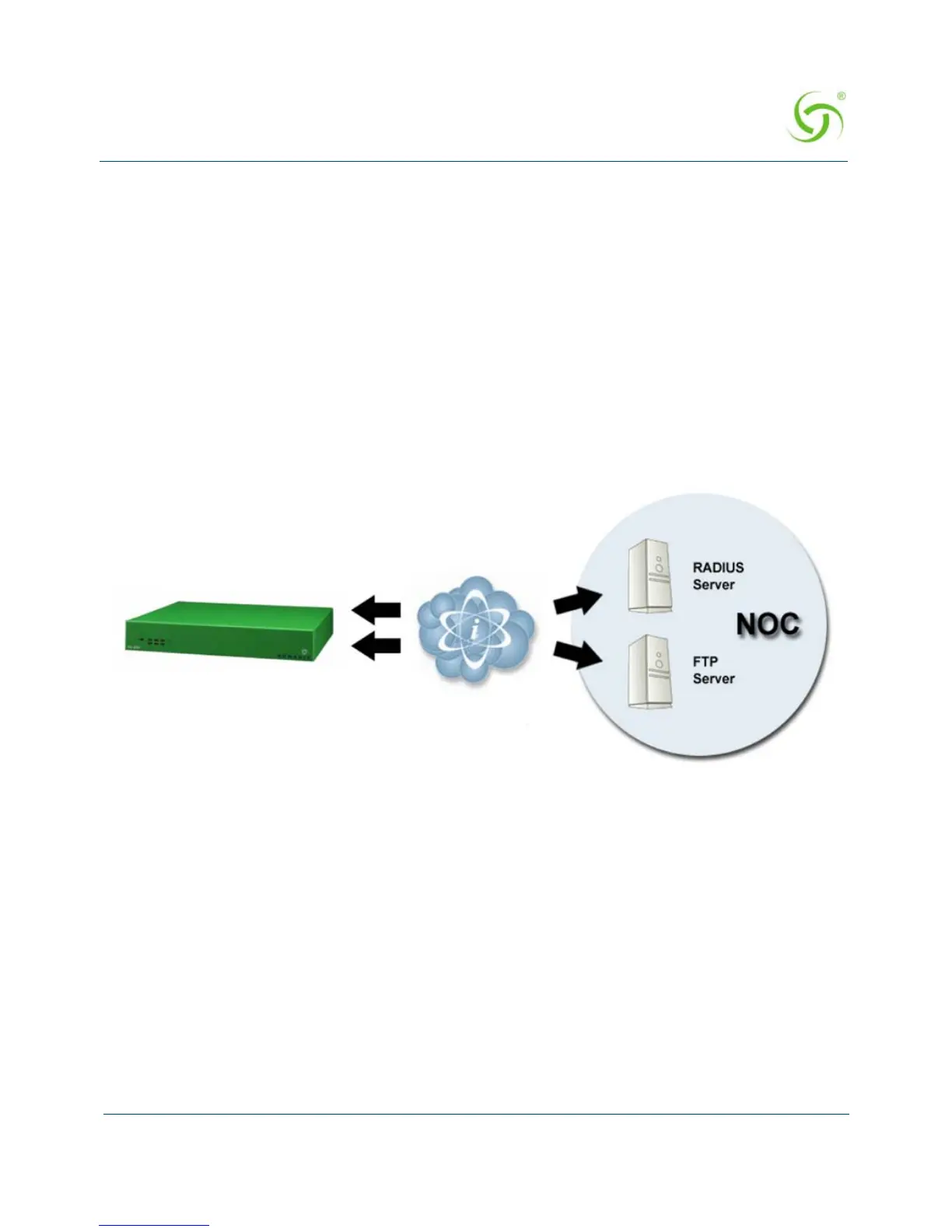
As shown in the diagram below, two subsequent events drive the automatic configuration of
Nomadix devices:
1. A flow of RADIUS Authentication Request and Reply messages between the Nomadix
gateway and the centralized RADIUS server that specifies the location of the meta
configuration file (containing a listing of the individual configuration files and their
download frequency status) are downloaded from an FTP server into the flash of the
Nomadix device.
2. Defines the automated login into the centralized FTP server and the actual download
process into the flash.
The Auto-Configuration setup requires a few basic steps to be completed by both the field
engineer and the NOC administrator.
Administrative Steps to Enable Auto-Config
Typically, these tasks are performed either at a device pre-staging center or by the field
engineer.
1. Establish a WAN connection and electronically accept the EULA.
2. Setup RADIUS Server parameters (go to “Defining the Realm-Based Routing Settings
{Realm-Based Routing}” on page 167).
3. Setup Username and Password for RADIUS Authentication.
Step 1: RADIUS Authen Req/Response
message to determine location of meta
configuration file
Step 2: FTP download of configuration files
(secure)



 To Next Page