ACCESS GATEWAY
106 System Administration
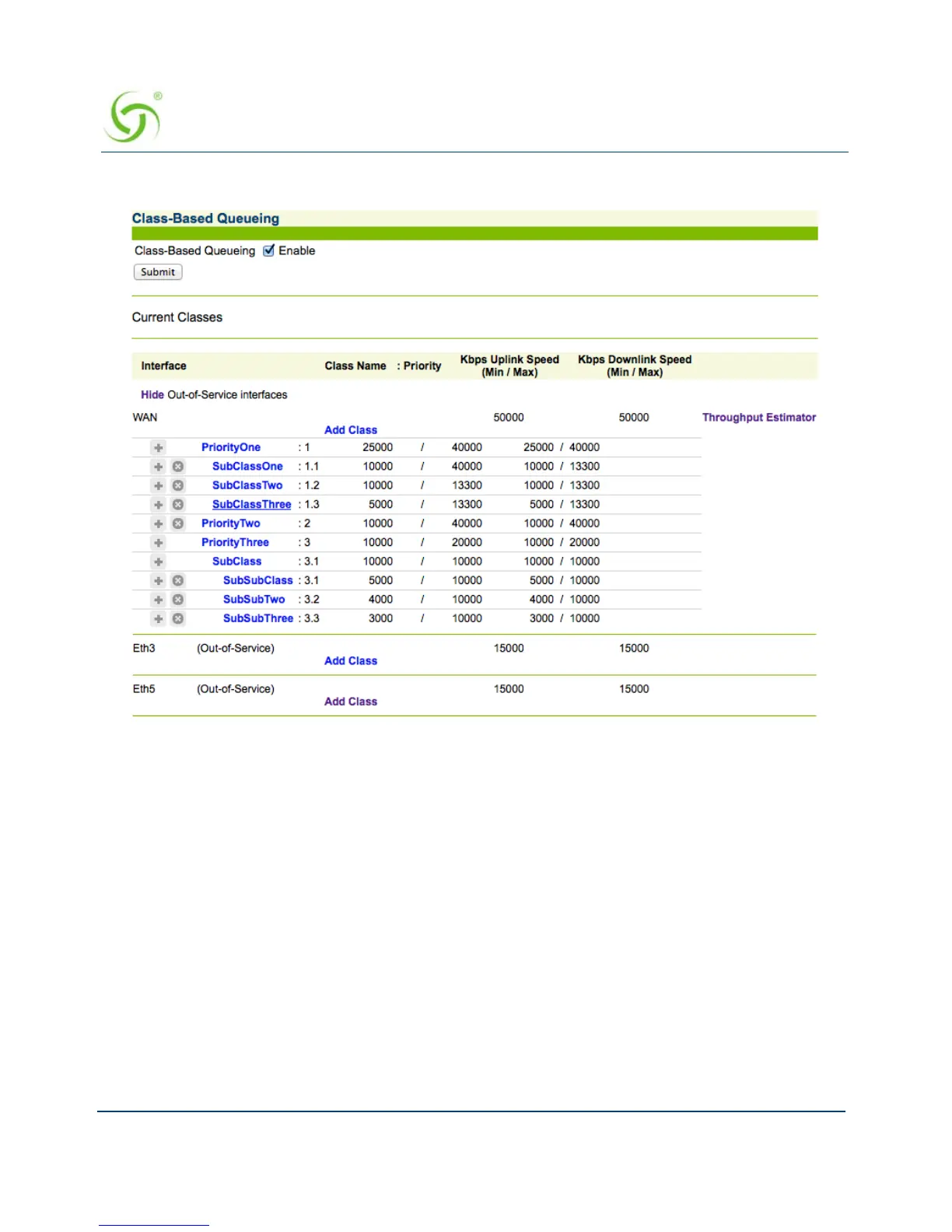
The Class Based Queueing screen appears.
2. Click Enable and then Submit to enable Class-Based Queueing.
3. Click Add Class to add a class. Class names are case-sensitive. “Dot” notation (e.g.,
<top-level class>.<subclass>) is used to associate top-level classes and
subclasses.
Subscribers can only be assigned to sub-classes.
Sub-classes cannot access bandwidth greater than their assigned WAN link.
Top-level classes can be assigned a priority of 1 through 8. Sub-classes can be
assigned a priority of 1, 2, or 3. One is the highest priority.
Minimum bandwidths are respected regardless of priority. Minimums/maximum
bandwidth is applied across all users in a class.



 To Next Page