ACCESS GATEWAY
124 System Administration
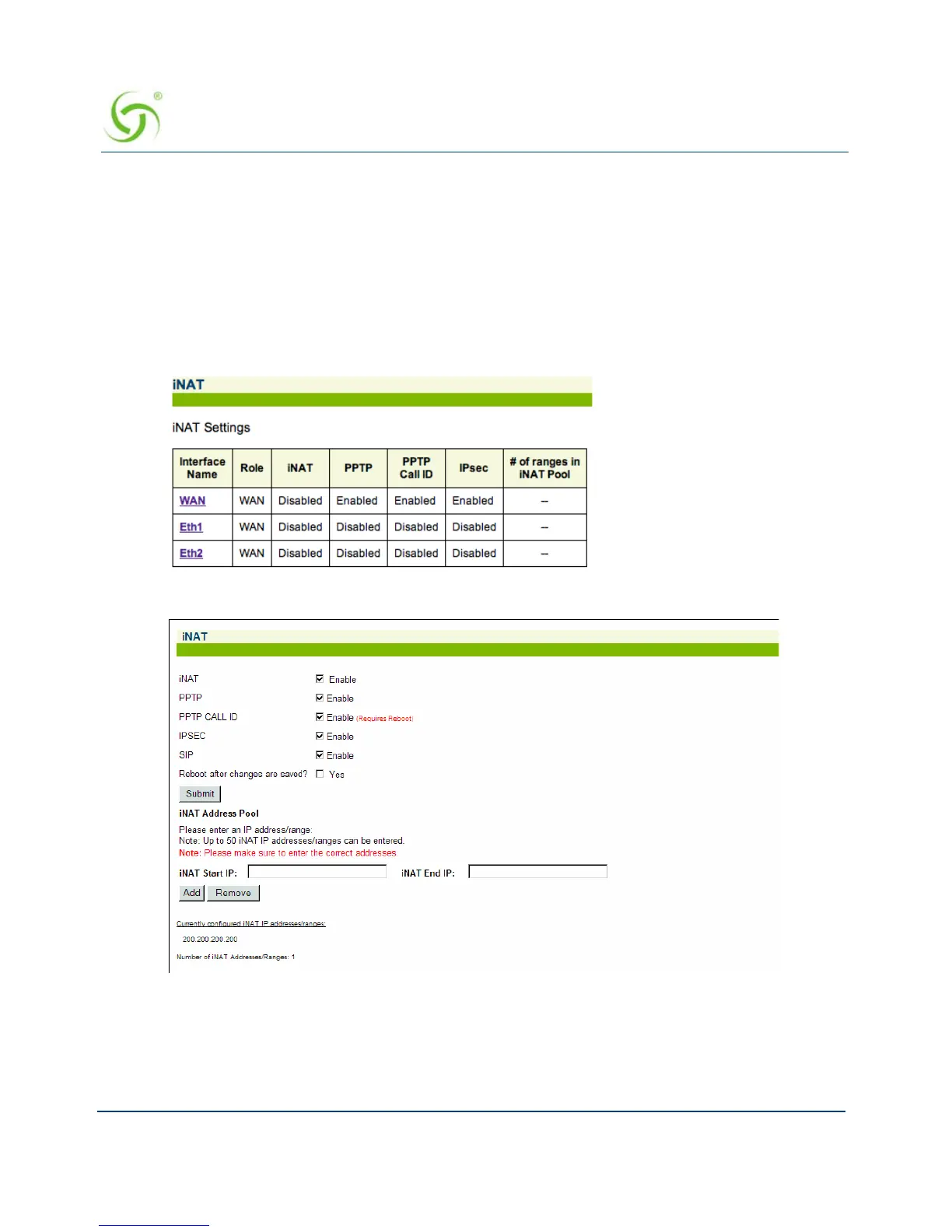
Each of the displayed ports has individual iNAT / Subscriber tunnel settings
accessible by clicking on that port’s link.
The interface allows easy deletion of any iNAT address range.
On NSE releases 8.2 and later, iNAT settings are configured individually for each interface.
1. From the Web Management Interface, click on Configuration, then iNAT.
(NSE releases 8.2 and later only) A list of current iNAT settings appears. You can select
a specific interface to change its iNAT configuration.
The iNAT
™ screen appears:
2. Enable or disable the iNAT feature, as required.
3. If you enabled iNAT, you have the option of enabling or disabling the following VPN
protocols:
PPTP



 To Next Page