ACCESS GATEWAY
System Administration 147
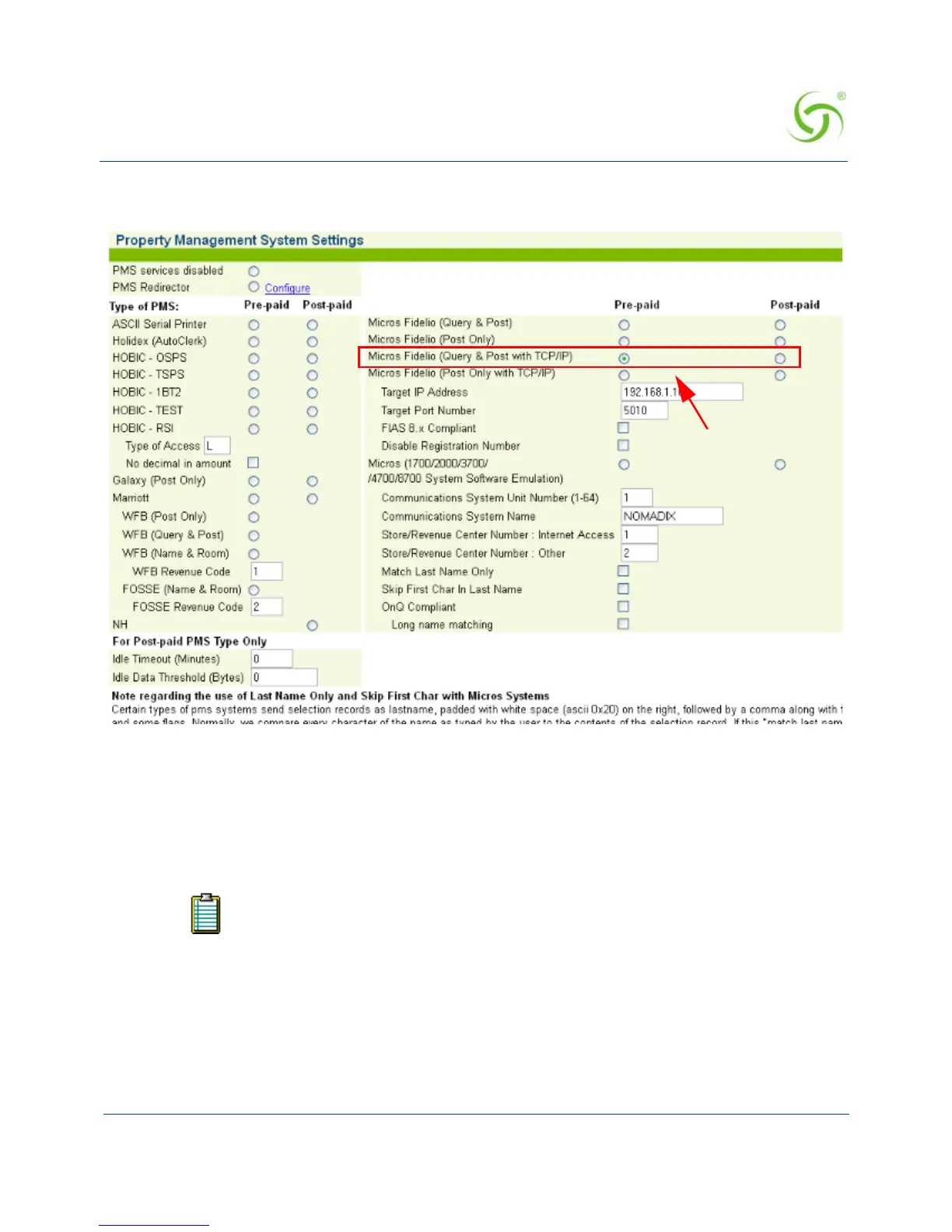
1. From the Web Management Interface, click on Configuration, then PMS. The Property
Management System Settings screen appears:
2. You have the option of disabling PMS services by clicking on the PMS services disabled
radio button, then clicking on the Submit button to save your choice. If you disable PMS
services you can exit this procedure, otherwise go to Step 4.
3. Select the Type of PMS (Pre-paid or Post-paid) you require from the available list, or
choose the ASCII Serial Printer option (when a serial printer is connected to the Access
Gateway’s serial port)—you can choose only one of the listed options.
If you choose HOBIC - RSI, you must select the Type of Access.
For Marriott, you can either choose Marriott or you can choose a type of WFB
interface (Post Only, Query and Post, or Name and Room).
The pre-paid option requires hotel guests to “pre-pay” for services. The post-paid
option allows hotel guests to terminate their connection (via the ICC) and be
billed only for the actual time they are online. The NH proprietary PMS is offered
on a “post-paid” basis only.



 To Next Page