ACCESS GATEWAY
160 System Administration
For additional RADIUS information, see also:
“Defining the RADIUS Proxy Settings {RADIUS Proxy}” on page 163
“Defining the Realm-Based Routing Settings {Realm-Based Routing}” on page 167
“RADIUS Attributes” on page 336
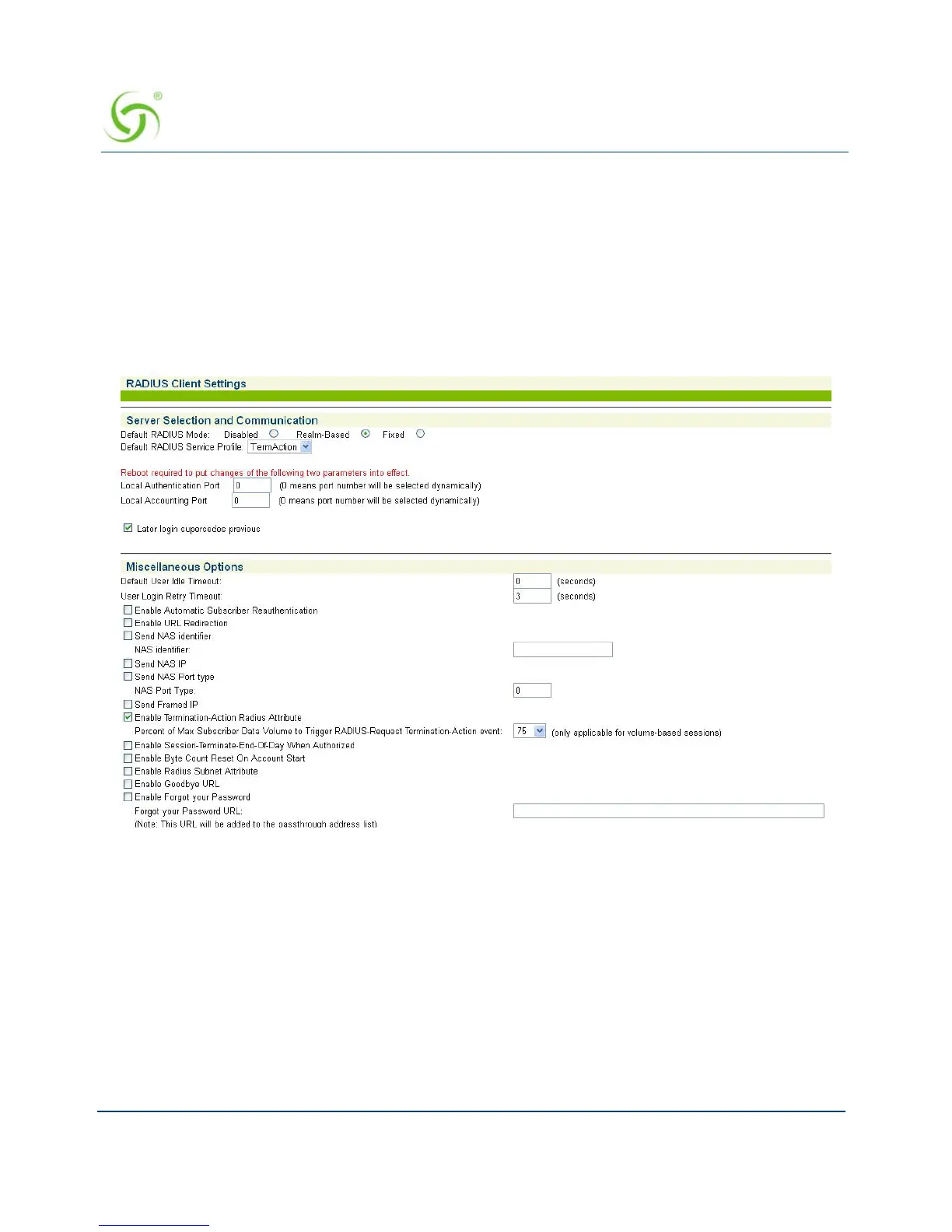
1. From the Web Management Interface, click on Configuration, then RADIUS Client. The
RADIUS Client Settings screen appears:
2. Under the Server Selection and Communication options, choose the Default RADIUS
Mode
:
Disabled (to disable RADIUS authentication)
Realm-Based (for Realm routing)
Fixed (for routing to predefined RADIUS servers)
3. Select the Default RADIUS Service Profile from the pull-down menu.
4. Enter a Local Authentication Port and a Local Accounting Port.



 To Next Page