ACCESS GATEWAY
System Administration 217
For more information about subscriber access and billing options, see the following sections:
“Authorization and Billing” on page 288
“Subscriber Management” on page 294
“Subscriber Management Models” on page 294
“Configuring the Subscriber Management Models” on page 295
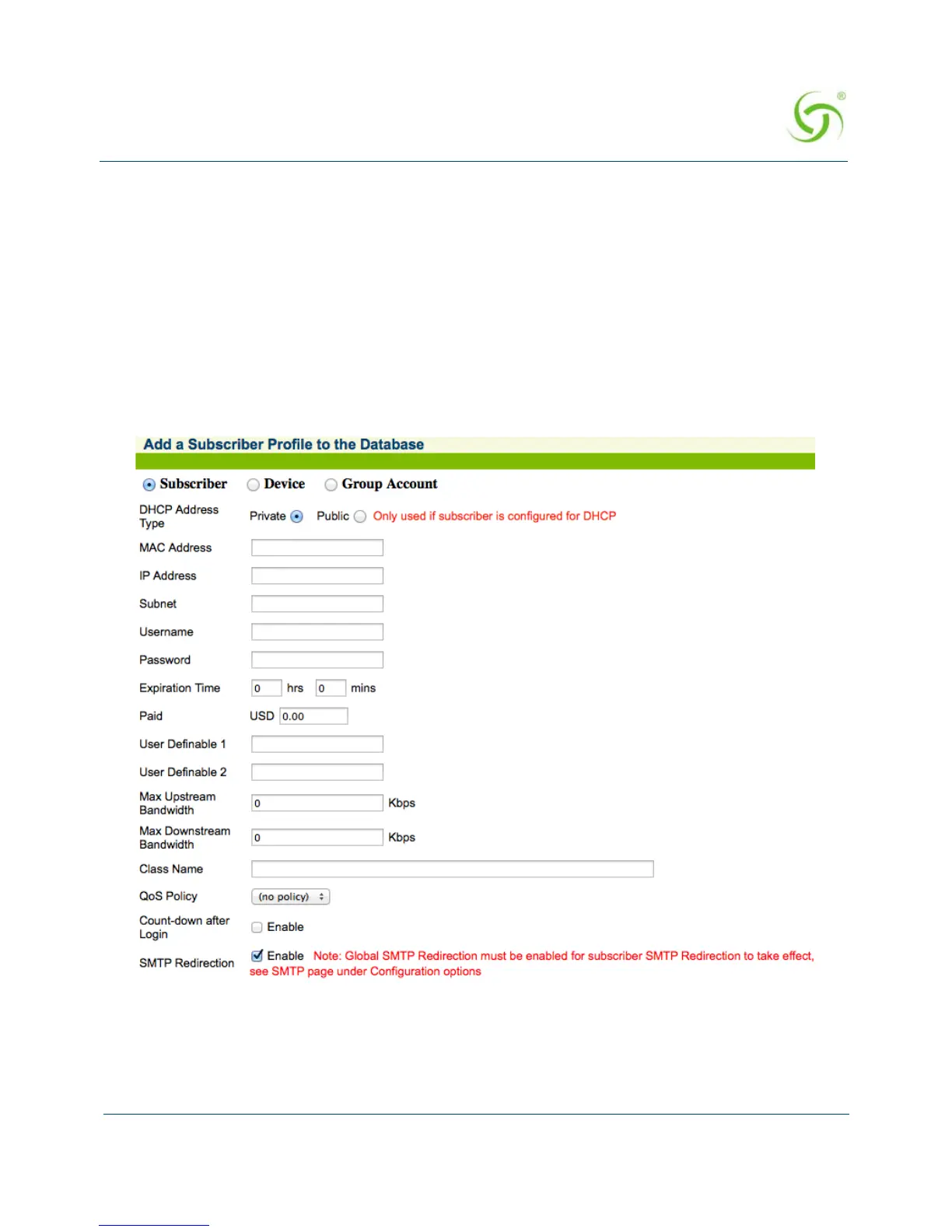
Adding a Subscriber Type Profile
1. From the Web Management Interface, click on Subscriber Administration, then Add.
The Add a Subscriber Profile to the Database screen appears:
2. Choose the Subscriber account type.
3. Define the DHCP Address Type: Public or Private (only used when the IP Upsell feature
is enabled, otherwise leave this set to “private”).



 To Next Page