ACCESS GATEWAY
System Administration 279
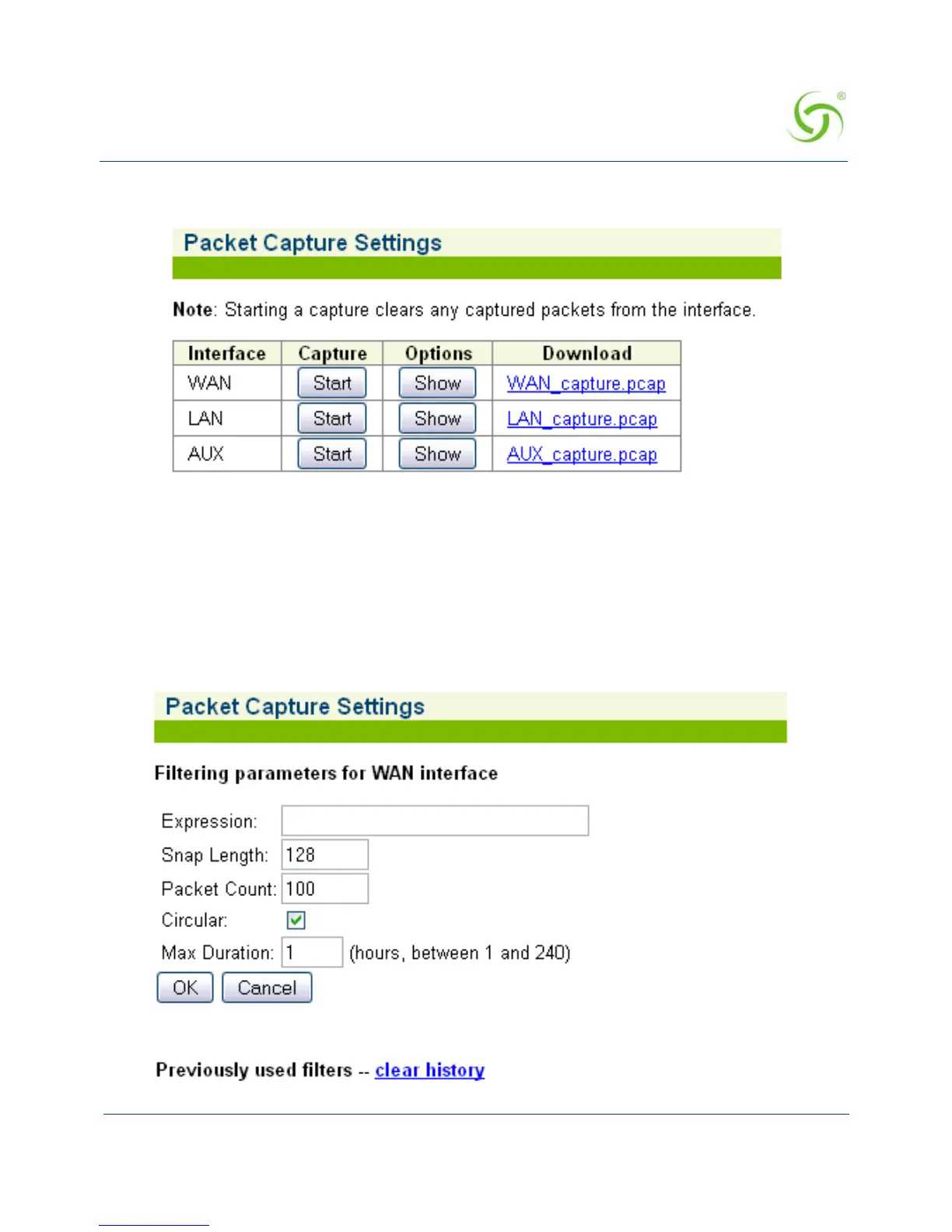
1. From the Web Management Interface, click on System, then Packet Capture. The Packet
Capture Settings screen appears:
2. To initiate a capture on a given interface, click that interface’s associated Start button. The
button label will change to Stop, indicating that a capture is in progress. Click the button
again to stop the capture.
3. When a capture has been stopped, the captured traffic can be viewed by clicking the
Download link for the given interface.
4. To modify capture settings, click the Show button for the desired interface. This will
display the parameters that can be adjusted. Filtering expressions must be entered in the
form of a PCAP-style string:



 To Next Page