Appendix A Setting up your computer IP address 195
BCM50a Integrated Router Configuration — Advanced
a Click Add.
b Select Client and click Add.
c Select Microsoft from the list of manufacturers.
d Select Client for Microsoft Networks from the list of network clients
and click OK.
e Restart your computer so your changes take effect.
Configuring
1 In the Network window Configuration tab, select your network adapter's
TCP/IP entry and click Properties
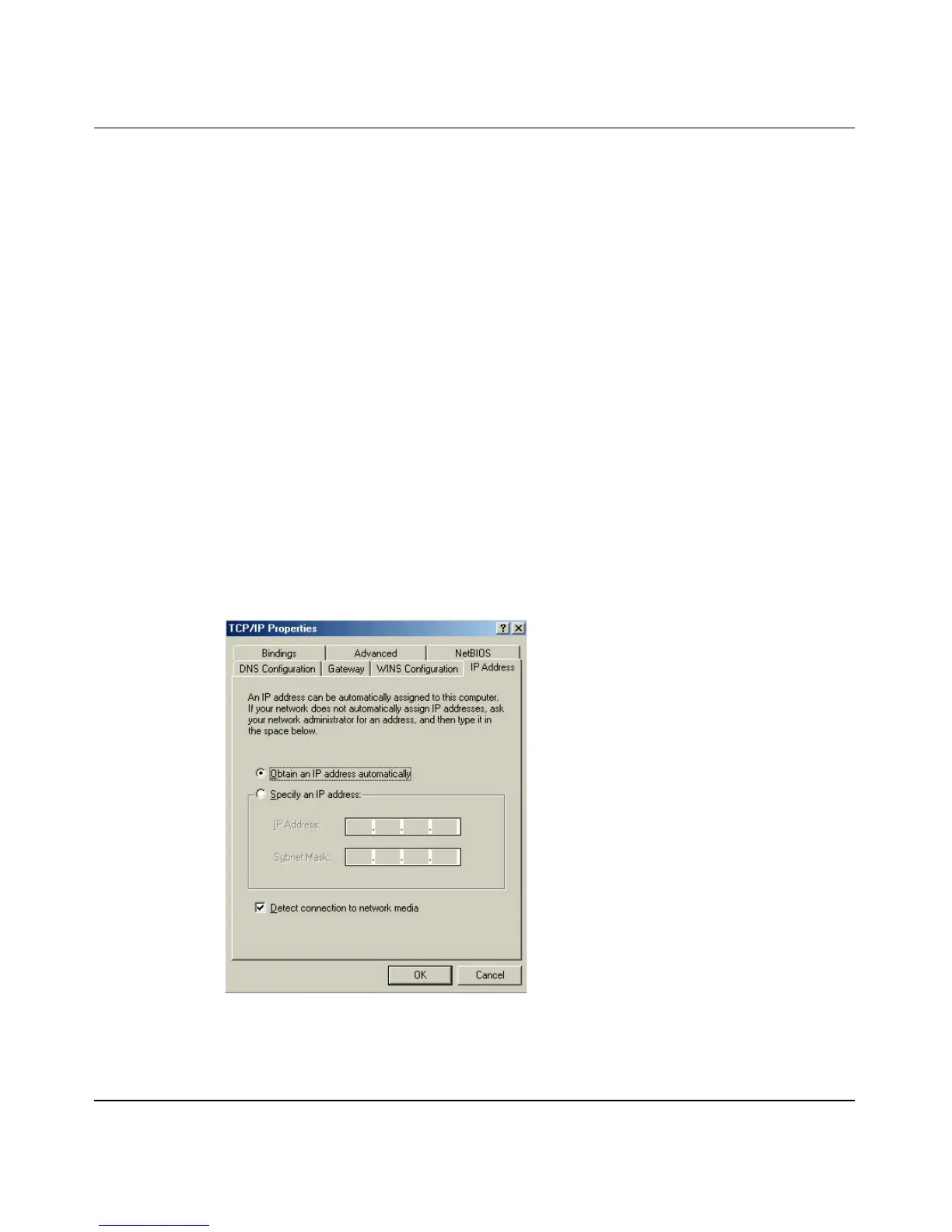
2 Click the IP Address tab.
— If your IP address is dynamic, select Obtain an IP address
automatically.
— If you have a static IP address, select Specify an IP address and type
your information into the IP Address and Subnet Mask fields.
Figure 98 Windows 95/98/Me: TCP/IP properties: IP address
3 Click the DNS Configuration tab.
— If you do not know your DNS information, select Disable DNS.


 To Next Page