Appendix A Setting up your computer IP address 197
BCM50a Integrated Router Configuration — Advanced
Windows 2000/NT/XP
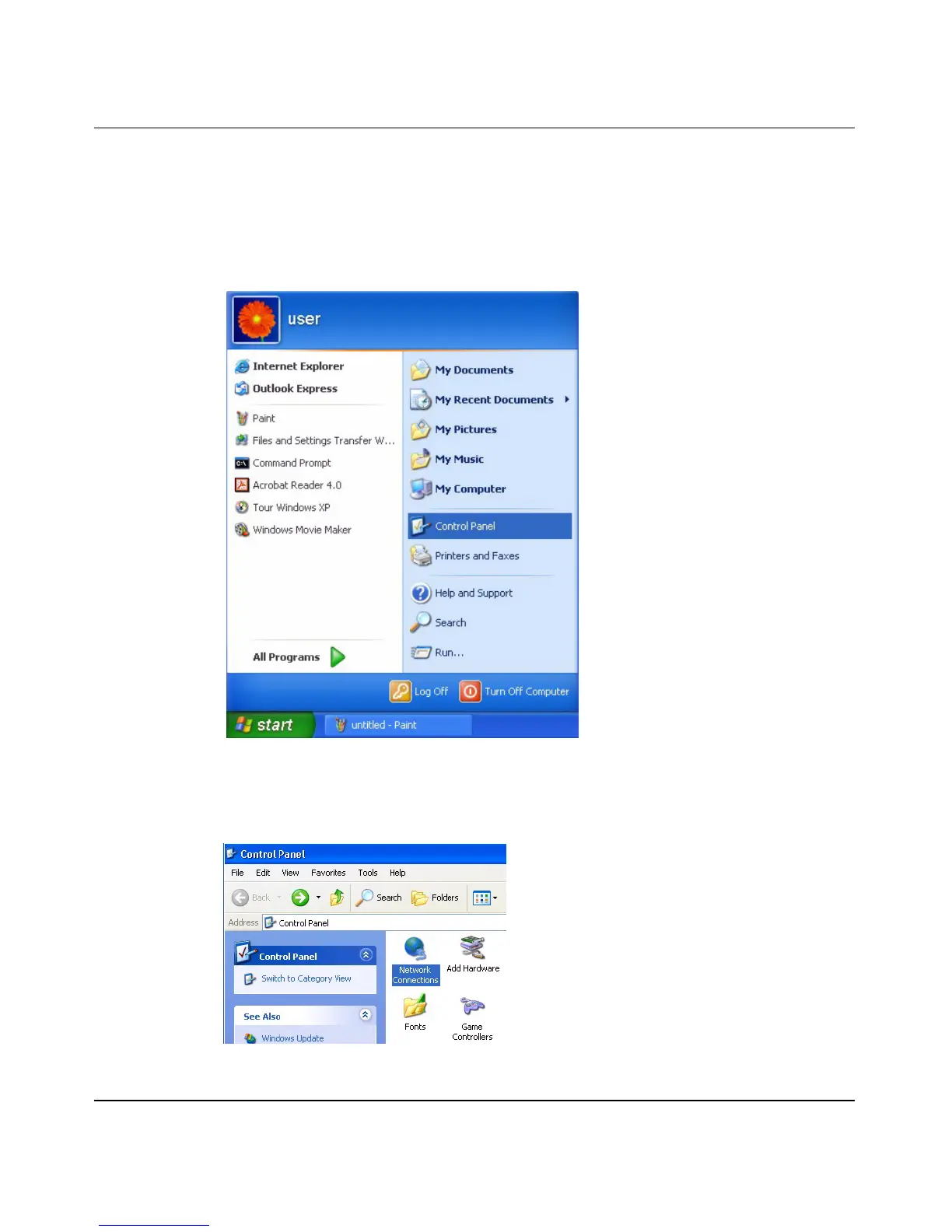
1 For Windows XP, click Start, Control Panel. In Windows 2000/NT, click
Start, Settings, Control Panel.
Figure 100 Windows XP: Start menu
2 For Windows XP, click Network Connections. For Windows 2000/NT, click
Network and Dial-up Connections.
Figure 101 Windows XP: Control Panel



 To Next Page