202 Appendix A Setting up your computer IP address
N0115791
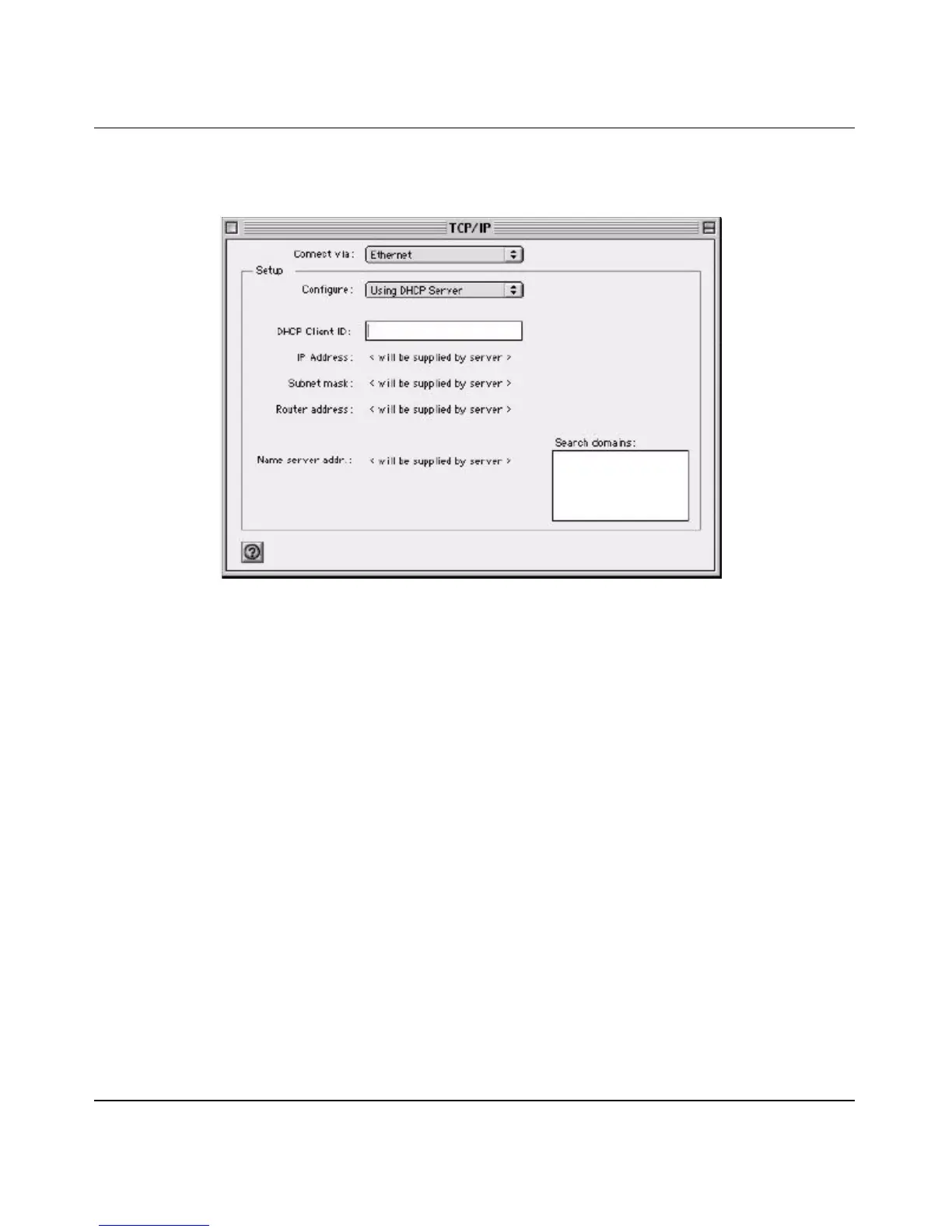
2 Select Ethernet built-in from the Connect via list.
Figure 107 Macintosh OS 8/9: TCP/IP
3 For dynamically assigned settings, select Using DHCP Server from the
Configure: list.
4 For statically assigned settings, do the following:
—From the Configure box, select Manually.
— Type your IP address in the IP Address box.
— Type your subnet mask in the Subnet mask box.
— Type the IP address of your BCM50a Integrated Router in the Router
address box.
5 Close the TCP/IP Control Panel.
6 Click Save if prompted, to save changes to your configuration.
7 Turn on your BCM50a Integrated Router and restart your computer (if
prompted).
Verifying Settings
Check your TCP/IP properties in the TCP/IP Control Panel window.



 To Next Page