Basic print jobs 109
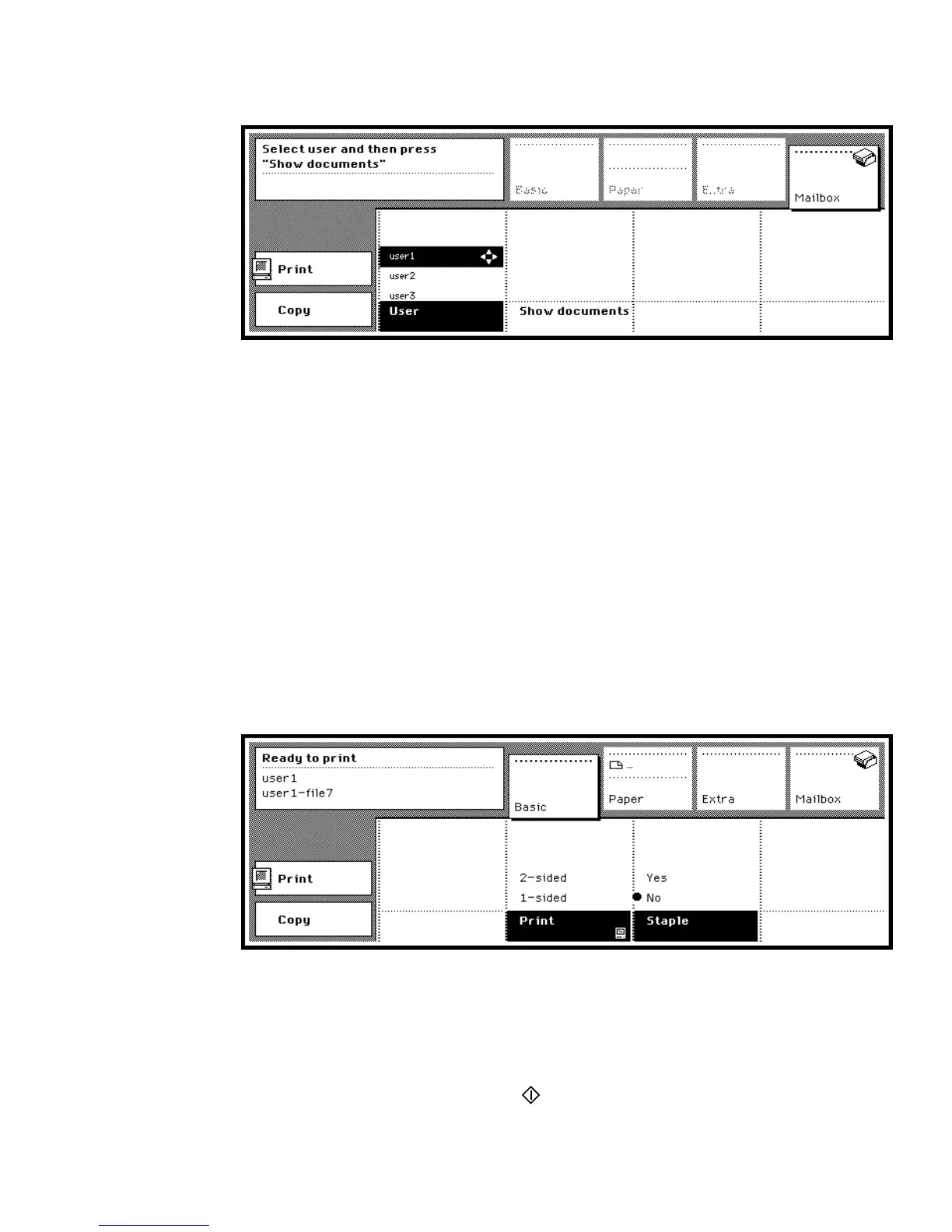
You are now in the print mode and the operating panel shows a list of
mailboxes (see figure 54).
[54] Mailbox section
Note: If you entered a PIN code to access the Océ 3165, your own mailbox
is already opened and all jobs which have not yet been printed (new jobs)
are selected. Continue with step 6.
3 Use the arrow buttons to select your mailbox in the ‘User’ list.
4 Press the function button ‘Show documents’.
5 If required, enter your PIN code.
If correct, the contents of your mailbox is shown and all jobs which have not
yet been printed (new jobs) are selected.
6 If you do not want to print all new jobs, use the arrow buttons to select a single
job, or press the function button ‘Select all’ to select all files.
To check or change settings on the operating panel proceed as follows.
7 Open the section ‘Basic’. You can change settings for 1- or 2-sided printing
and stapling (see figure 55).
Note: In the same way you can also check settings of one print job.
[55] Basic settings in the Print mode
8 Open the section ‘Paper’. In this section you can overrule settings like special
feeder, paper tray and covers.
9 Open the section ‘Extra’. If required, you can make changes on binding,
margin shift, image quality, banner page and output tray.
10 When ready, press the start button to start printing.



 To Next Page