Extended copy jobs 69
Improving the copy quality
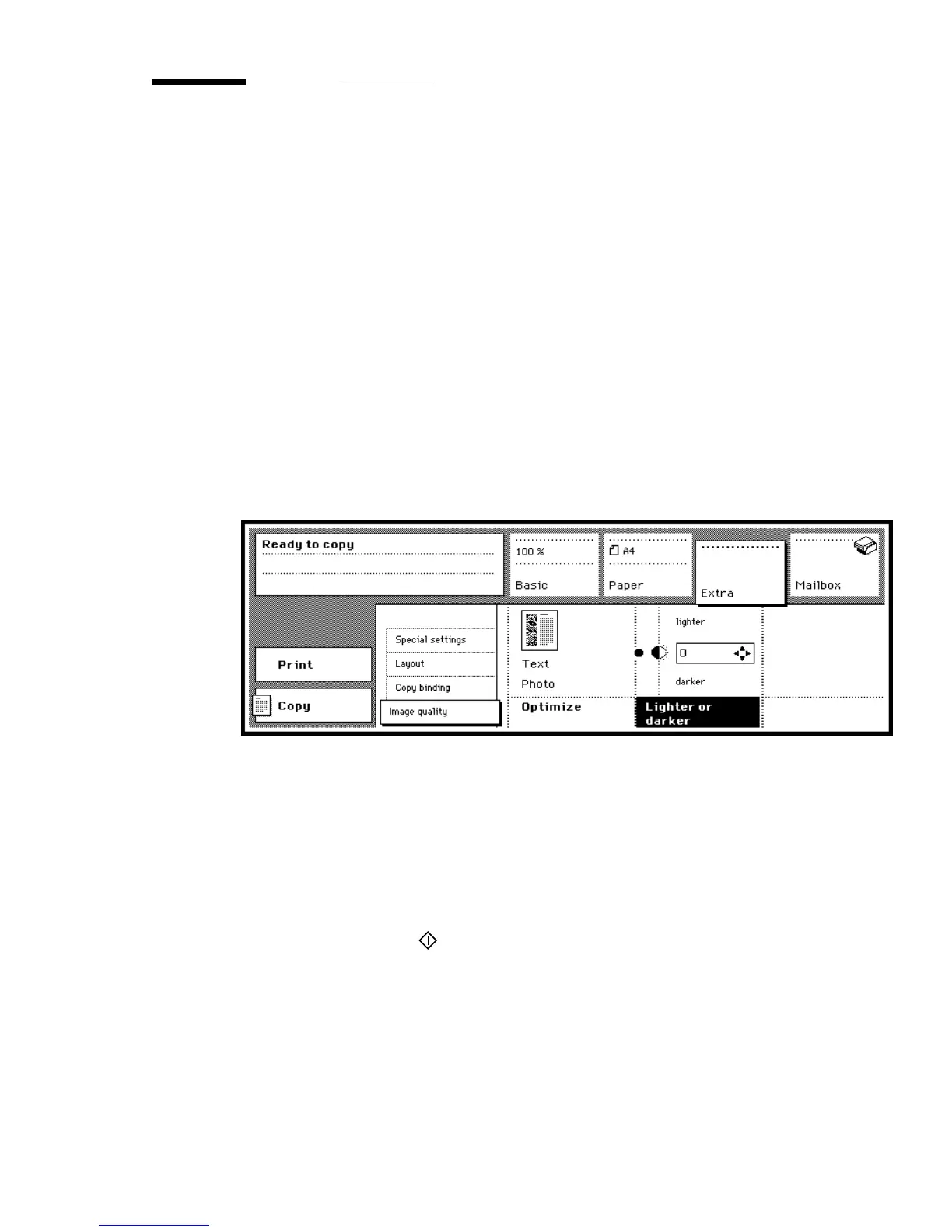
The Océ 3165 can detect photo’s, rasters and fine lines on the original. The
scanned original is processed automatically with a very high quality. Using the
function ‘Optimize’ (in the section ‘Extra’) is only necessary for special
originals. You can choose two options to optimize:
■ Photo: when you select the option ‘Photo’ the whole original will be scanned
and copied as a photo. Text on the original may be copied with less quality
than without this option.
■ Text: when you select the option ‘Text’ the whole original will be scanned
and copied as text. A photo on the original may be copied with less quality
than without this option.
Note: Make one copy to test the settings. Continue with multiple copies when
you are satisfied with the result.
[41] Copy quality settings
▼ Improving the copy quality
1
Place the original(s) in the automatic document feeder or on the glass platen.
2 Open the ‘Extra’ section and select the ‘Image quality’ settings (see figure 41).
3 Press the function button ‘Optimize’ to select the option ‘Text’ or ‘Photo’.
4 If required, use the arrow buttons to select a lighter or darker output.
5 Make other selections as required.
6 Press the start button .



 To Next Page