130 Océ 3165 User Manual
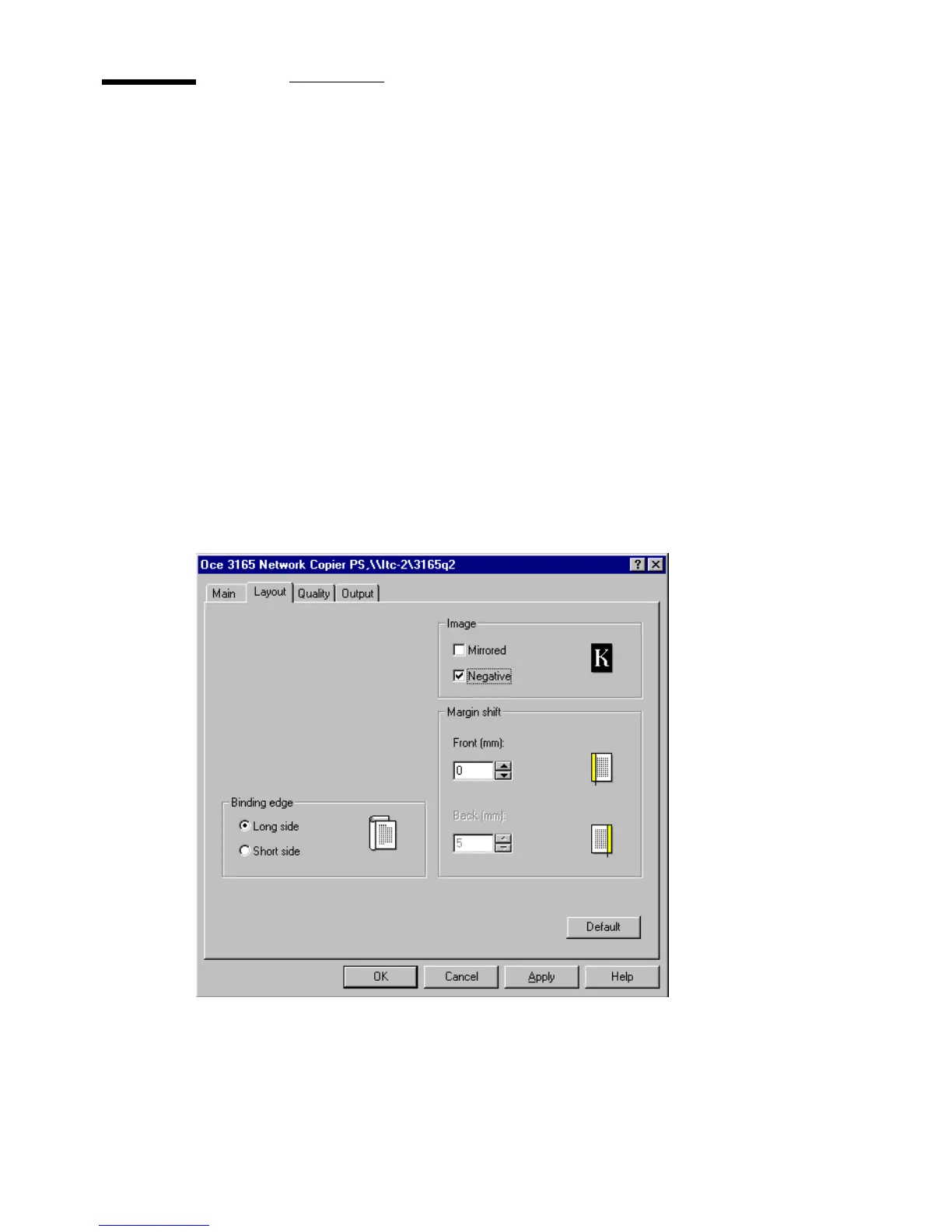
Printing negative images (PS)
The option ‘Negative image’ allows you to print negative copies, e.g. to use as
originals for the production of offset plates. This setting is only possible when
using the PostScript printer driver.
▼ Printing negative images
1
From the File menu of your application, select the option ‘Print’.
You are now in the print window of the application.
Note: Do not enter the required number of copies in this window.
2 Click ‘OK’ (or ‘Print’).
The Océ 3165 printer window appears.
3 Enter the required number of copies.
4 Check ‘Negative’ in the Image box.
5 Define other settings as required.
6 Click ‘OK’.
The document is now transferred to the Océ 3165 Network Copier.
[70] Printing negative images



 To Next Page