Extended copy jobs 59
Altering the margin (image shift)
When using the margin shift, the space at the left margin or the upper margin
of the page is either reduced or enlarged, depending on the chosen binding
edge. In fact the direction of the margin shift is determined by:
■ the settings of the binding function
■ the position of the original in the automatic feeder
■ the selection for 1 sided or 2 sided copies.
When making 1 or 2 sided copies of 1 or 2 sided originals, margins and images
can shift in relation to each other. The Océ 3165 Network Copier offers you
the possibility to alter the margins on front and back pages concurrently and/or
independently.
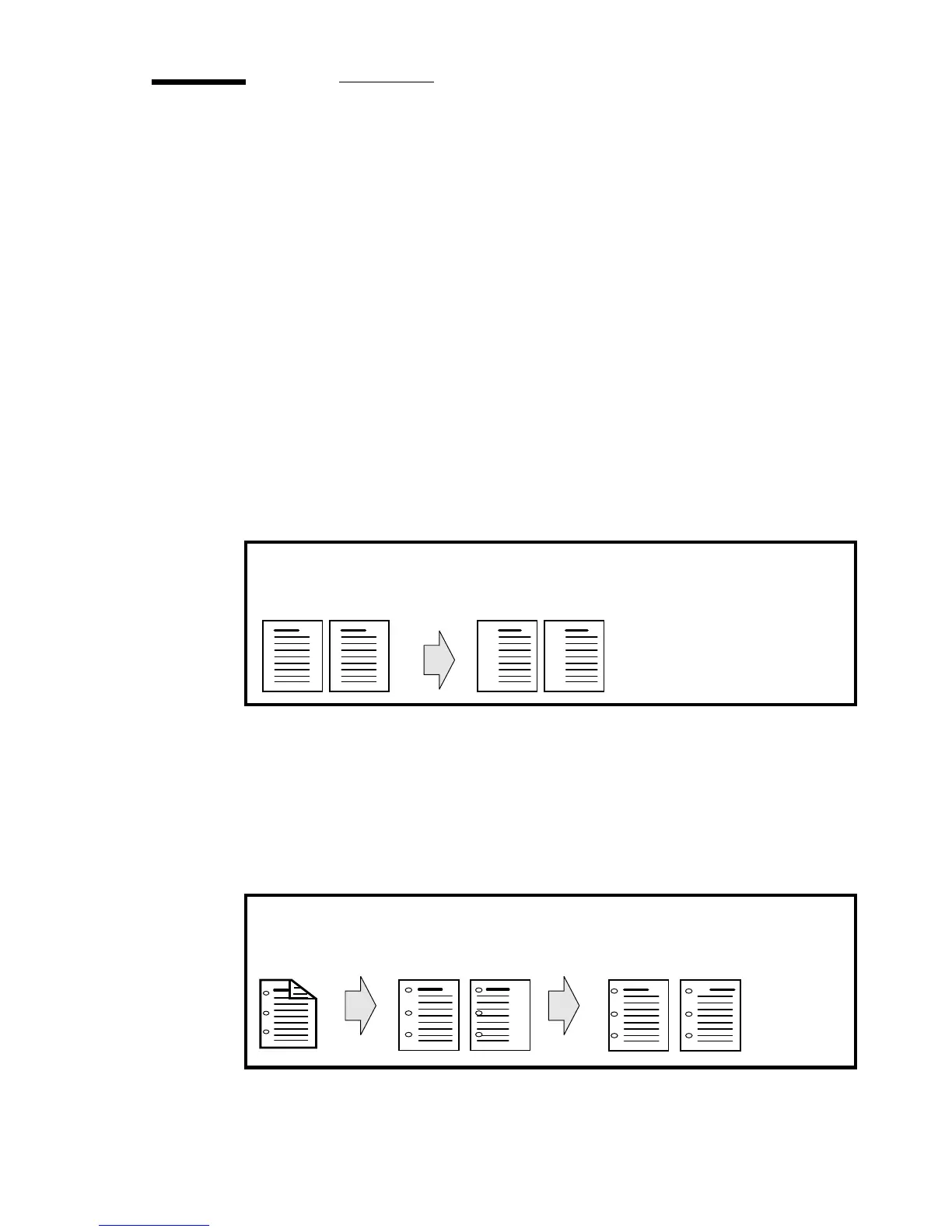
1-sided > 1-sided When making 1-sided copies of 1-sided originals, using the
function ‘Margin shift front’ will shift the image on the copy to the left or to
the right, depending on the chosen value of the margin shift (see figure 31).
[31] Making 1-sided copies of 1-sided originals using ‘Margin shift back’
2-sided > 1-sided When making 1-sided copies of 2-sided originals, the image
on page 2 of your copy will not have the same margin as the image on page 1.
Using the function ‘Margin shift page 2,4,6,...’ you can shift the image on page
2 of your copy to a more appropriate position. With the function ‘Margin shift
page 1,3,5,...’ you can also alter the image on page 1 in order to obtain a better
match (see figure 32).
[32] Making 1-sided copies of 2-sided originals using ‘Margin shift page 1,3,5,..’ and
‘Margin shift page 2,4,6,...’’
1 1 22
copy of
front of
original
copy of
front of
original
originals
copy of back of
original using ‘Margin
shift page 2,4,6...’’
copy of
front of
original
copy of
back of
original
original
21
2
1



 To Next Page