Installing the Océ 3165 as a printer 93
Customizing output settings
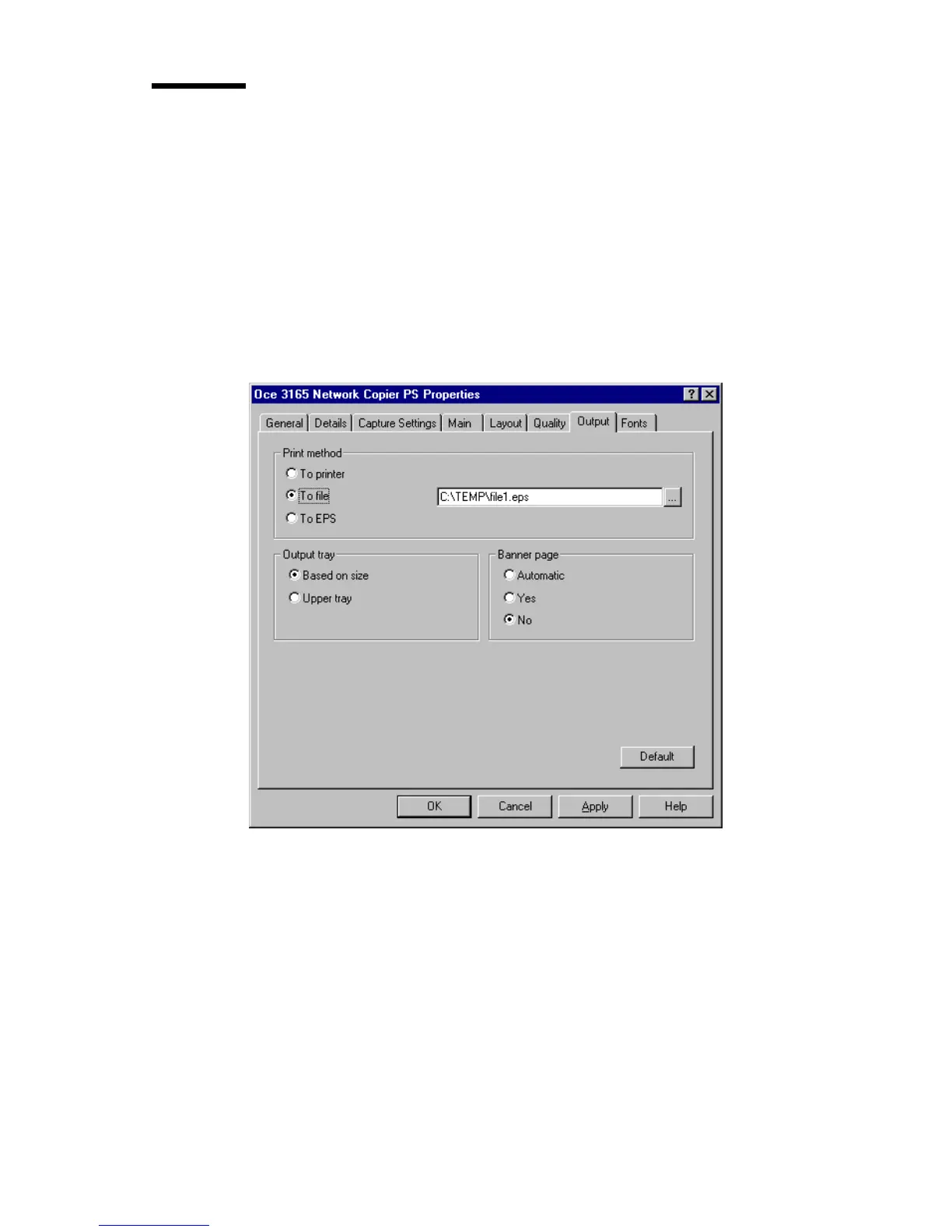
Settings which apply to sending the document for printing, are assembled in
the Output tab of the Océ 3165 printer driver (see figure 47).
In this tab you can define whether your document is printed on paper or
converted into a printer description language for future usage. When you are
not allowed to print directly to the Océ 3165, you must hand over a print file
to the Océ 3165 print operator who takes care of printing your file (see
chapter 7, ‘Submitting jobs in a central printing environment’ on page 135).
This setting is only available in the setup window and applies for all jobs sent.
[47] The ‘Output’ tab of the setup window of the Océ 3165 Network Copier printer driver
Note: Print Method is only selectable in the setup window and determines
where the output must go.
▼ Customizing output settings
1
Open the setup window of the Océ 3165 printer driver as described in
‘Opening the setup window’ on page 88.
2 Click the ‘Output’ tab.
3 Select the required setting for ‘Print Method’: by default ‘To printer’ is
selected and the output is printed by the Océ 3165 on paper. When selecting



 To Next Page