58 Océ 3165 User Manual
Copying calendar originals
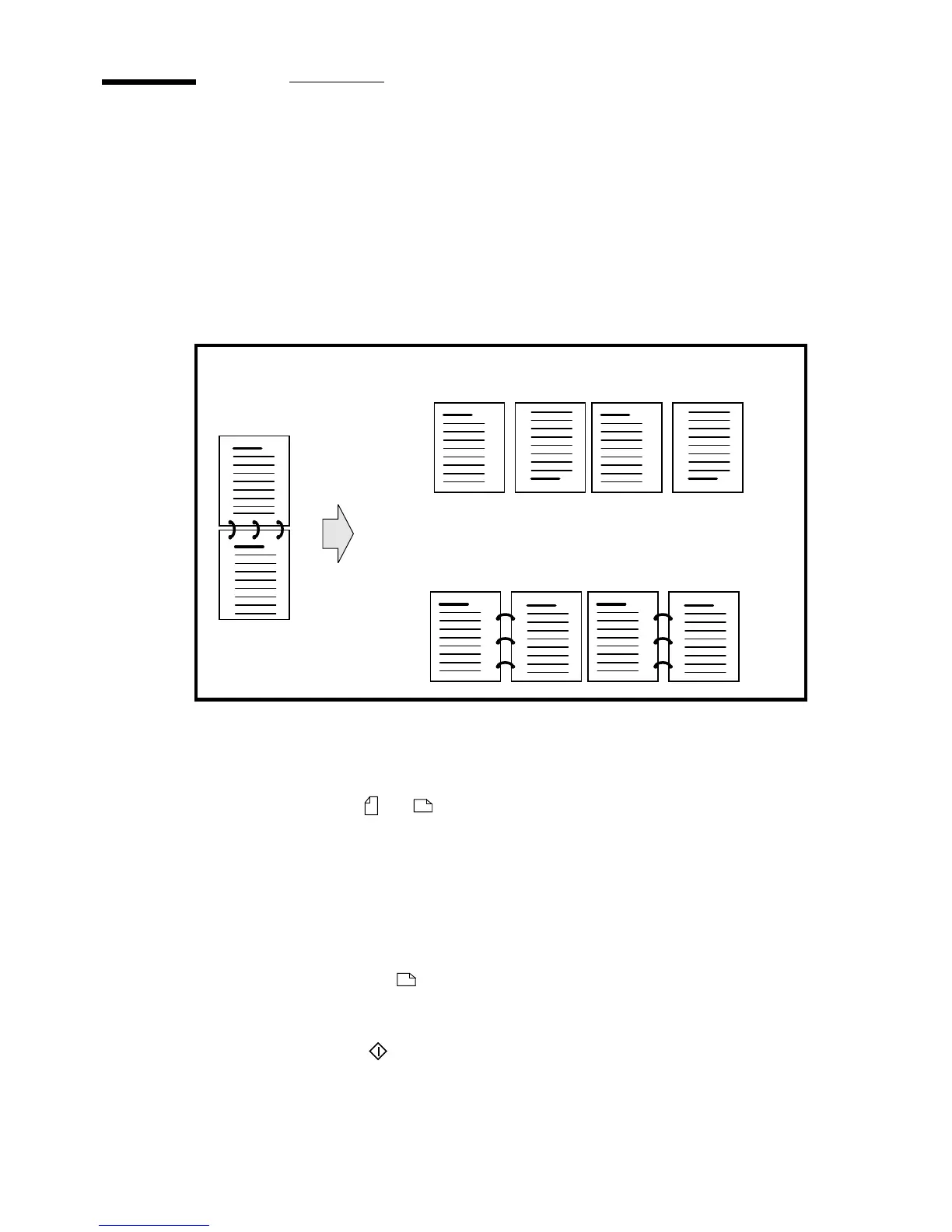
When making a 1-sided copy of a report in calendar form (in which even pages
are rotated), the even pages will be delivered into the output tray upside down.
With the Océ 3165 Network Copier, you can make a copy of such an original
with a horizontal page turn in one step while using other features of the
machine at the same time.
[30] Copying a calendar original
▼ Making an unrotated copy of a calendar original
1
Place the originals in the automatic feeder. Make sure you place the originals
in the right position ( or ).
2 Indicate that the originals are 2-sided and choose 1 or 2-sided copies using the
‘Original’ and ‘Copy’ function buttons.
3 Open the section ‘Extra’ and select ‘Special settings’.
4 Press the function button ‘Binding of original’.
5 Select ‘Short edge’ to indicate the binding edge of the original.
6 Make other selections as required.
Note: If you are feeding originals, make sure the corresponding paper
tray is selected.
7 Select the required number of sets, using the copy quantity buttons.
8 Press the start button .
Double sided calendar
original
3
2
2
3
1
4
Normal output when copying 1-sided
3
2
1
4
Output when selecting ‘short edge’ with
the function ‘Binding of original’



 To Next Page