64 Océ 3165 User Manual
Note: For heavy materials, open the section ‘Extra’ and select ‘Special’
settings. Then press the function button ‘Output tray’ and select the upper
tray.
7 Make other selections as required.
8 Press the start button .
Copying onto special material via the special feeder
The special feeder, a slot located in the paper compartment door, is designed
to feed special copy material such as paperbacked overhead sheets, pre-printed
material, labels and films. It also allows you to make copies onto all other
paper sizes (DIN A sizes, folio and USA paper sizes).
Non-DIN A-sized originals will not be recognised by the copier. For these
originals you must manually select the required zoom factor.
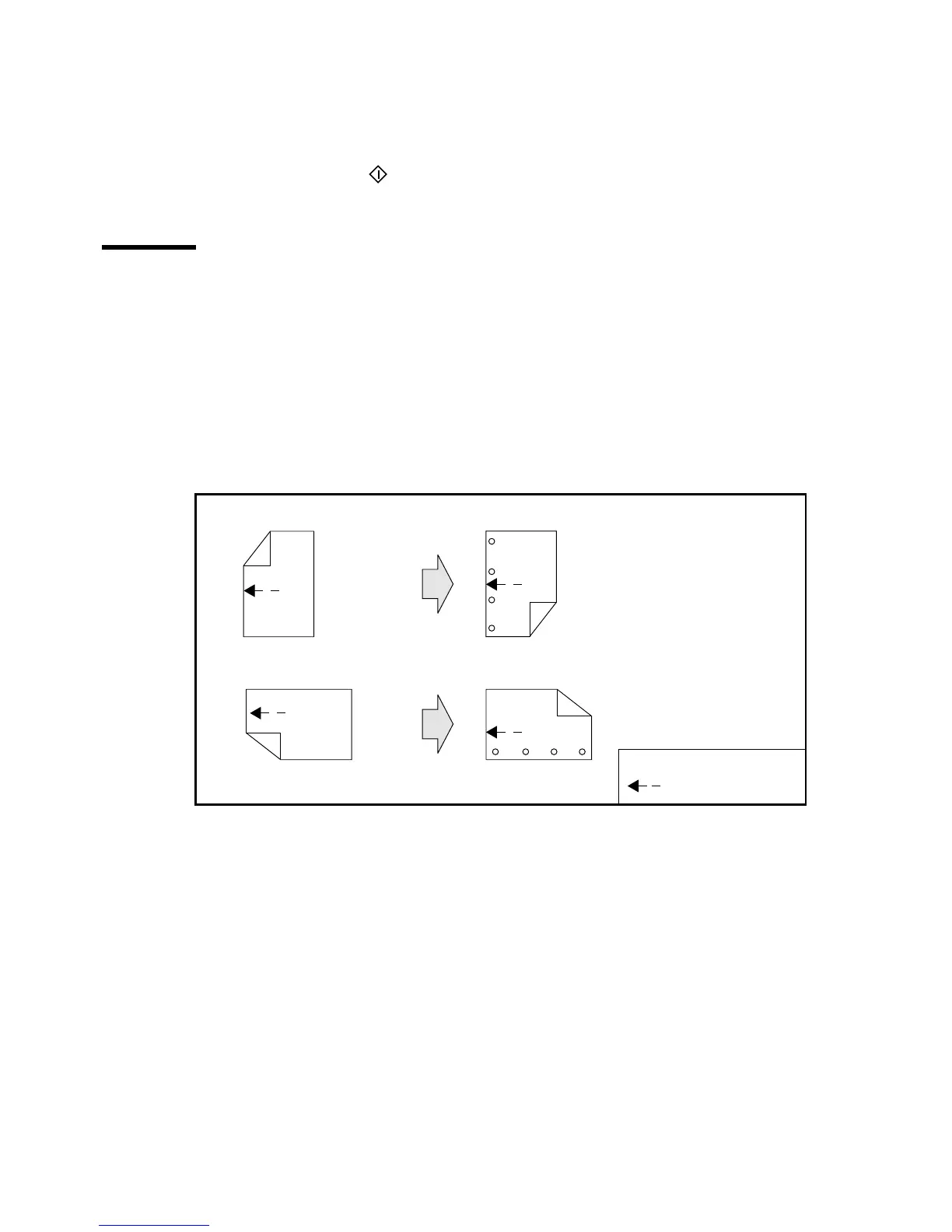
[36] Feed direction of pre-printed and punched copy material in the special feeder
▼ Copying onto special material via the special feeder
1
Place your originals in the automatic feeder or on the glass platen.
2 Indicate whether the originals are 1 or 2-sided and choose 1 or 2-sided copies
using the ‘Original’ and ‘Copy’ function buttons.
Note: If you want to copy onto both sides of the special copy material, you
will have to feed the material twice, turning the material in between.
3 Open the section ‘Paper’and select the ‘Paper input’ settings.
4 Select ‘Special feeder’ with the function button.
5 Indicate the required paper size using the corresponding function button.
Feed direction of copy material in special feederlong-edge feed originals
✱
✱
short-edge feed originals
Feed direction of copy material in special feeder
✱ = Top of page
= Feed direction
✱
✱



 To Next Page