Extended print jobs 131
Creating an EPS file (PS)
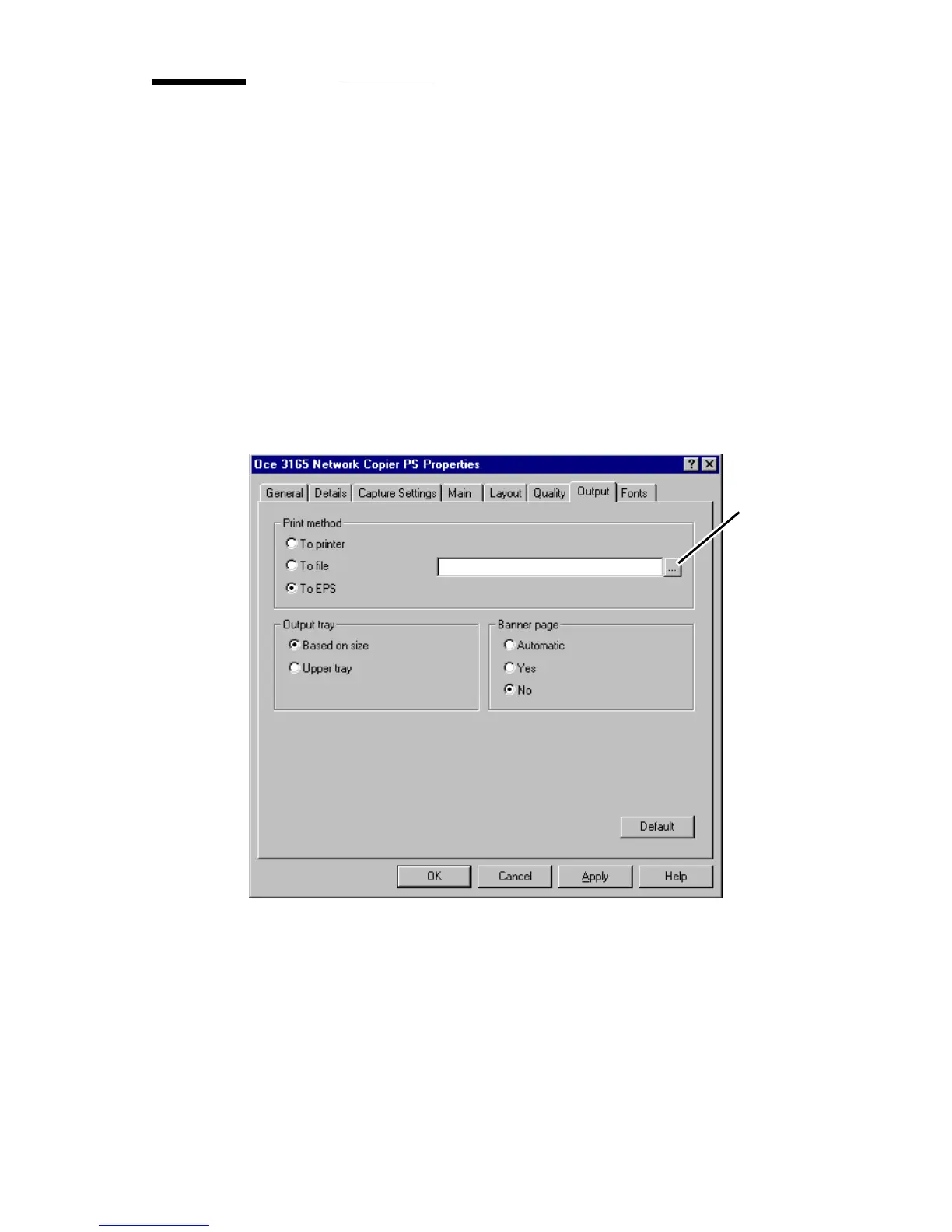
When selecting ‘To EPS’ from the setup window, the output is saved as a file
which can be included as a graphical image in another document as EPS.
This setting is only available in the setup window of the PostScript printer
driver.
▼ Creating a Encapsulated PostScript file from a document
1
Open the setup window of the Océ 3165 printer driver from your application
as described in ‘Storing a document in your mailbox’ on page 107.
2 Click on the ‘Output’ tab.
3 Click ‘To EPS’ in the Print method box.
A file name box and a browse button appears.
[71] Creating an EPS file
4 Press the browse button and browse to the directory in which the EPS file can
be saved.
browse
button



 To Next Page