Introduction 29
Copying and printing using a PIN code
If access control for copying has been activated by the key operator, the copier
is accessible only to those users who have been assigned a PIN code. This PIN
code gives access to a specific account on which each copy or print made by
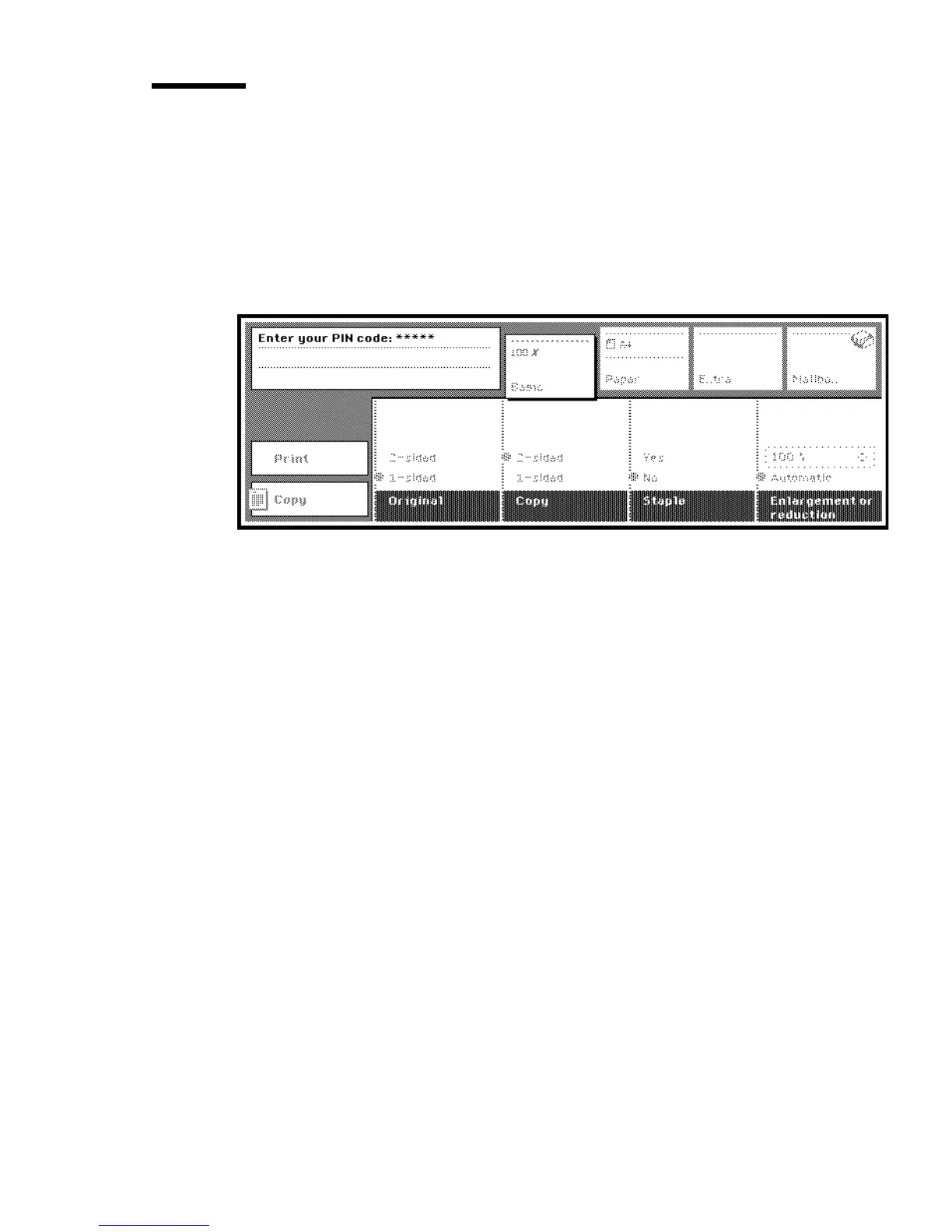
the owner of the account is booked. If access control is active, the display
shows the message: “Enter your PIN code ...” while the labels on the display
are dimmed (see figure 11).
[11] Basic display when accounting system is in use
The key operator allocates a 5-digit PIN code to users to gain access to the
Océ 3165. Each PIN code is unique and the key operator is the only person
authorised to change it. Each account has its own copy counter, which keeps
track of the number of copies made. The key operator has a number of
privileges in terms of account management, including limiting the number of
copies to be made on a specific account (see Key Operator Manual).
If you produce copies and prints for various departments, you will have a PIN
code for each department. Having produced copies on one account, you can
switch to another account for the next job(s). When a selected account is not
accessible, a message appears with an explanation (copy limit exceeded, or
selected account closed or frozen).
Note: If the limit for a particular account has been reached, this will be
indicated by a message. When the limit is reached during a job, the current
job will be finished, but you cannot start a new job. Contact the key
operator for more information.



 To Next Page