122 Océ 3165 User Manual
Printing reduced/enlarged documents (PS)
When you have created a document for printing but the paper size for this
document is not available in the Océ 3165 Network Copier, you might lose
information as the image may not fit onto the paper. If you cannot load the
required paper (because the paper compartment is locked and the special
feeder is not accessible), you can reduce or enlarge the image to fit on the
paper.
In the setup window of the Océ 3165 PostScript printer driver, you can set a
scale factor for your print document in a range of 25 % to 400 % (in steps of
1 %) until it fits the required paper size. In this way you can overcome small
deviations between document size and paper size (for example, A4 to Letter
and vice versa). You can also use this setting when printing to file or to EPS.
▼ Printing reduced or enlarged documents
1
Open the setup window of the Océ 3165 printer driver from your application
as described in ‘Storing a document in your mailbox’ on page 107.
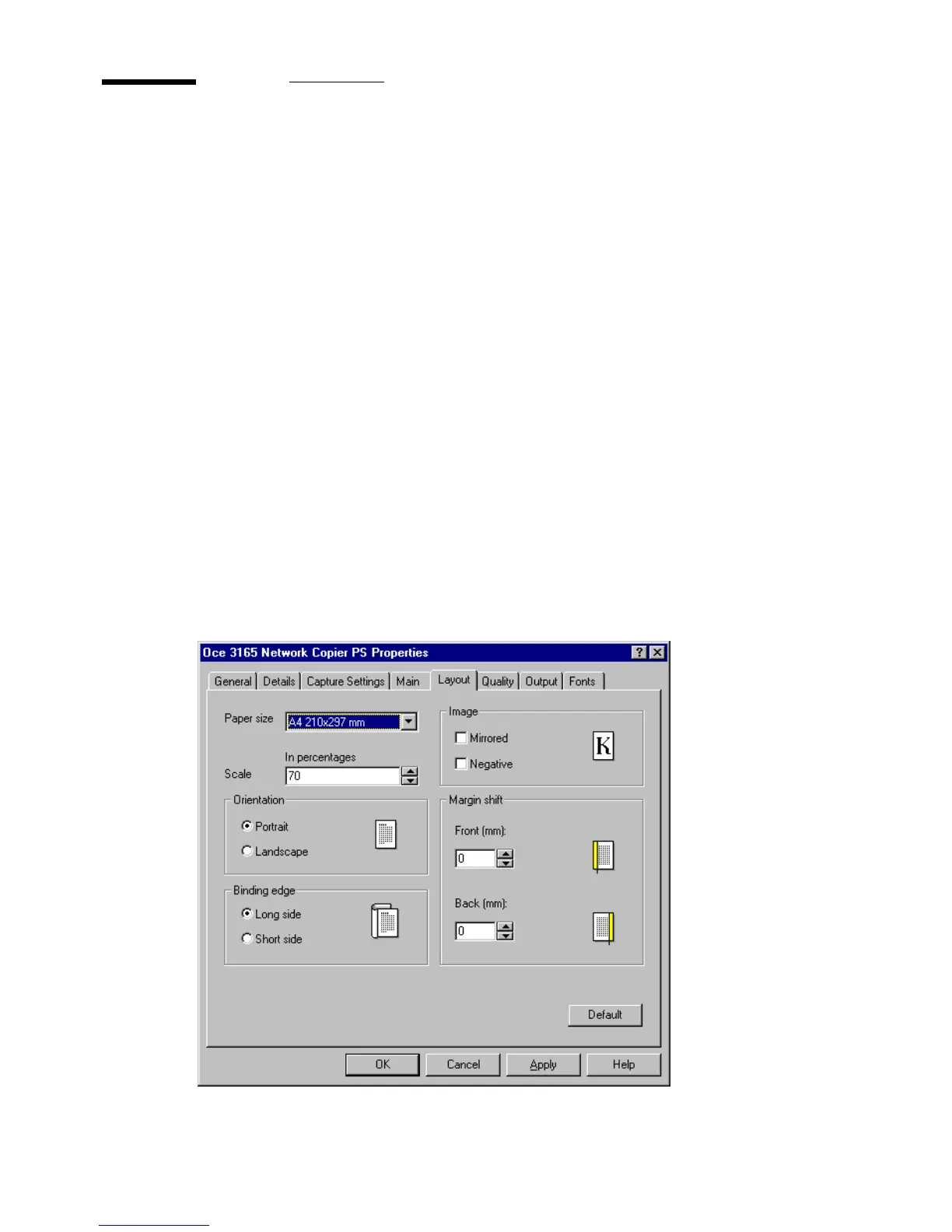
2 Click on the ‘Layout’ tab.
3 Enter a scale percentage in the ‘Scale’ box. You can type in the required
percentage or use the up and down buttons.
[63] Setting a scaling percentage



 To Next Page