Extended print jobs 121
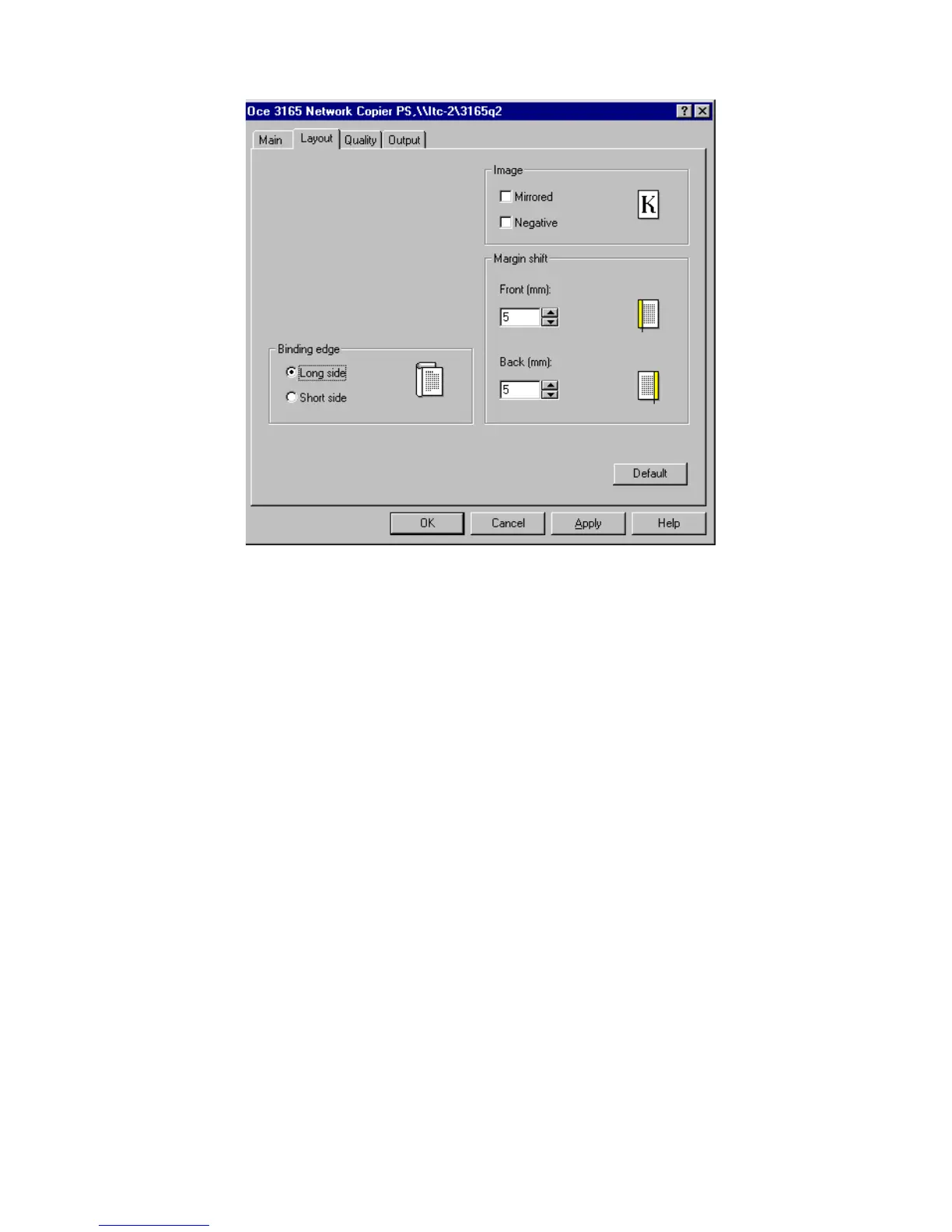
4 Select ’Long side’ or ‘Short side’ in the ‘Binding edge’ box.
[62] Defining location and size of binding edge
5 If required, change the settings ‘Front (mm)’ and/or ‘Back (mm)’ in the
Margin shift box to specify a margin shift for the front and/or back of each
printed sheet. Use the arrow buttons to alter the binding off-set (max. -24 mm
or max. +24 mm).
Note: The ‘Back (mm)’ setting is only available if your document is printed
2-sided.
6 Define other settings as required.
Note: When combining this setting with stapling and/or covers you can
print a finished report.
7 Click ‘OK’.
The document is now transferred to the Océ 3165 Network Copier.



 To Next Page