120 Océ 3165 User Manual
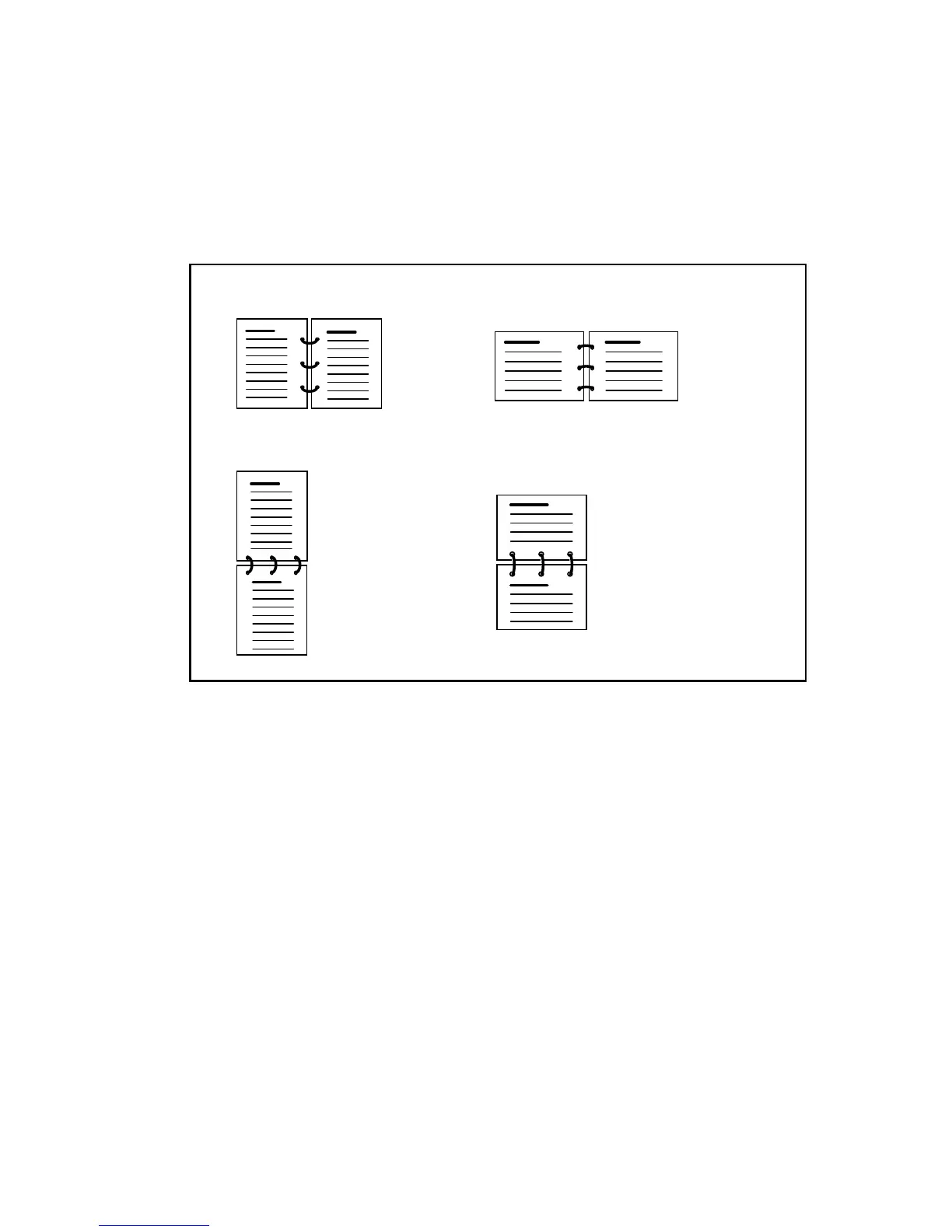
(tumbled) which will result in a legible report for the reader. You can define
these settings using the ‘Binding edge’ setting.
When selecting ‘Long side’, for portrait documents this results in a document
in booklet form, for landscape documents this results in calendar form. When
selecting ‘Short side’, for portrait documents this results in a document in
calendar form, for landscape documents, this results in booklet form.
[61] Various binding positions based on page layout in document
▼ Printing a document with a changed binding
1
From the File menu of your application, select the option ‘Print’.
You are now in the print window of the application.
Note: Do not enter the required number of copies in this window.
2 Click ‘OK’ (or ‘Print’).
The Océ 3165 printer window appears.
3 Enter the required number of copies.
2
3
Landscape document
binding edge: long
Portrait document
binding edge: long
Portrait document
binding edge: short
Landscape document
binding edge: short
23
23
2
3
(Even pages 180˚
rotated)
(Even pages 180˚
rotated)



 To Next Page