162 Océ 3165 User Manual
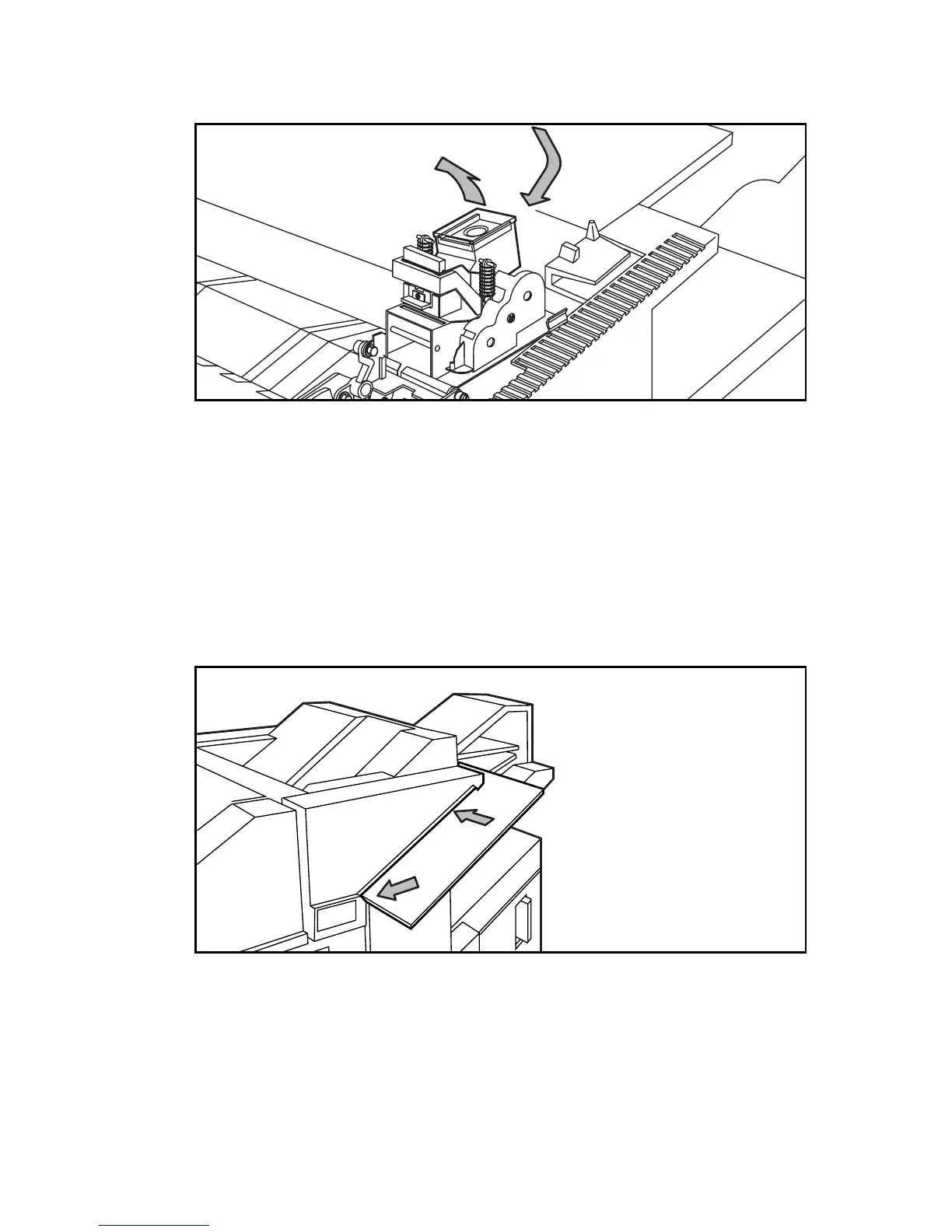
5 Remove the empty staple-cassette by turning it over to the left in a single
movement (see action 1 as shown in figure 96).
[96] Removing/placing the staple cartridge
6 Remove any remaining staples from the stapler anvil.
7 Insert a new cartridge by sliding it downward to the left until it clicks into place
(see action 2 in figure 96 above), ensuring that the first strip of staples does not
slide out of the staple cartridge.
8 Turn the stapler back.
9 Close the top cover.
10 Slide the frame to the left until it locks into place.
11 Close the paper compartment door.
12 Slide several sheets of paper into the stapling slot, as shown below.
[97] Manual stapling
By doing so, the strip of staples will move a bit towards the mouth of the
stapler.
13 Repeat the manual stapling 4 to 6 times, until a staple is inserted through the
set of paper. The stapler is now ready for operation.
1
2



 To Next Page