32 Océ 3165 User Manual
Note: Settings for a copy job which are selected when a print job starts will
still be selected when the print job is finished. These settings do not have
any effect on the print job.
4 Press the start button ( ) to start copying.
▼ Claiming the Océ 3165 Network Copier for printing while ‘Copy’ mode is
active
1
Press the application button once to switch to the ‘Print’ mode.
Note: When the Océ 3165 is waiting to print a direct print job, you can start
this job immediately by pressing the start button ( ).
[13] Print mode
Note: When the DAC is not switched on and you switch to the print mode,
a message in the display will inform you that the DAC is not responding.
To print, the DAC must first be switched on.
2 If necessary, enter your PIN code or use the copy charge device. In that case,
continue with step 4.
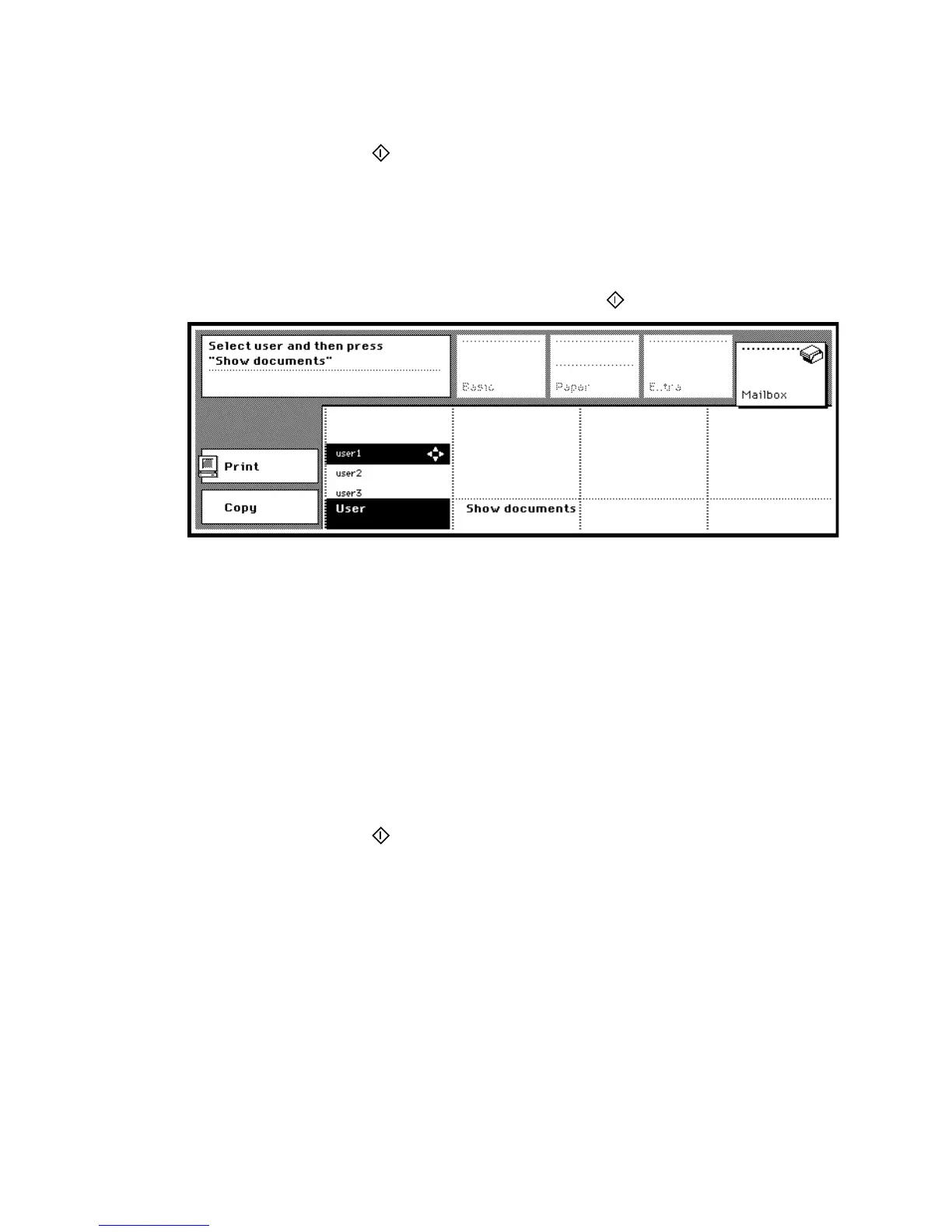
A list of users who use the Océ 3165 for printing appears (see figure 13).
3 Select your user name in the list of users using the arrow buttons and press the
‘Show documents’ function key to view related jobs. Refer to chapter 5 ‘Basic
print jobs’ for more information on contents.
4 Select the job to be printed.
5 Press the start button ( ) to start printing.
6 If required, enter your PIN code for the mailbox.
If access control for printing is active, printed pages are booked on the account
of the mailbox owner. If the copy control device is active, prints are deducted
from your credit in the device.



 To Next Page