Functions and Operations
5.3 Setting Scaling Values
5-17
Decimal Point Position
Teaching Use the teaching function to use real inputs to set scaling input values
“inp.
a1,” “inp. a2,” “inp.b1,” and “inp.b2.”
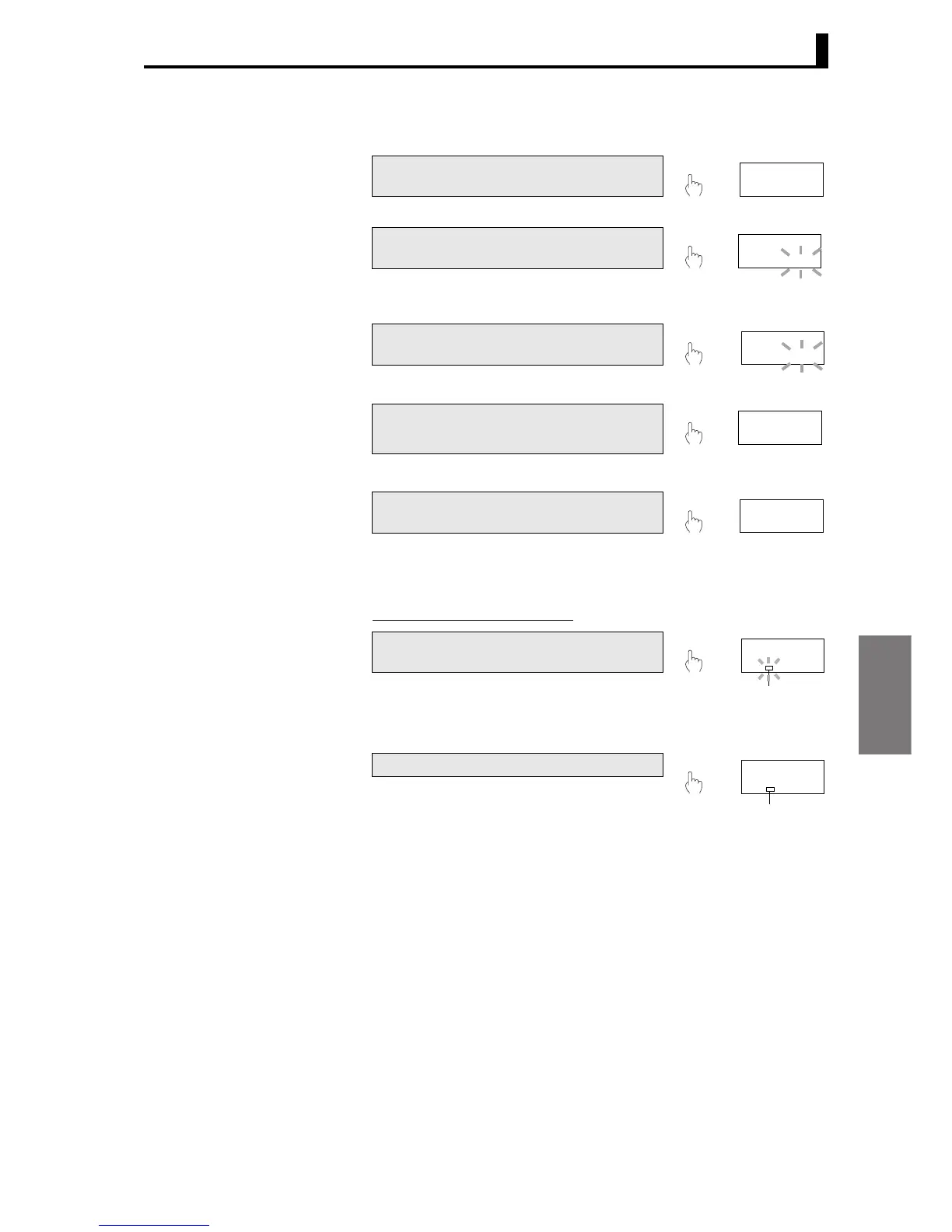
Parameter Setting Procedure
A Press the M [MODE] Key to switch the
PV display to the next parameter “dp.”
B Press the S [SHIFT] Key to make the
SV display flash.
• The setting can be changed when the
SV starts to flash.
C Use the U [UP] Key to change the set
value.
D Press the M [MODE] Key to switch to
the next parameter.
• The set value is registered.
E Press the L [LEVEL] Key for at least
1 s to return to the RUN level.
1 s min.
M
dp
L 0
,,. ,,,
S
dp
,,. ,,,
L 0
U
dp
,,,.,,
L 0
M
nomal
out-p
L 0
L
1234. 5
1234. 5
After performing step B, press the U [UP]
Key.
• Teaching is enabled and “T” flashes.
• The setting changes to match the
actual input.
Press the U [UP] Key again.
• “T” lights and the input value is
registered as the set value and the
monitor mode is entered.
• Press the M [MODE] Key when in
teaching mode to cancel teaching
and switch to the next parameter.
* The input value will not be registered if a
sensor error occurs during teaching or
the U [UP] Key is pressed when no
measurement has been made.
U
inp. a1
10. 412
“T” is lit.
L 0
U
inp. a1
10. 412
“T” changes
from flashing
to being lit.
L 0



 To Next Page
 Loading...

