160
Command, function and parameter description Section 6-3
centre_2
The position around which the next axis is to move.
direction
A software switch that determines whether the arc is interpolated in a clock-
wise or counterclockwise direction. Value: 0 or 1
If the two axes involved in the movement form a right-hand axis, set
direction
to 0 to produce positive motion about the third (possibly imaginary) orthogonal
axis.
If the two axes involved in the movement form a left-hand axis. set
direction
to
0 to produce negative motion about the third (possibly imaginary) orthogonal
axis.
See also: AXIS, PP_STEP, UNITS
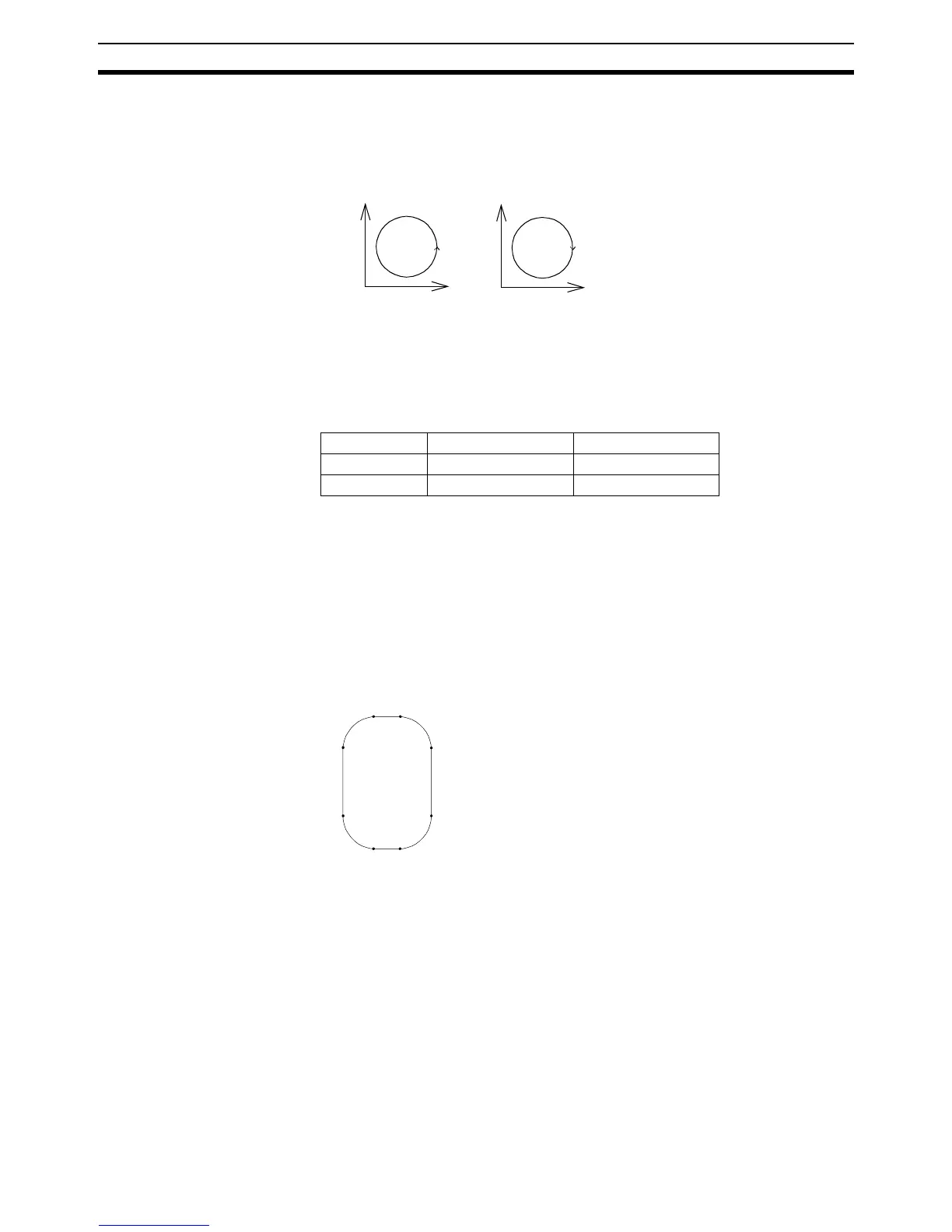
Example: The command sequence to plot the letter 0 might be as follows:
MOVE(0,6) ’Move A -> B
MOVECIRC(3,3,3,0,1) ’Move B -> C
MOVE(2,0) ’Move C -> D
MOVECIRC(3,-3,0,-3,1) ’Move D -> E
MOVE(O,-6) ’Move E -> F
MOVECIRC(-3,-3,-3,0,1) ’Move F -> G
MOVE(-2,0) ’Move G -> H
MOVECIRC(-3,3,0,3,1) ’Move H -> A
6-3-119 MOVELINK
Type: Motion Control Command
Syntax: MOVELINK(
distance
,
link_distance
,
link_acceleration
,
link_deceleration
,
link_axis
[,
link_option
[,
link_position
]])
Alternative: ML(
distance
,
link_distance
,
link_acceleration
,
link_deceleration
,
link_axis
[,
link_option
[,
link_position
]])
Description: The MOVELINK command creates a linear move on the base axis linked via a
software gearbox to the measured position of a link axis. The link axis can
move in either direction to drive the output motion.
The parameters indicate what distance the base axis will move for a certain
distance of the link axis (link_distance). The link axis distance is divided into
three phases which apply to the movement of the base axis. These parts are
Direction Right-hand axis Left-hand axis
1 Negative Positive
0 Positive Negative
Direction=0
Direction=1
1
2
1
2
A
B
CD
E
F
GH














 To Next Page