28
Installation Section 2-2
2-2 Installation
2-2-1 Installation Conditions
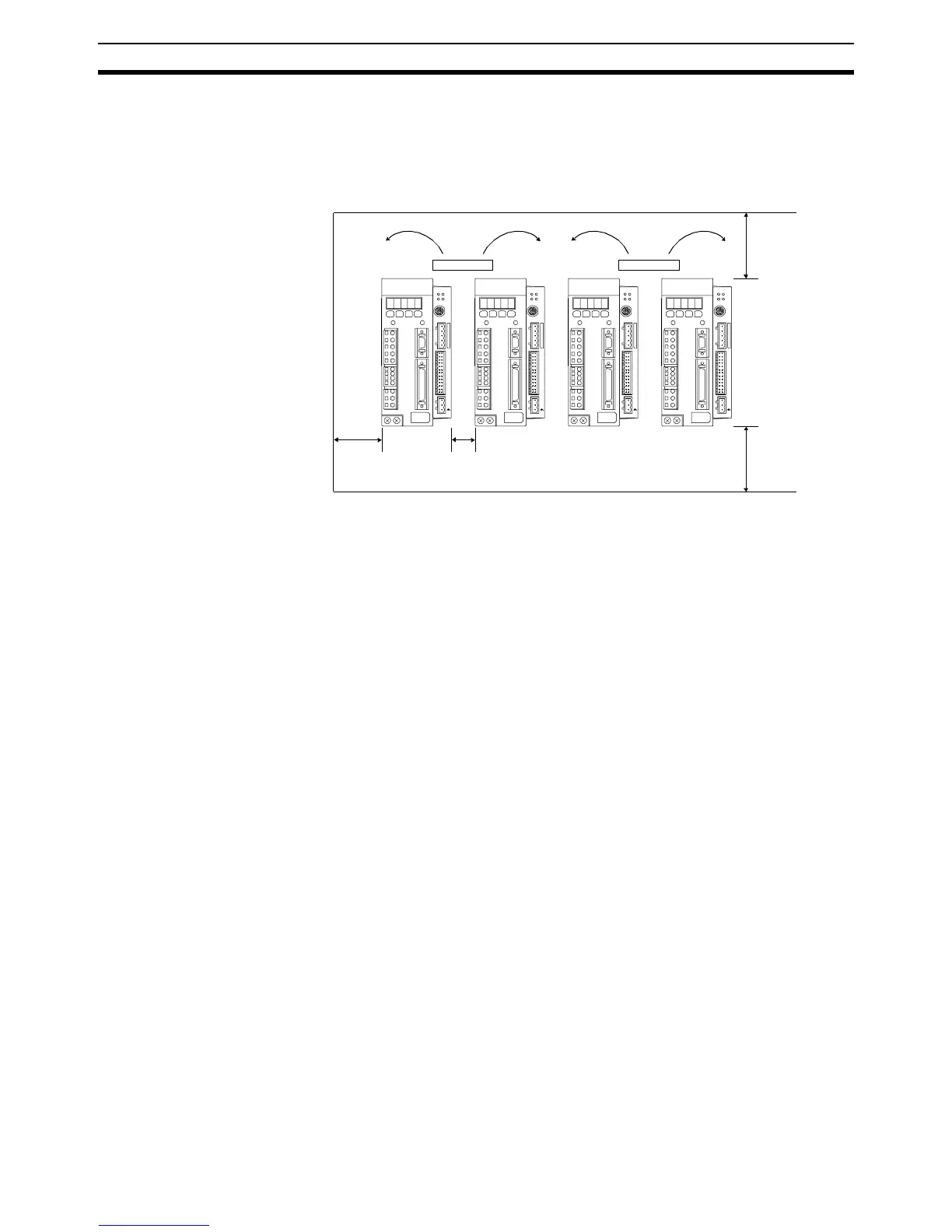
Follow the procedure below to install multiple Servo Drivers side by side in a
control panel.
■ Servo Driver Orientation
Install the Servo Driver perpendicular to the wall so that the front panel (dis-
play and setting section) faces forward.
■ Cooling
As shown in the figure above, provide sufficient space around each Servo
Driver for cooling by cooling fans or natural convection.
■ Side-by-side Installation
When installing Servo Drivers side-by-side as shown in the figure above, pro-
vide at least 10 mm between and at least 50 mm above and below each
Servo Driver. Install cooling fans above the Servo Drivers to avoid excessive
temperature rise and to maintain even temperature inside the control panel.
■ Environmental Conditions
• Ambient operating temperature: 0 to 55°C
• Ambient operating humidity: 20% to 90% RH (no condensation)
• Vibration: 4.9 m/s
2
2-2-2 Installation Method
When installing the MC Unit
1,2,3... 1. Insert the lower two extensions into the bottom mounting holes on the right
side of the Servo Driver.
2. Move the upper side of the MC Unit towards the Driver and verify the Servo
Driver connector will directly fit into the MC Unit connector. Click the higher
extension into the upper mounting hole.
25
1
0V
+24V
26
I/O
2
MCW151
SD
RUN
PORT2 PO R T 0 , 1
RD
STS
25
1
0V
+24V
26
I/O
2
MCW151
SD
RUN
PORT2 PO R T 0 , 1
RD
STS
25
1
0V
+24V
26
I/O
2
MCW151
SD
RUN
PORT2 PO R T 0 , 1
RD
STS
25
1
0V
+24V
26
I/O
2
MCW151
SD
RUN
PORT2 PO R T 0 , 1
RD
STS
Fan Fan
30 mm min. 10 mm min. 50 mm min.
50 mm min.














 To Next Page