211
Motion Perfect Tools Section 7-5
7-5-7 Full Controller Directory
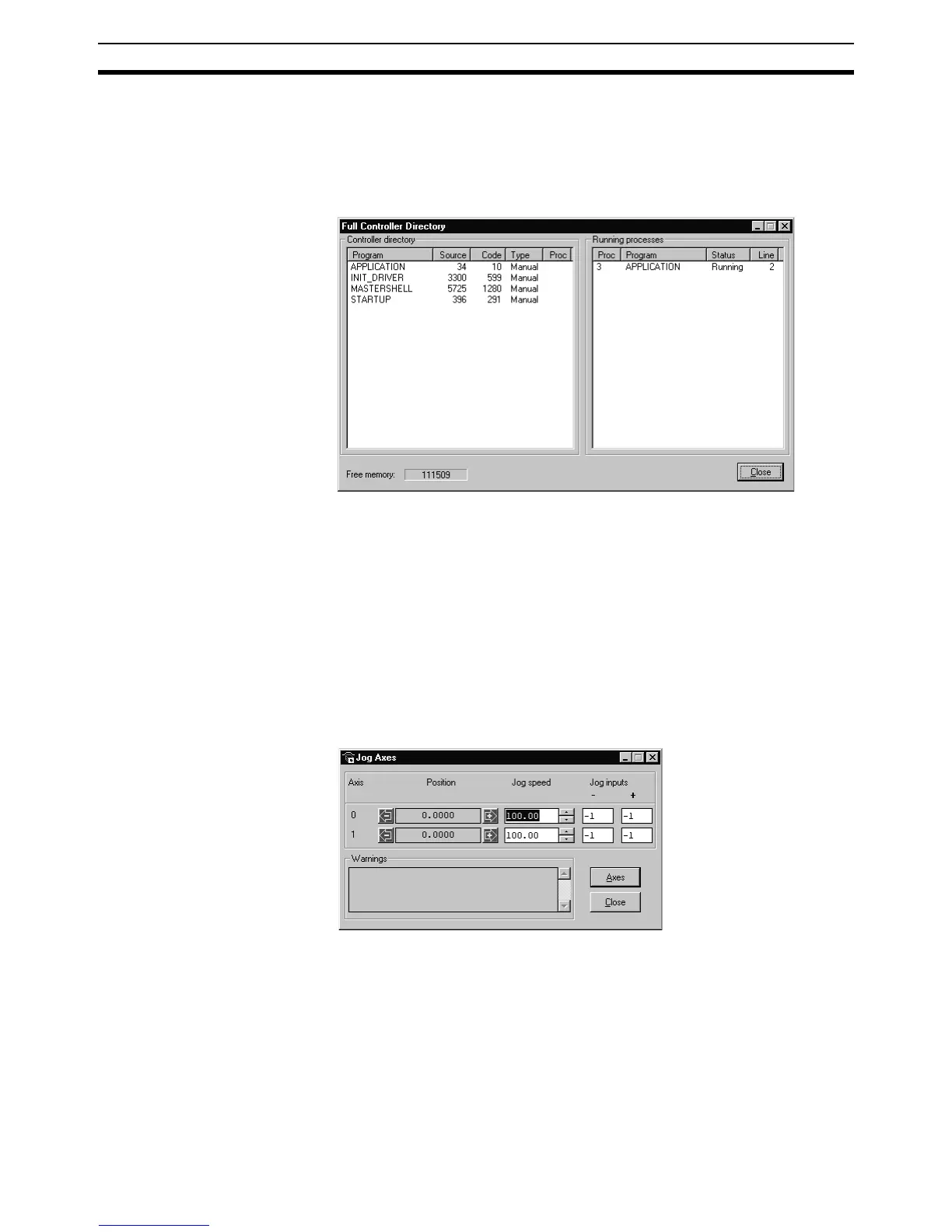
The Full Controller Directory Window dynamically shows details of all pro-
grams on the MC Unit, and details of all running tasks or processes. The win-
dow can be opened by selecting Full Directory from the Program Menu or
the appropriate button on the Control Panel.
7-5-8 Jog Screen
The Jog Screen can be used to set-up and operate the jogging operation of
the motion controller with the bi-directional virtual I/O. The screen sets the
axis parameters corresponding to jogging (FWD_JOG, REV_JOG and
JOGSPEED) and controls the virtual inputs which are set to jogging. This tool
will not use the Fast Jog feature of the controller and therefore the
FAST_JOG parameter is assumed to be -1.
Note The jogging inputs which are connected are considered to be active low (nor-
mally closed). This implies that jogging is enabled when the input is low and is
disabled when the input is high.
The Jog Screen is shown below.
Jog Inputs There are separate inputs for forward and reverse jogging of each axis. When
a jog input is set to a valid input number, the corresponding output will be
turned ON and then the corresponding FWD_JOG or REV_JOG axis parame-
ter will be set.
Jog Speed Settings This is the speed at which the jog will be performed, which is given by the
JOGSPEED parameter. The value of the speed is limited to the range from 0
to the demand speed given by the SPEED parameter for this axis. This value
can be changed by writing directly to this field or by using the jog speed con-
trol (up/down) buttons.














 To Next Page