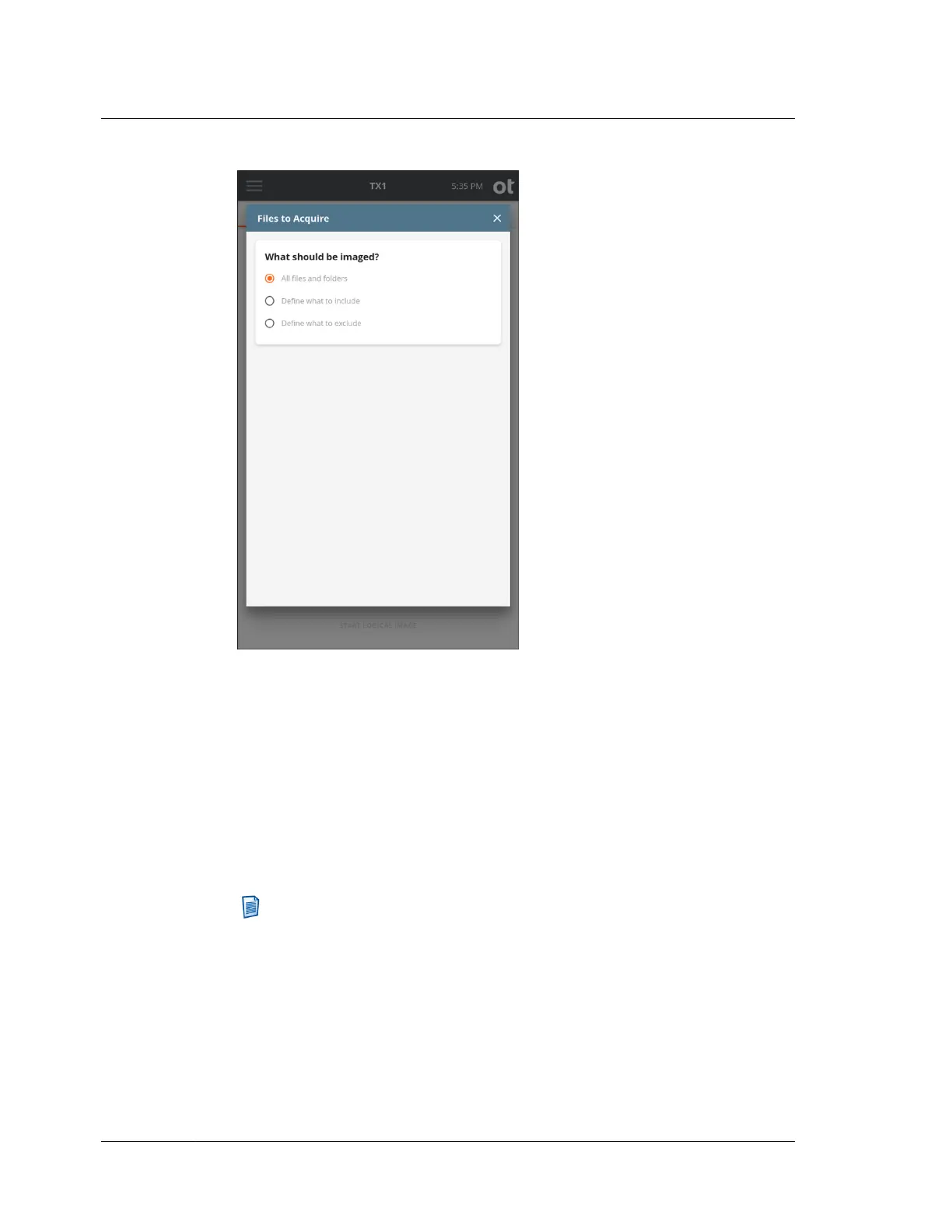
As shown in the screenshot above, the default setting of All files and folders is
initially selected. If no source file or folder down-selection is desired, simply exit
this step by closing the Files to Acquire modal window by tapping the X in the
upper right corner or by tapping outside of the modal.
If down-selection of the source dataset is desired, there are two different starting
points, as follows:
• Define what to include ‒ This setting assumes that NO files and folders will
be acquired, which requires defining which ones to INCLUDE.
• Define what to exclude ‒ This setting assumes that ALL files and folders will
be acquired, which requires defining which ones to EXCLUDE.
Note: The instructions in this section focus on the Basic mode of searching
for files and folders to be acquired. This Basic mode search provides a
powerful yet simple and straightforward way to focus on forensically
valuable file-based evidence. See “Advanced logical imaging setup”
on page 137 for details on the optional Advanced mode search.
Regardless of whether you are including items in an empty dataset or excluding
items from a full dataset, the same setup style is used to limit what is acquired,
as covered in detail below.
6. Select files and folders to include/exclude.
Chapter 4 Using TX1
122
OpenText™ Tableau™ Forensic TX1 Imager
ISTX240300-UGD-EN-1



 To Next Page