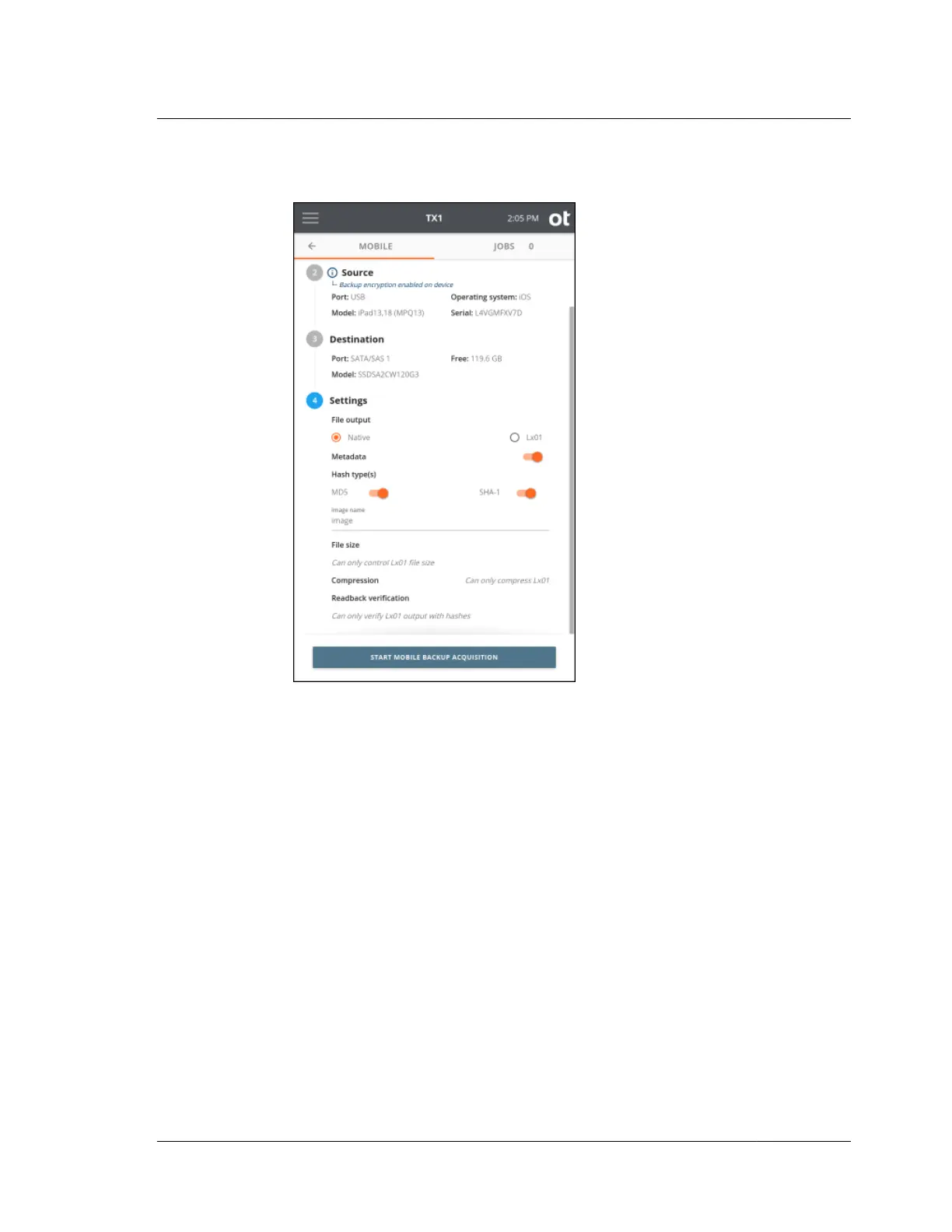
6. To change the job settings, tap the 4 or Settings heading.
The setting options and default setting values are as follows:
• File output: Native will capture the mobile device’s backup file structure
directly to the chosen destination drive/filesystem. Lx01 will create a logical
image file set that encapsulates the native files. The factory default setting is
Native.
• Metadata: TX1 can create a metadata file in CSV format during a mobile
backup acquisition job. This metadata file includes the hash(es) of each
acquired backup file, among other things. See “Files created during mobile
backup acquisition” on page 162 for more information on the metadata file.
The default setting is enabled.
• Hash type(s): The available hash types are MD5 and SHA-1. This setting is
only available for Native file output jobs that have metadata enabled and
Lx01 file output jobs (regardless of the metadata setting). The hash value(s)
will be stored in the metadata CSV file (if enabled) for both output types and
in the Lx01 file. The default setting is MD5 and SHA-1 or whatever is set for
Hash type(s) in the Defaults setting area.
• Image name: This will be the base filename for the outputs generated by TX1.
For iOS sources, it is also used as a sub-folder name that is used to store the
4.9. Mobile backup acquisition
ISTX240300-UGD-EN-1
User Guide
159



 To Next Page