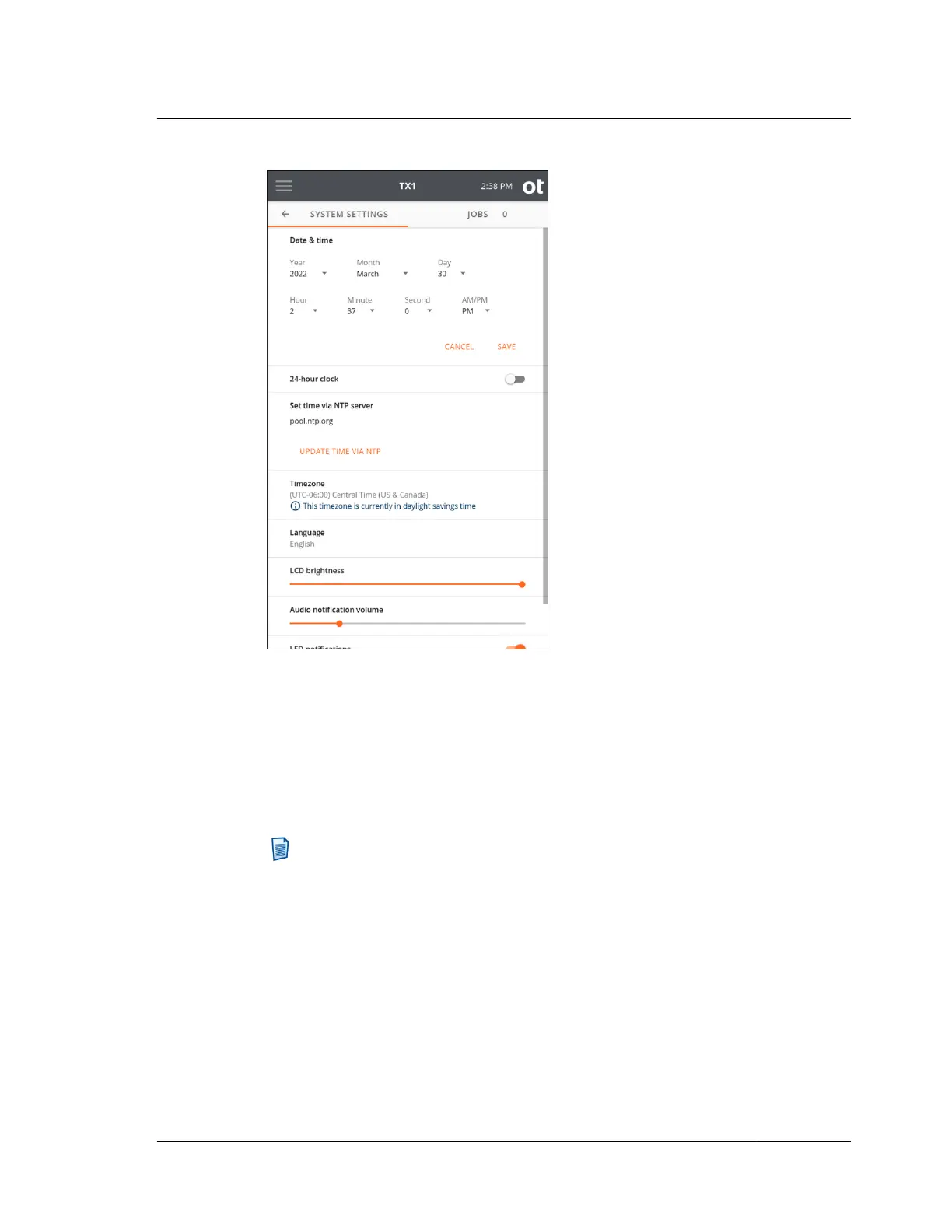
To enable setting the TX1 system time via an NTP server, a valid network
connection and at least one NTP server source is required. The default NTP server is
a public internet option (pool.ntp.org (http://pool.ntp.org/)). This can be changed to
one of the other public internet options or a local network NTP server. Tapping on
Set time via NTP server displays a list of options for NTP server connectivity. Note
that the UPDATE TIME VIA NTP button is inactive if there is no network
connectivity or no working NTP server available. Contact your local network
administrator for assistance in setting up your NTP server.
Note: Due to the forensic implications of changing TX1's system time during
an active job, the ability to use an NTP server to set the time has intentionally
been limited to a manual call to the NTP server that is only available when no
jobs are in progress. Also, should the NTP server update routine fail for any
reason, a warning message to that effect will be shown instructing you to
manually set the time and date.
The user interface display language can be set to German, English, Spanish, French,
Korean, Portuguese, Russian, Turkish, or Chinese. Changing the language
automatically configures the virtual keyboard to match the new language selection.
3.2. Configuring TX1
ISTX240300-UGD-EN-1
User Guide
25



 To Next Page