SOCT Copernicus PLUS - Service Manual
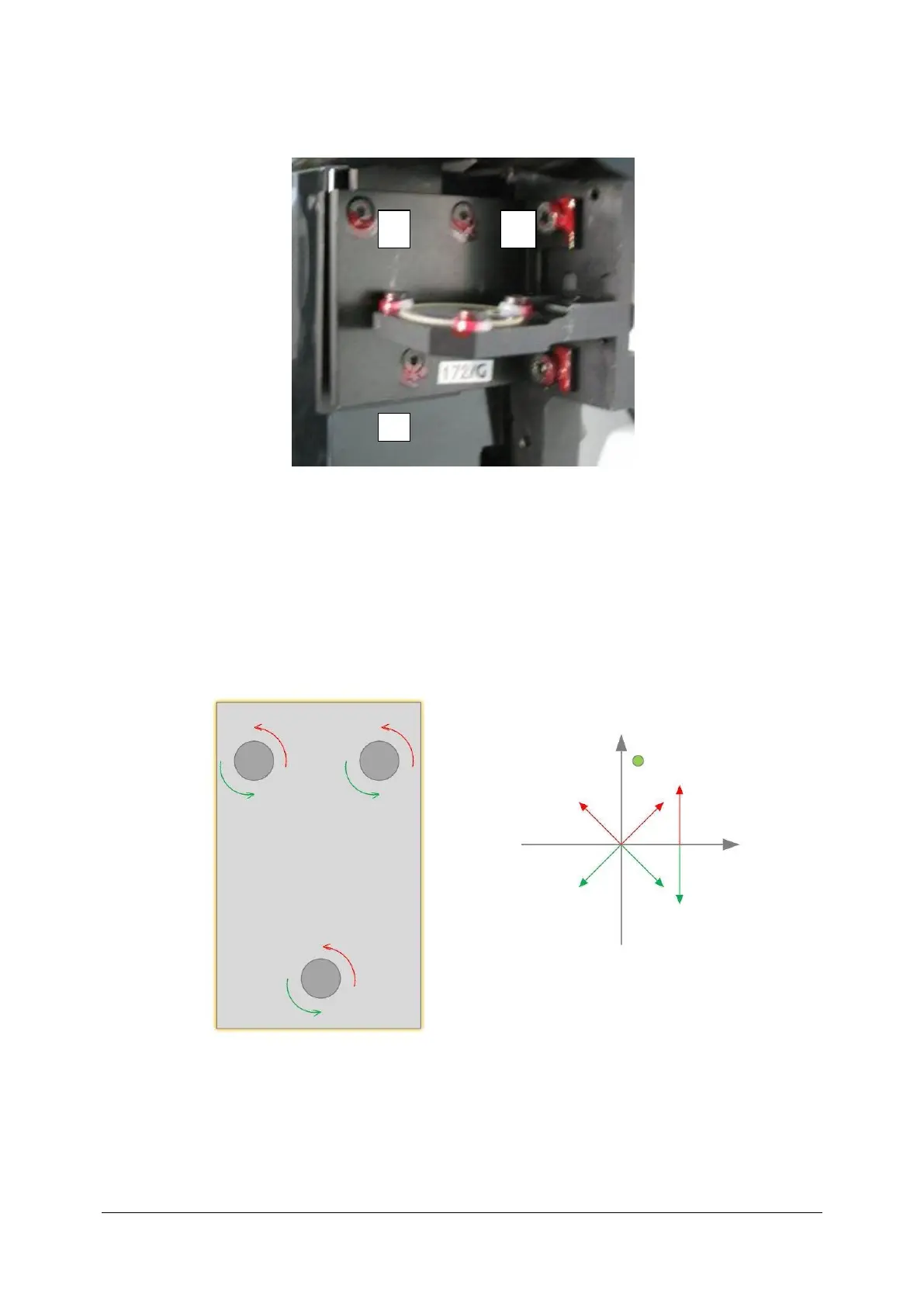
14. On the holder of diachronic mirror you will find three screws.
15. By screwing-in and screwing-out consecutive screws ( observing image from the webcam At
the same time) set the beam in the right position. Rotating screw number 1 clockwise causes
shifting the beam down and to the right. Rotating it counter-clockwise causes shifting up
and left. Screw number 2 rotated clockwise Shift the beam down and to the left. Rotate
counter-clockwise – up and to the right. Screw number 3 rotated clockwise shifts the beam
up, counter-clockwise – down.



 To Next Page