5. 点検・整備・調整
- 49 -
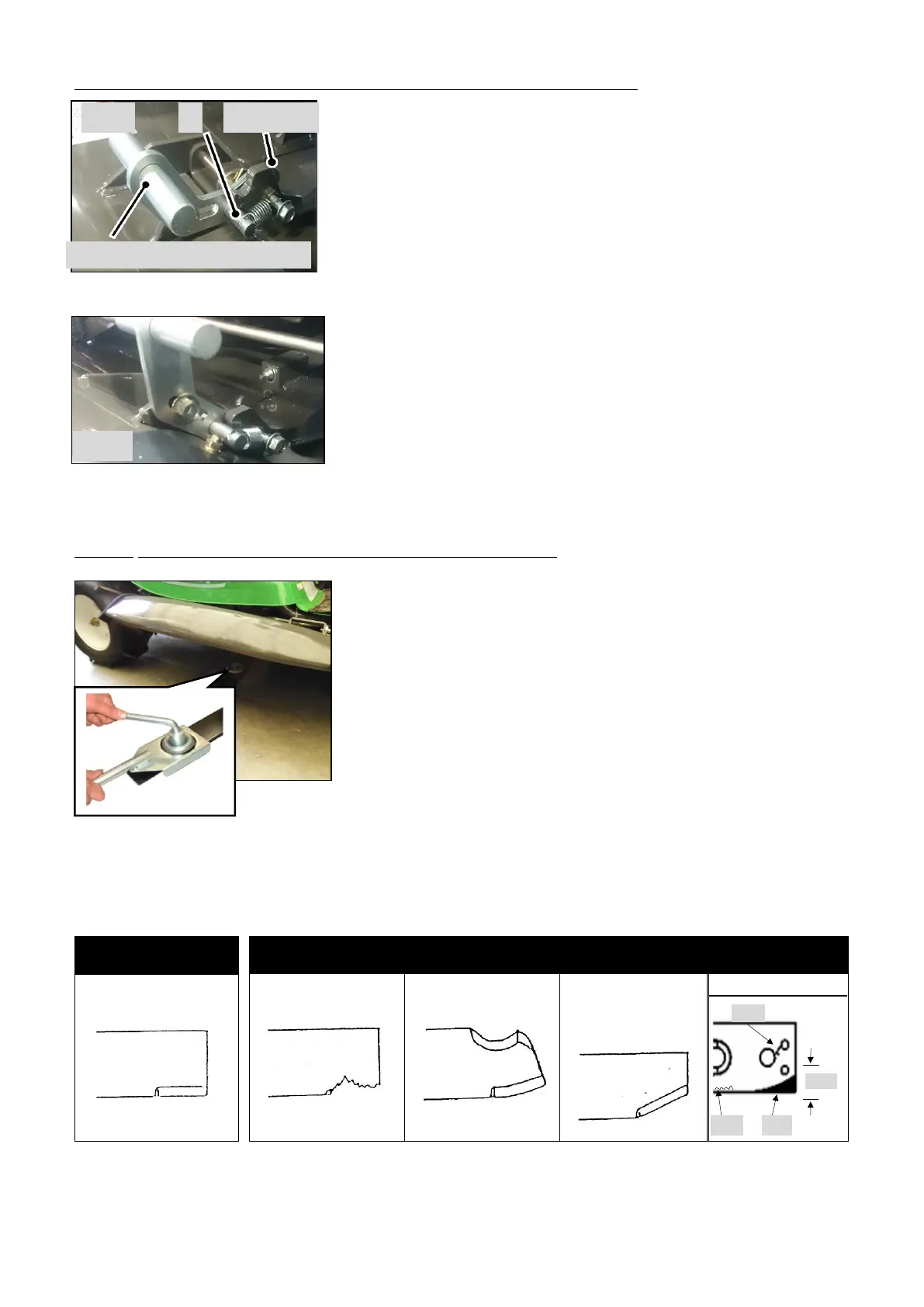
5.4.1 Open and Close the knife replacement cover
① Stop the engine and remove the key from the engine
switch.
② Use the cutting height adjustment lever to set the cutting
height to the middle position.
③ Pull the "upper and lower arm" of the right cover outward
and pull up the cover.
④ The cover can be opened and fixed by inserting the pins of
the upper and lower arms of the right cover into the notch
on the upper side of the pin holder.
⑤ When closing the cover, pull the "upper and lower arm" of
the right cover outward, down the cover, and then insert
the pin into the lower notch.
5.4.2 Inspection and replacement of knives
①Stop the engine and remove the key from the engine switch.
②Use the cutting height adjustment lever to set the cutting
height to the middle position.
③Fully open and secure the knife replacement cover.
④ Check the mounting condition of the knife and knife stay.
④ Check the knife and knife stay for cracks, bends and
wear.
※ If the condition is abnormal as shown below, replace the knife. The front and back of
the knife stay cannot be exchanged. Please replace all.


 To Next Page